Agent roles
Write down how a reviewer, a tester or a release manager works on your project, and the agent works that way when the task calls for it. On each turn Ingot picks one role from .ingot/agents, gives its instructions to the agent and lists the file in Task context, along with the skills it offered and the slash command the turn ran.
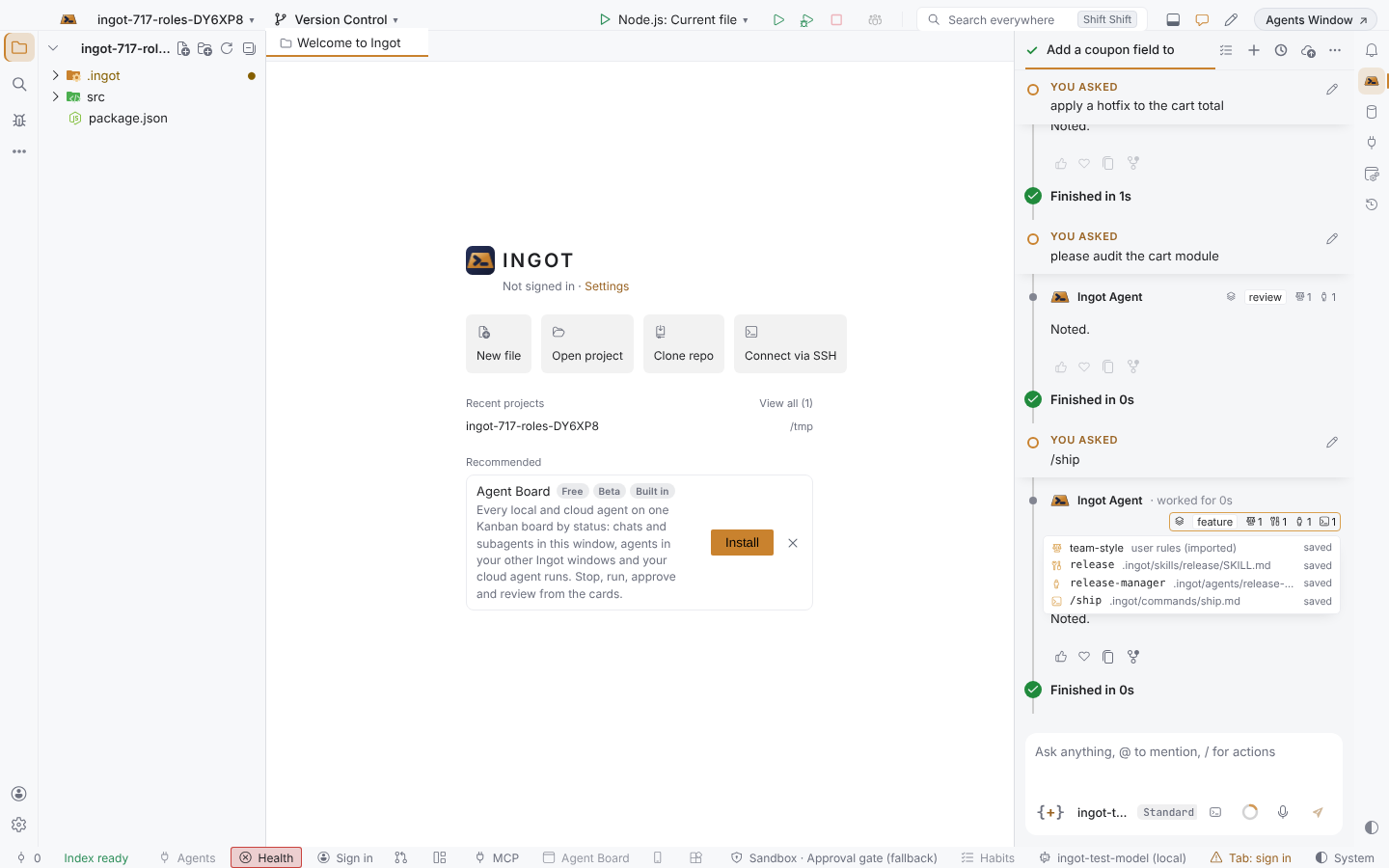
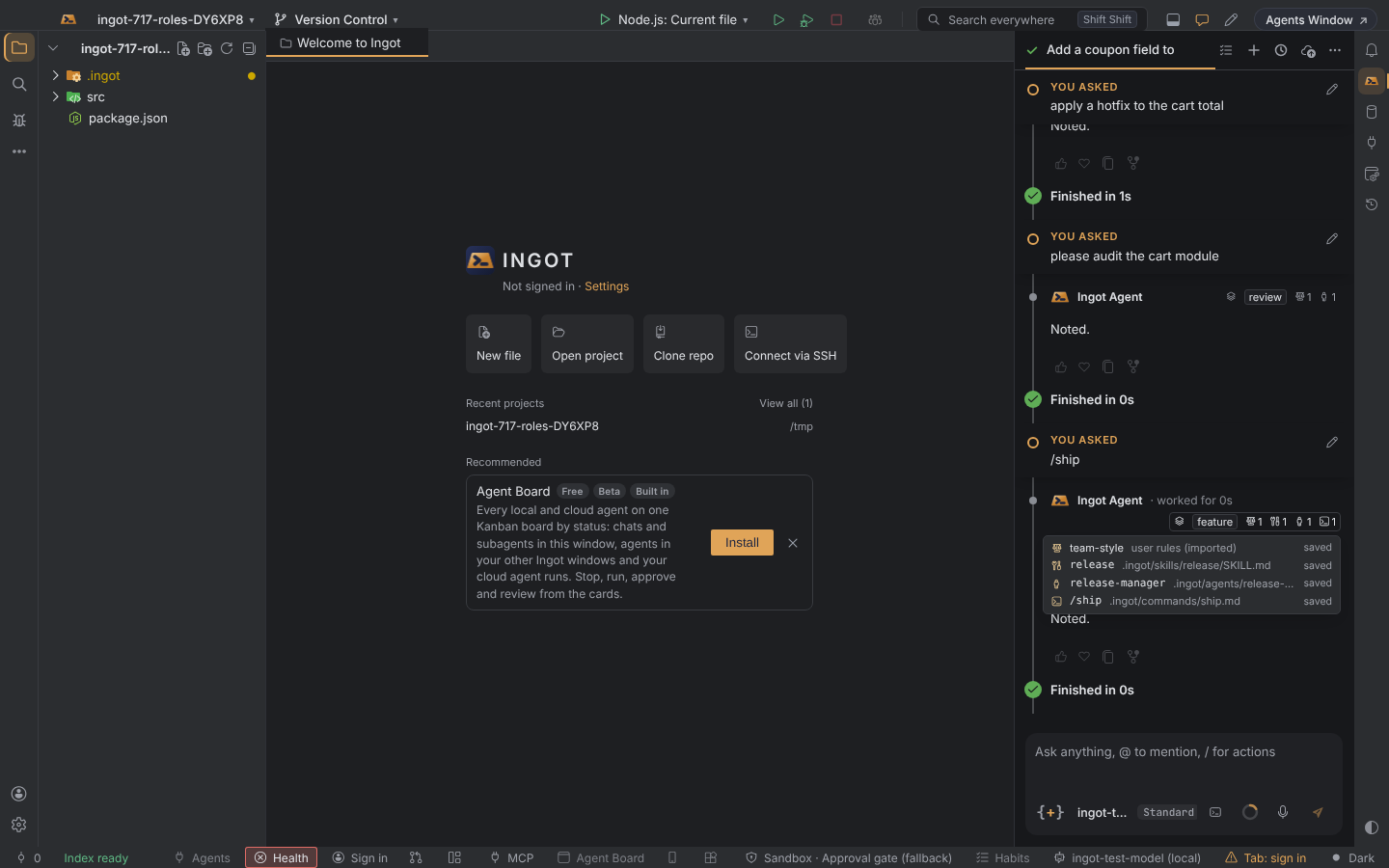
A role
Each role is a folder with one AGENT.md:
---
description: Reviews code
tasks: [review]
keywords: [audit]
priority: 0
---
Check every changed line for bugs and missing tests.
The folder name is the role's name (.ingot/agents/reviewer/AGENT.md is reviewer); set name: to change it. The body is what the agent is told.
How one is picked
- If a workflow matches the task and names a role (
agent: reviewerin its front matter), that role is used. - Otherwise the role whose front matter fits best: a word from
keywordsin your message, then the task type intasks(feature, bug, review, refactor, test or docs), then the higherpriority, then the name. - If nothing fits, no role is used.
The files are read again on every turn, so an edit is used on the next message. Plain .md files directly in .ingot/agents are still the subagents the agent can start.
Skills for some tasks only
Add tasks: or keywords: to a skill in .ingot/skills/<name>/SKILL.md, and the agent is offered it only when the task or your message matches. Matching skills are listed first. Skills without them are offered as before.
Commands
When you run a slash command from .ingot/commands, such as /ship, Task context shows the command and its file.
Turn it off
| Setting | Default | Where |
|---|---|---|
ingot.agentRoles.enabled | on | Settings › Agent roles, Settings › Features › Agent roles |
When it is off, the role files are not read during a run. Skills and commands still work.
See also MCP flows and workflows, Context Engine and Slash commands.
Role orchestrator
Turn on Settings › Role orchestrator (ingot.agentRoles.orchestrator) to let a flow assign roles. When a flow in .ingot/mcp-flow is picked for a chat, its steps run in order, one step per run, each as the role its agent names in .ingot/agents. The agent gets the plan as a block (the steps, their roles, and which one is now), and the step moves on when its run completes. A run that fails or is cancelled stops the plan, and so does a step that names no role, or a role that does not exist. A finished or stopped plan does not carry over to the next run of the flow. Off: flows do not assign roles.