Agent Sandbox
Run agent commands in an operating-system sandbox on macOS, Linux and Windows, with a per-project allow-list of commands, hosts and folders.
Beta The Agent Sandbox is on by default. Commands an agent runs may read as usual but write only in the project, temp folders, package caches and the folders you allow. New commands, new hosts and paths outside the project ask first, and Allow in workspace on the card saves your answer for the project.
Turn it on
The Agent Sandbox is easy to find in three ways, like every optional feature:
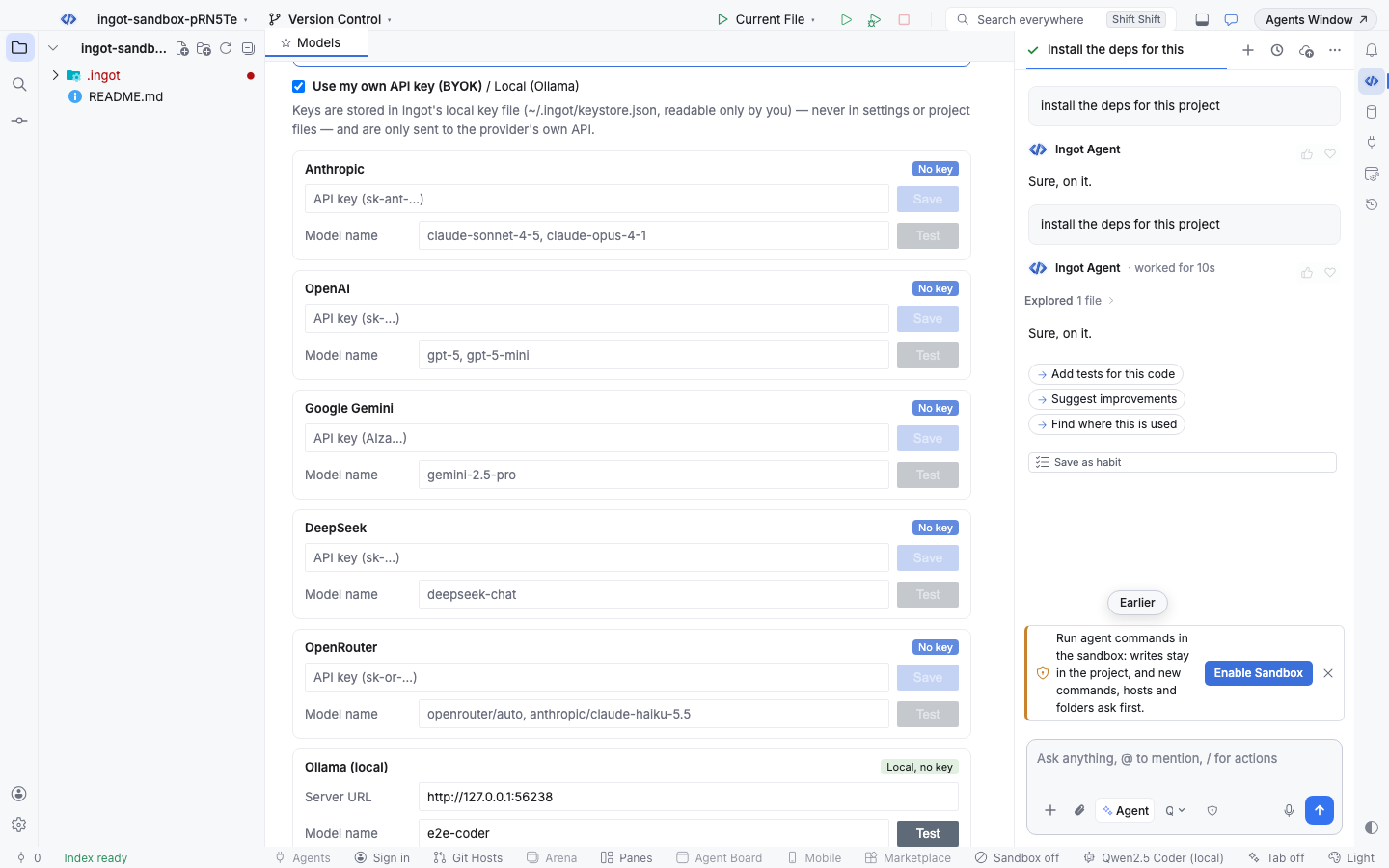
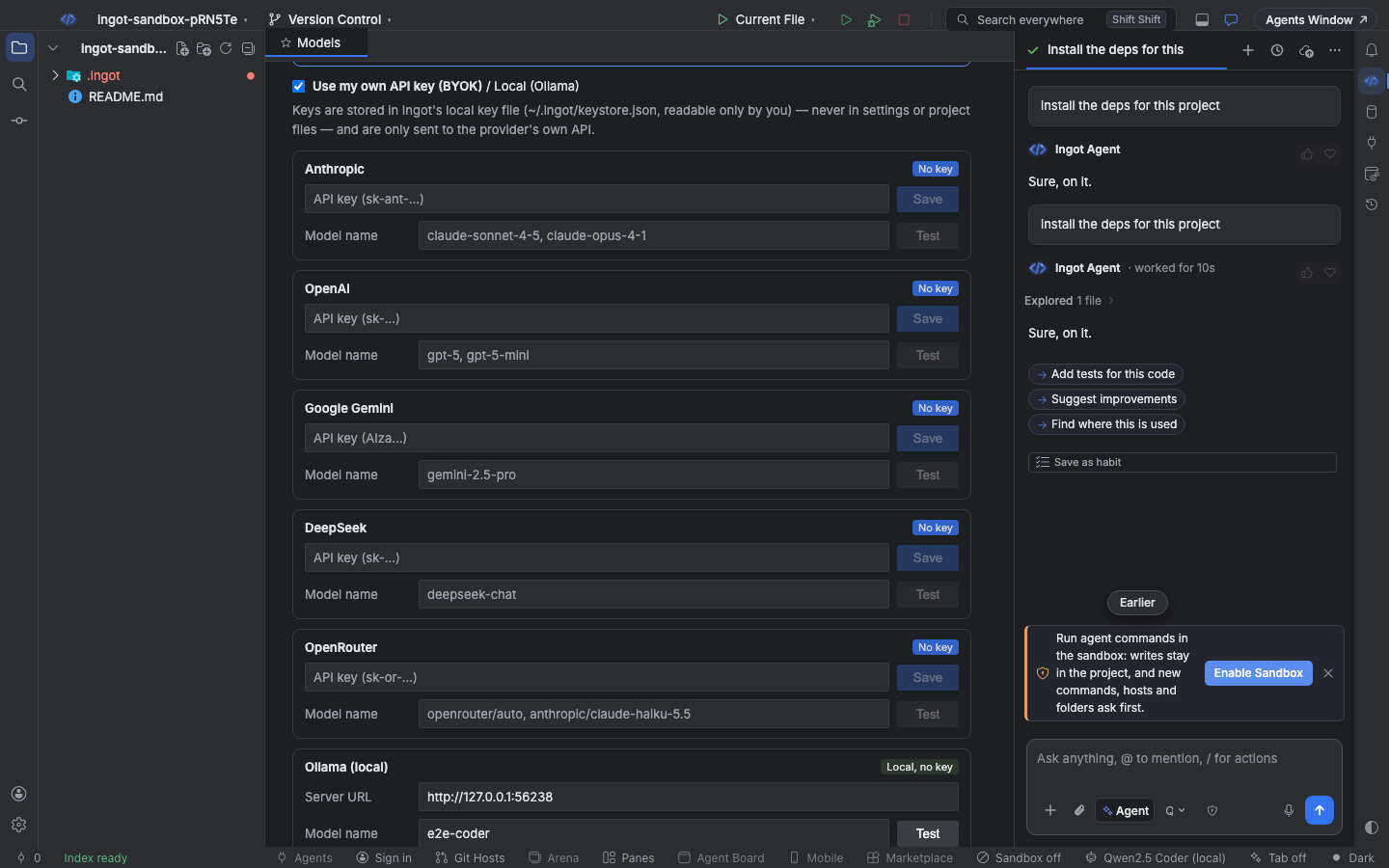
- A suggestion in the chat. When the sandbox is off and you ask the agent to install, download or run a script ("install the deps", "curl that endpoint"), a small card above the chat box offers Enable Sandbox. × hides it for good.
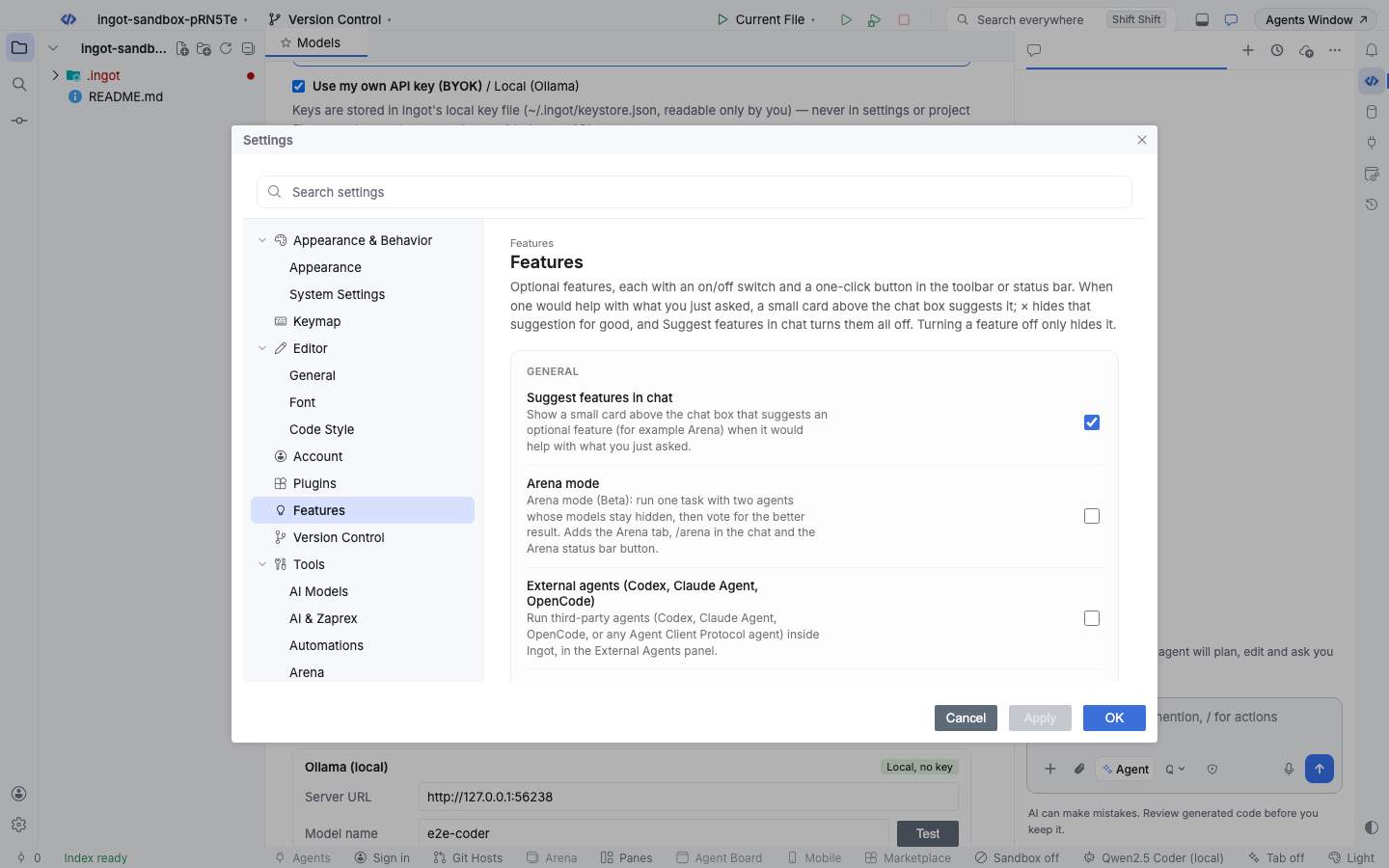
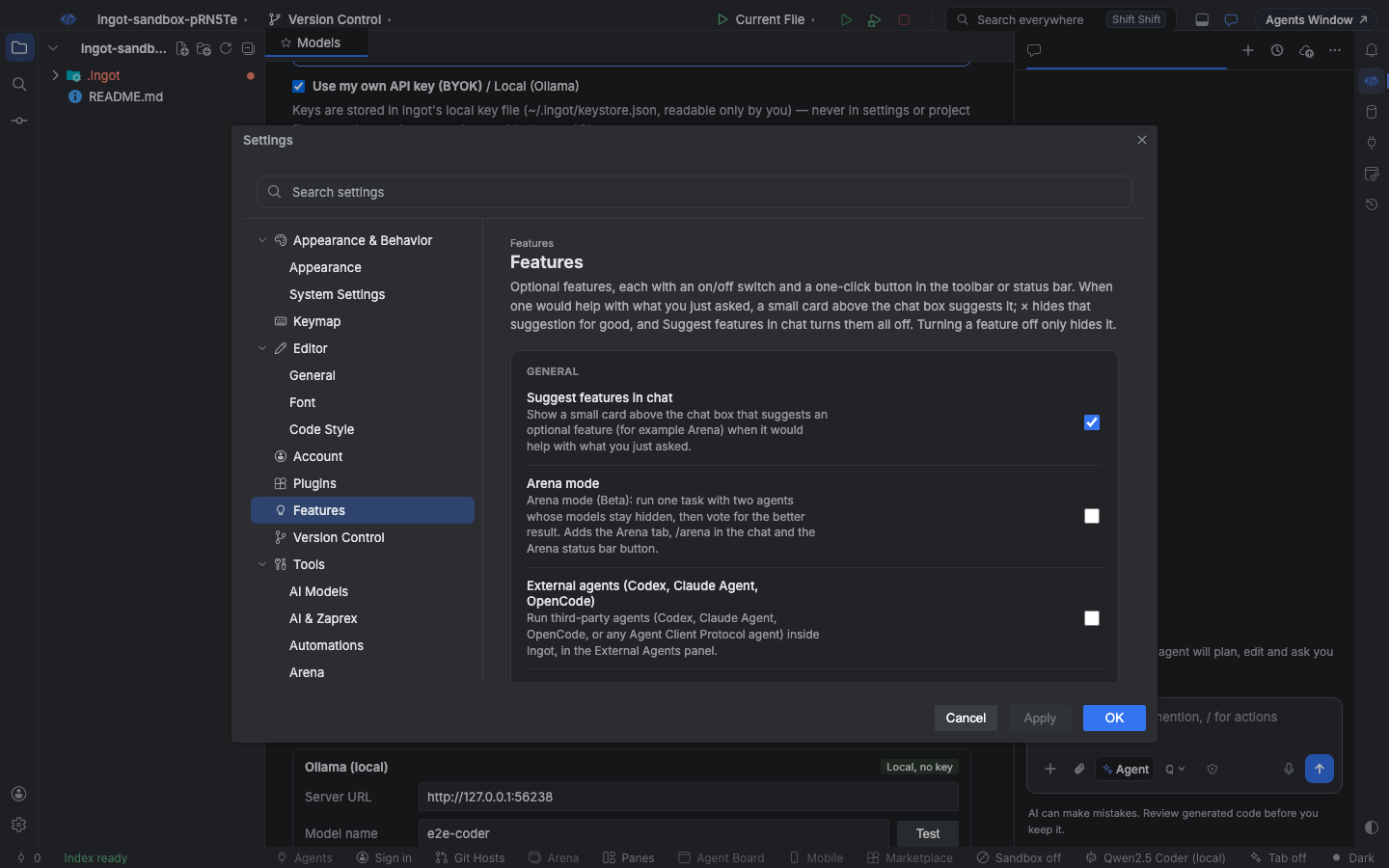
- Settings › Features › Agent Sandbox. An on/off switch.
- The Sandbox button in the status bar. It shows the sandbox in use (
Sandbox · bubblewrap) orSandbox off. One click turns it on and opens the panel.
Turning it off runs agent commands without OS isolation. The rules in .ingot/policy.json and the approval cards still apply.
How it works on each system
| System | Sandbox | What it does |
|---|---|---|
| macOS | Seatbelt (sandbox-exec, built in) | Commands read as usual and write only in the allowed folders. With the network off, all outgoing traffic except localhost is blocked |
| Linux | bubblewrap (bwrap) | The whole system is mounted read-only; only the allowed folders are writable. Commands get their own process list and, with the network off, no network at all |
| Windows | Approval gate | Windows has no per-command sandbox in Ingot yet. Ingot reads Windows paths (C:\, \\server\share, %USERPROFILE%, $env:USERPROFILE, ..\) and asks before a command touches anything outside the project |
The allowed folders are the project, the folder a command runs in, temp folders (/tmp, /var/tmp and the system temp folder; %TEMP% on Windows), package caches such as ~/.npm, ~/.cache, ~/.yarn or ~/.pnpm-store, and the folders in sandbox.allowWrite.
Install bubblewrap on Linux
sudo apt install bubblewrap   # Debian, Ubuntu
sudo dnf install bubblewrap   # Fedora
sudo pacman -S bubblewrap     # Arch
Ingot starts a throw-away sandbox once to check that bwrap works. Without it, or when unprivileged user namespaces are turned off (some containers and hardened kernels), Ingot falls back to the approval gate and the panel says why. Point INGOT_BWRAP_BIN at a bwrap that is not on your PATH.
The allow-list
Each project keeps its allow-list in .ingot/policy.json, next to the rest of the agent policy. Commit it to share it with your team.
{
  "commands": { "allow": ["npm test", "npm run lint"] },
  "network": { "default": "ask", "allow": ["registry.npmjs.org", "*.github.com"] },
  "sandbox": { "mode": "restricted", "allowWrite": ["~/.gradle"] }
}
| List | Key | What it allows |
|---|---|---|
| Commands | commands.allow | Commands that run without the approval card. An entry also matches the same command with more arguments (npm test matches npm test -- --watch) |
| Hosts | network.allow | Hosts agents may reach without asking, with their subdomains. *.example.com matches subdomains only |
| Folders outside the project | sandbox.allowWrite | Folders commands may write in, inside the OS sandbox too. Use absolute paths or ~ |
commands.deny and network.deny always win over the allow-list.
Allow in workspace
When an agent wants to run a new command, reach a new host or write outside the project, the approval card has Allow in workspace next to Run. It runs the action and adds it to the project allow-list; hover it to see exactly what it adds:
- a new command adds the command to
commands.allow - a path outside the project adds its folder to
sandbox.allowWrite, and the command still runs in the sandbox, now with that folder writable - a new host adds the host to
network.allow, and the command runs with the network on
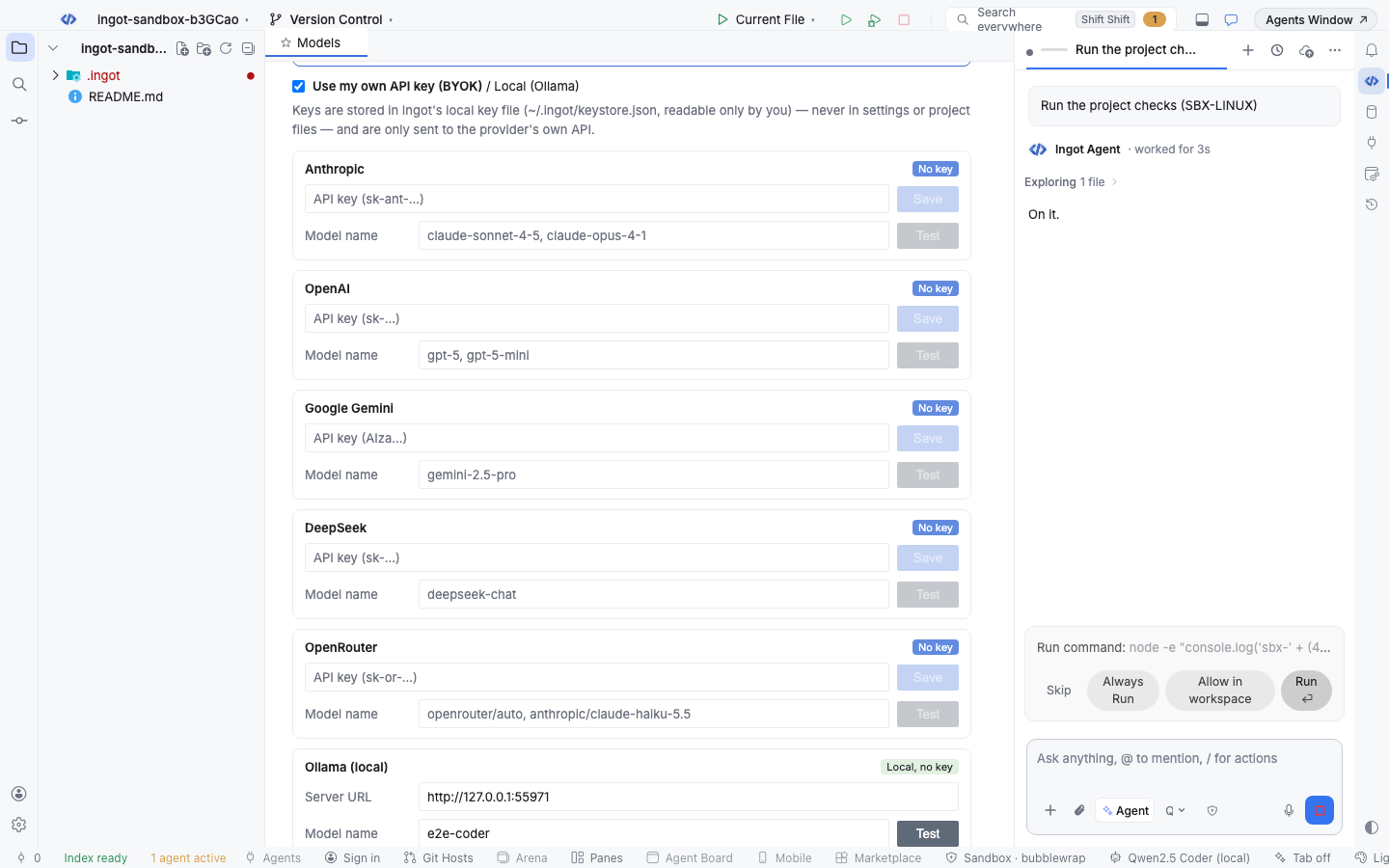
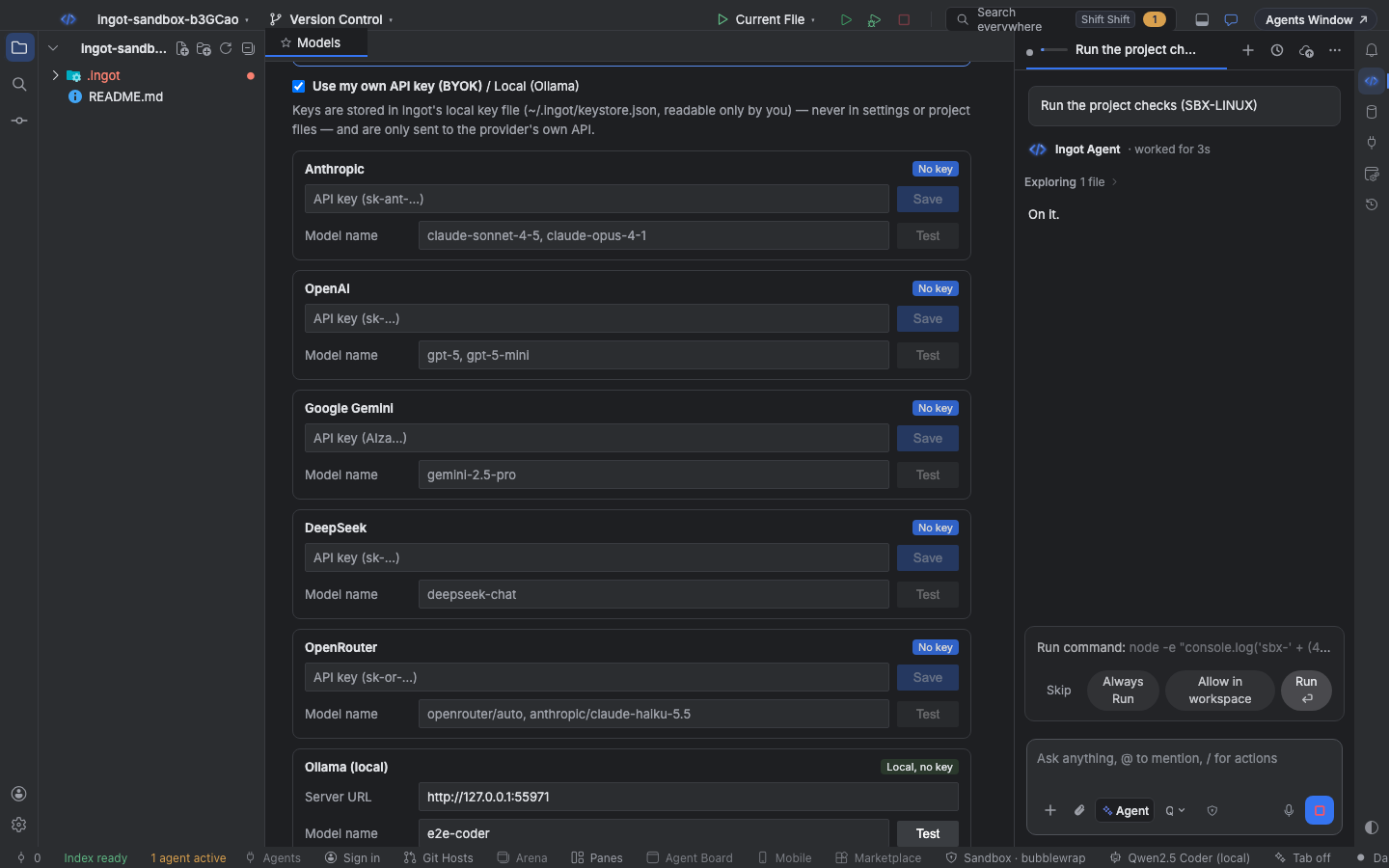
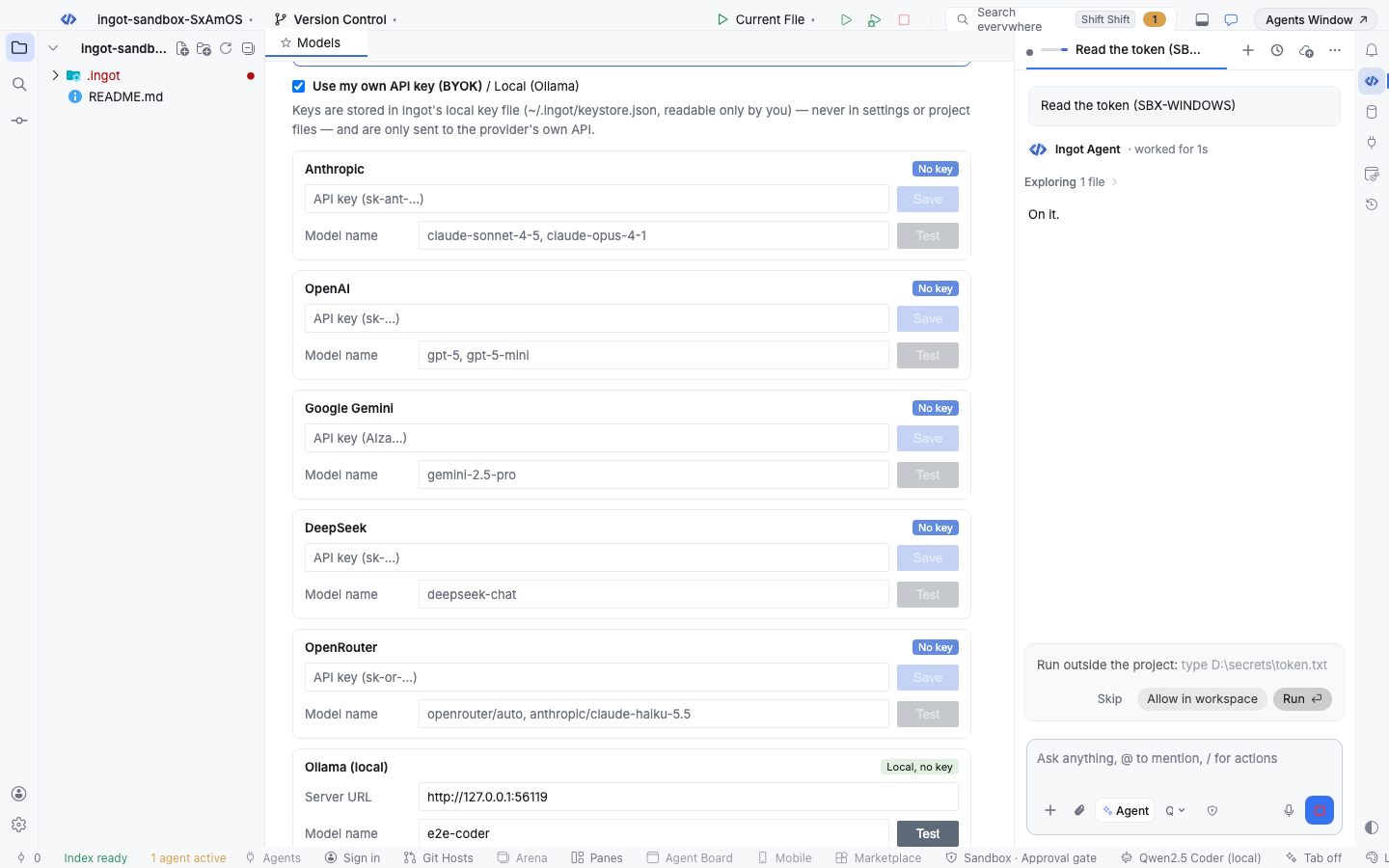
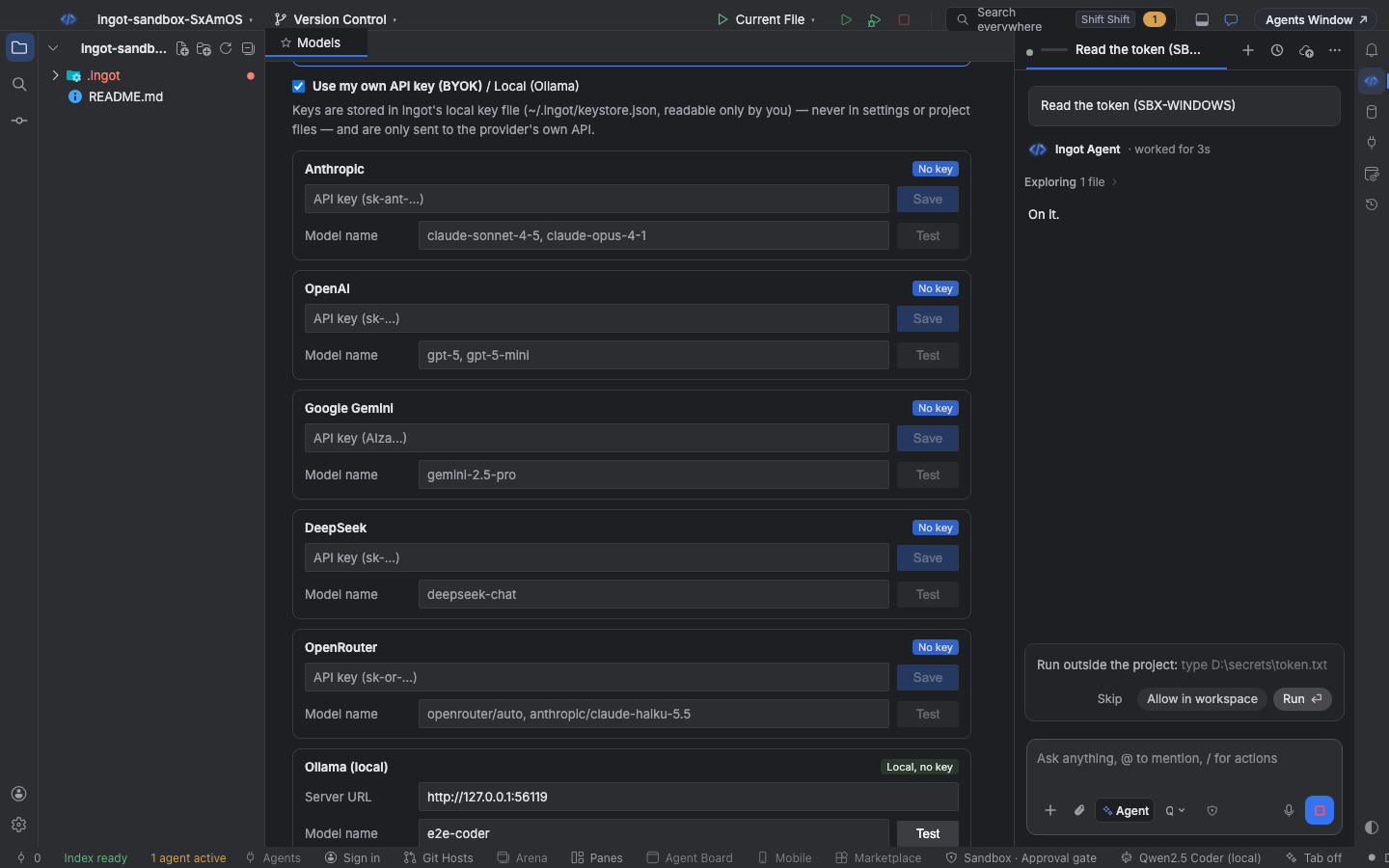
Ingot never offers a command with $(…), backticks or * (a * would allow more than the command you saw). Turn the button off with Offer "Allow in workspace" on approval cards in Settings.
Network
network.default decides what happens with a host that is on neither list:
| Value | New hosts |
|---|---|
allow (default) | Reachable; commands run with the network on |
ask | The agent's command waits on a Reach a new host card; commands without a known host run with the network off |
deny | Refused; commands run with the network off |
Hosts are checked when the agent names them (in a command, a web fetch or a page it opens). Inside the OS sandbox, the network is on or off for the whole command, so a script that calls other hosts gets the same network as the command.
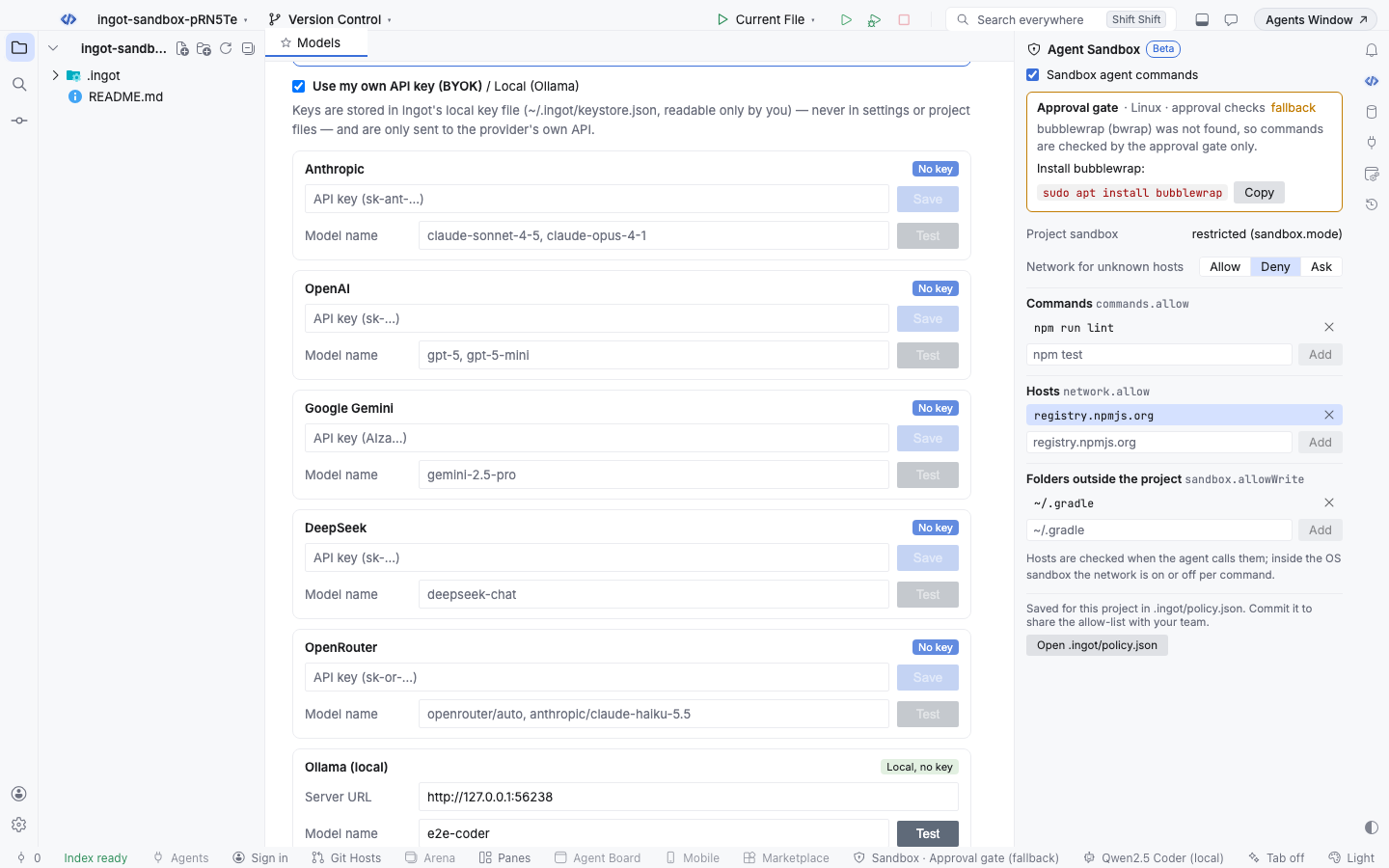
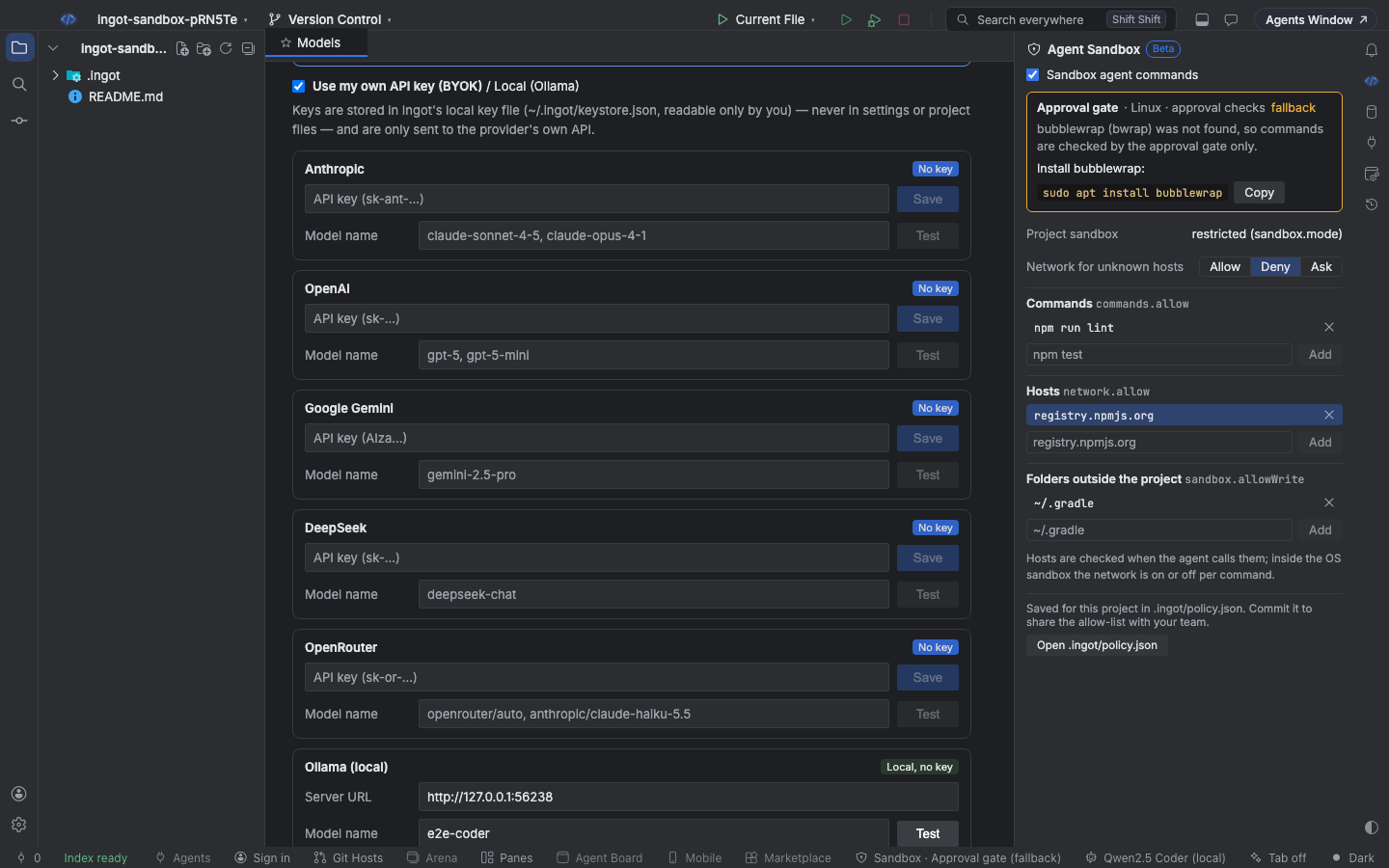
The Agent Sandbox panel
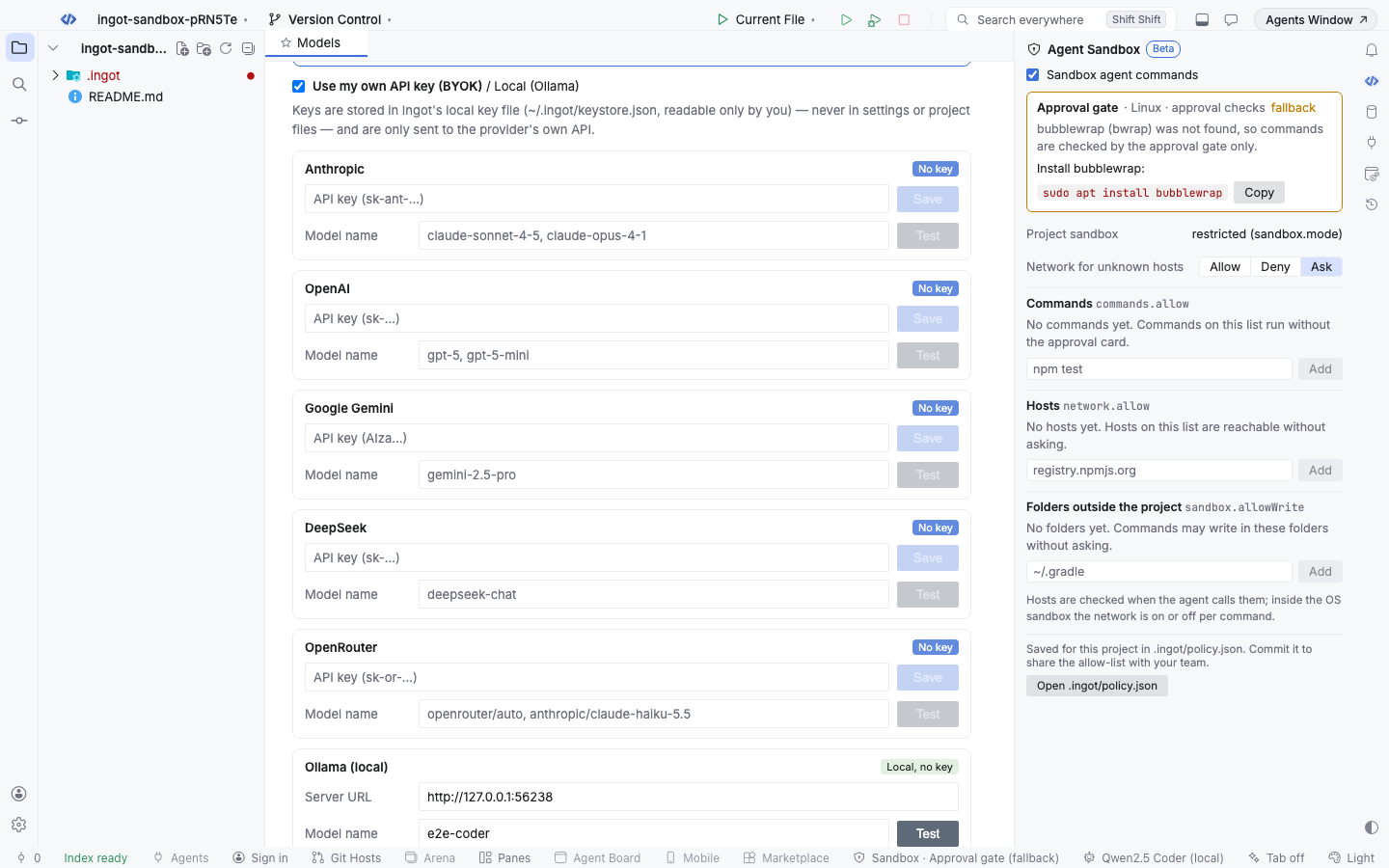
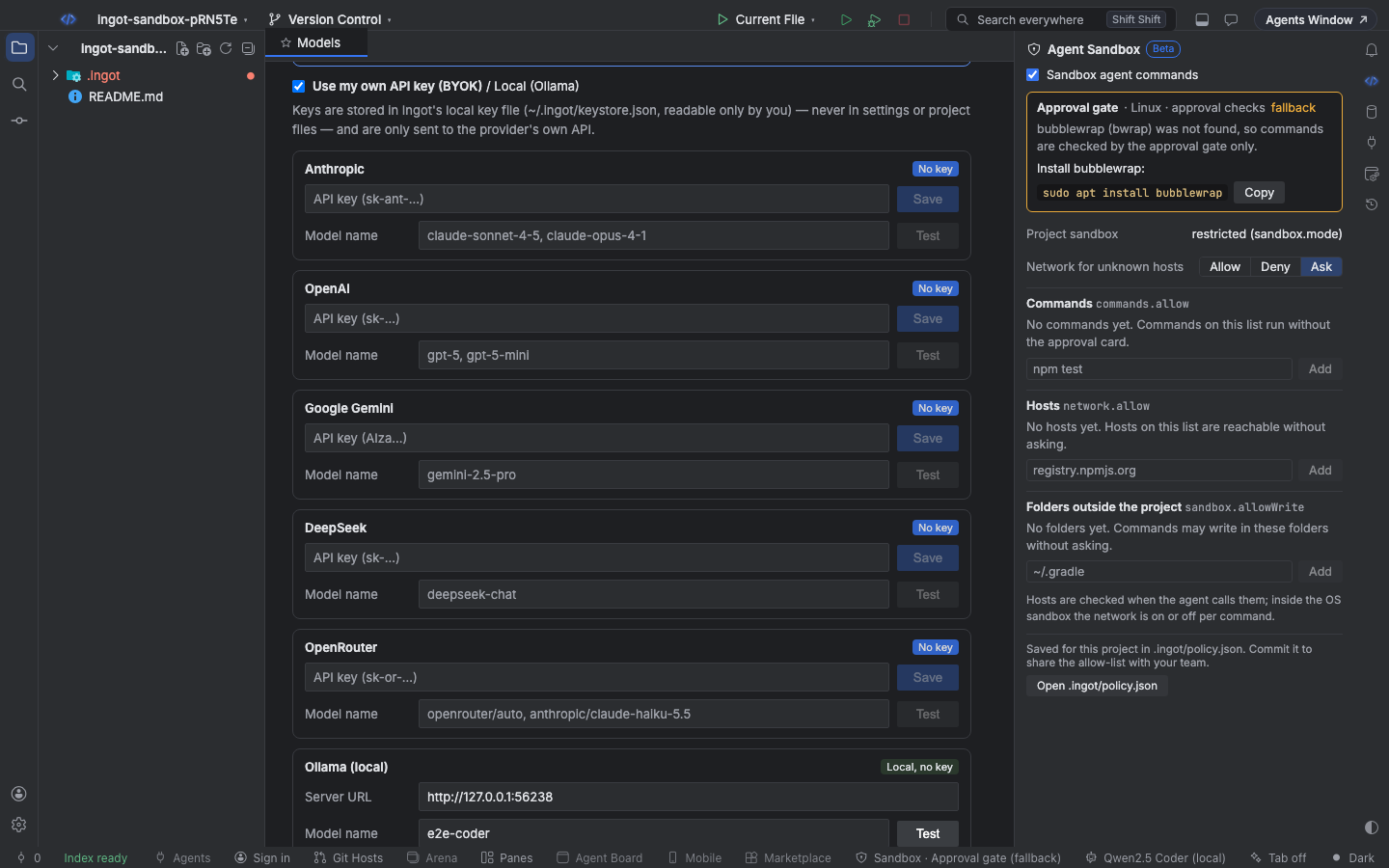
Open it from the status bar button, Agent Sandbox: Turn On and Open in Find Action, or ⌥⇧⌘F9 (Ctrl+Alt+Shift+F9). It shows:
- the sandbox in use on this machine and whether it works, with the command that installs bubblewrap when it is missing and a Copy button
- the switch that turns the Agent Sandbox on or off
- whether the project turned the sandbox off (
sandbox.modeisoffin.ingot/policy.json) - Network for unknown hosts: Allow, Ask or Deny
- the three lists, each with an entry box: type a command, a host or a folder and press Add (or Enter). × removes an entry
- Open .ingot/policy.json
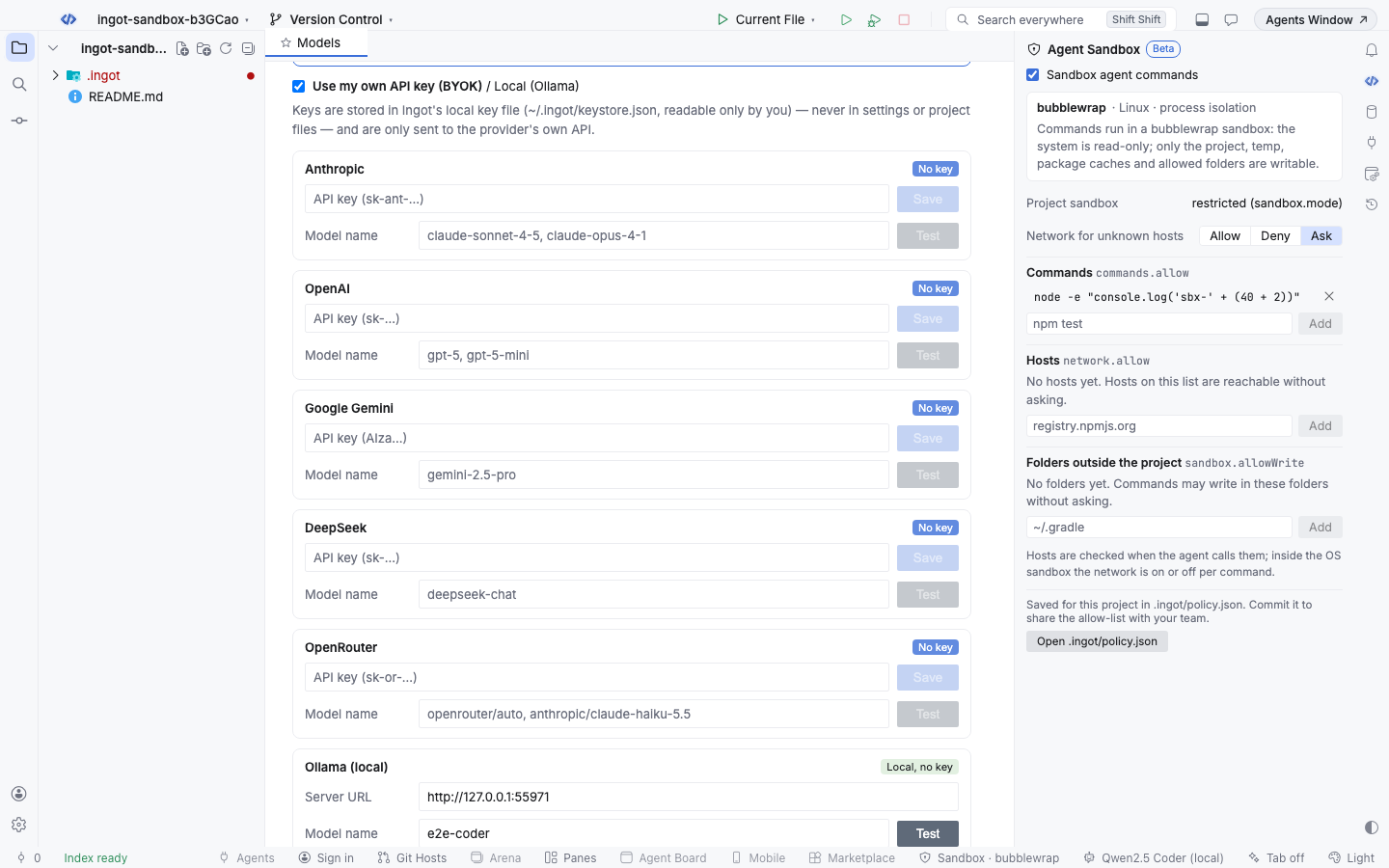
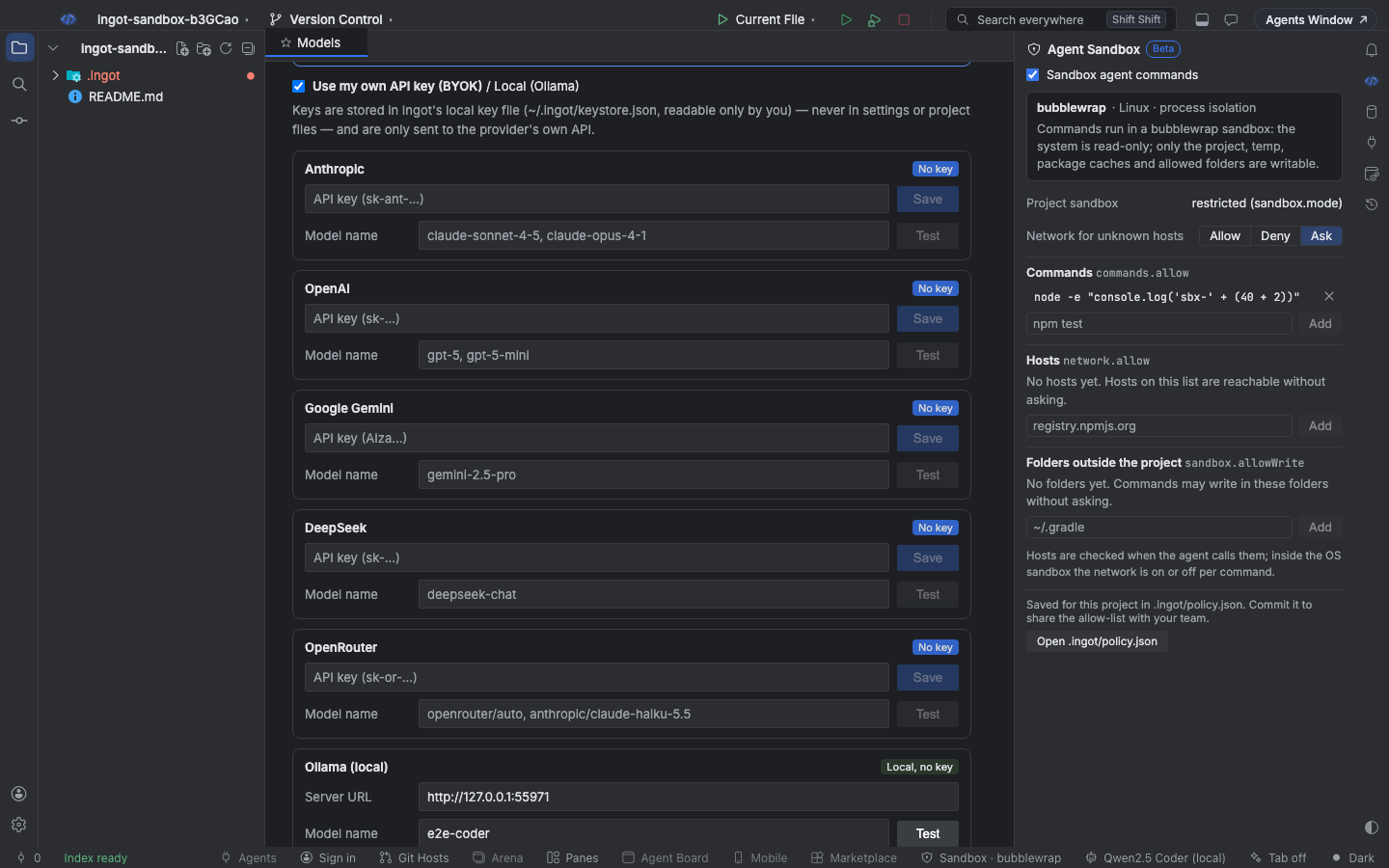
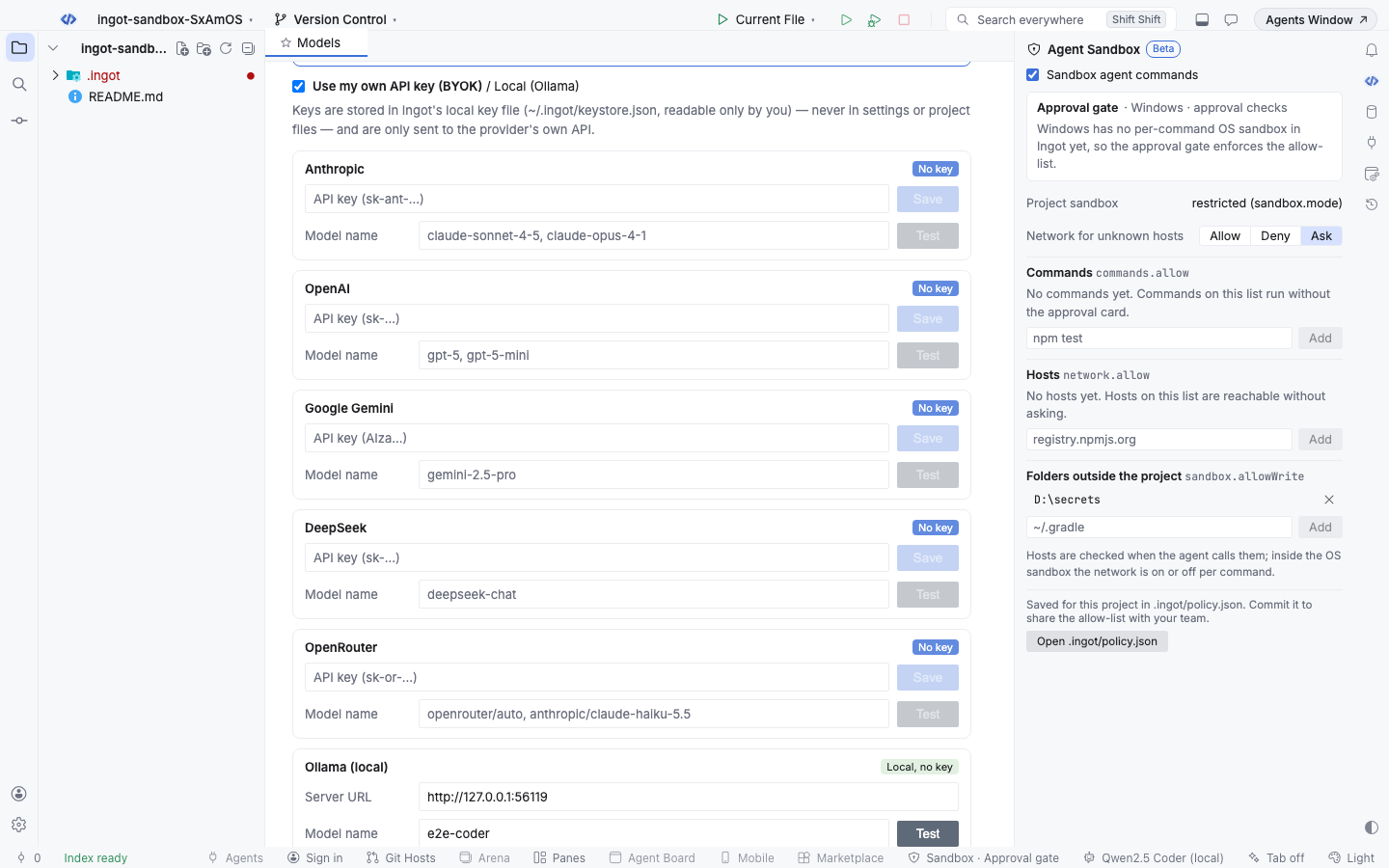
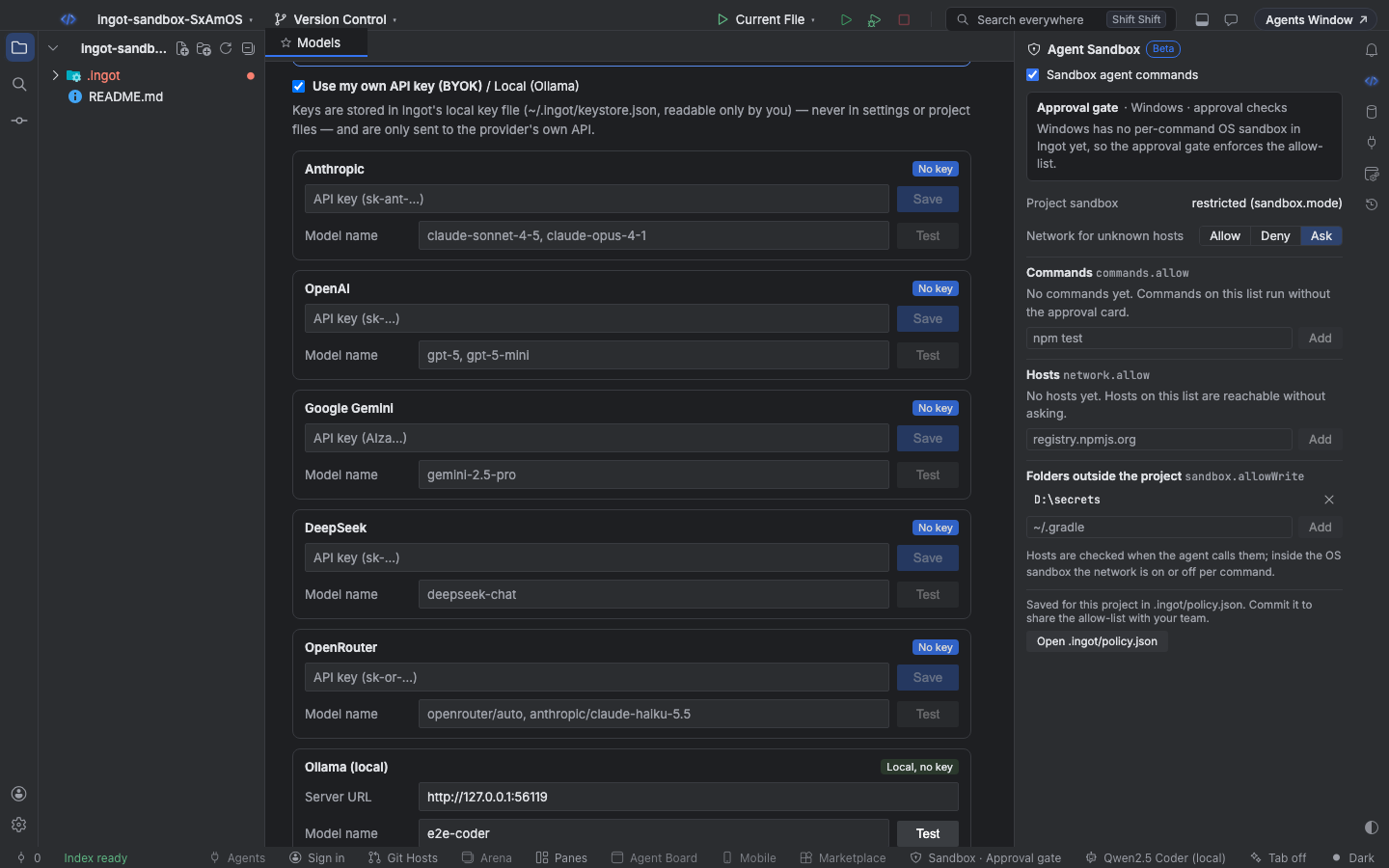
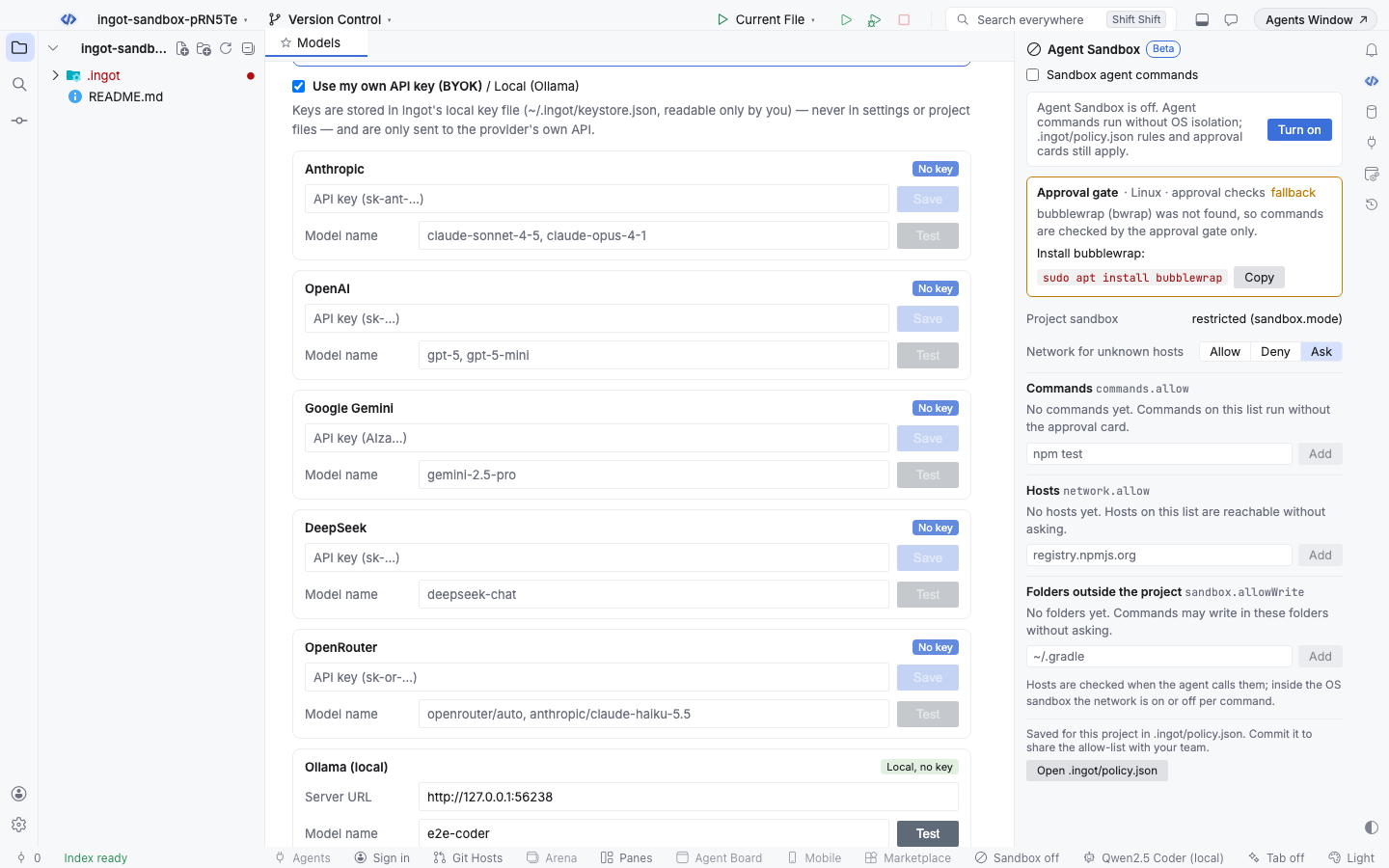
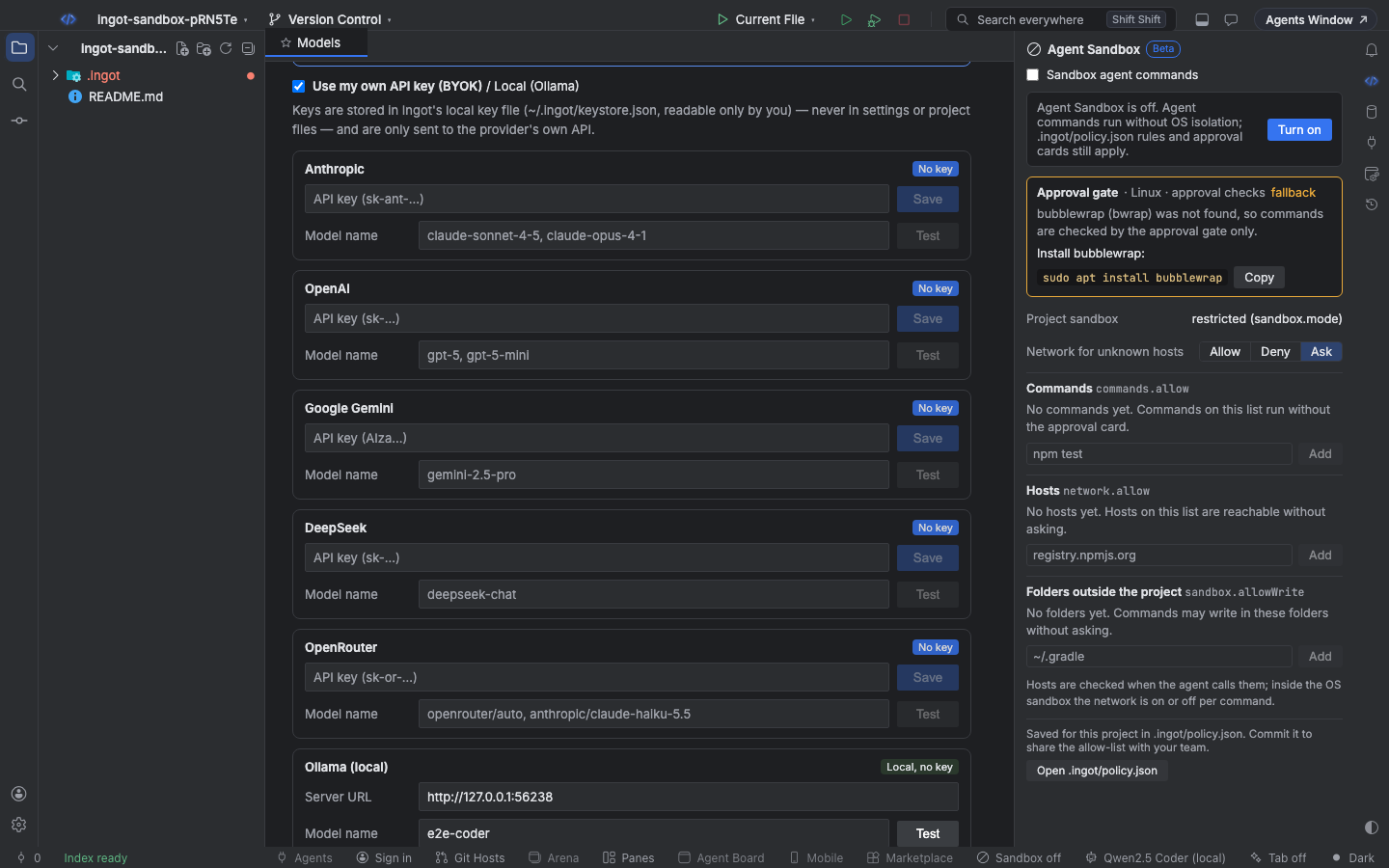
Edits keep the comments and every other key in the file. While the file has a JSON error, the panel shows it and does not edit the file.
Keyboard
| Action | Find Action | Shortcut (macOS / Windows and Linux) |
|---|---|---|
| Turn on and open the panel | Agent Sandbox: Turn On and Open | ⌥⇧⌘F9 / Ctrl+Alt+Shift+F9 |
| Open or close the panel | Agent Sandbox: Open or Close | none |
| Pick the sandbox preset | Agent Sandbox and Approvals… | ⌥⇧⌘S / Ctrl+Alt+Shift+S |
Settings
Settings › Features:
| Setting | Default | What it does |
|---|---|---|
Agent Sandbox (ingot.sandbox.enabled) | true | Runs agent commands in the OS sandbox (Seatbelt, bubblewrap or the approval gate on Windows). Off runs them without OS isolation; policy rules and approval cards still apply |
Suggest features in chat (ingot.suggestions.enabled) | true | Shows the small suggestion cards above the chat box, for every optional feature |
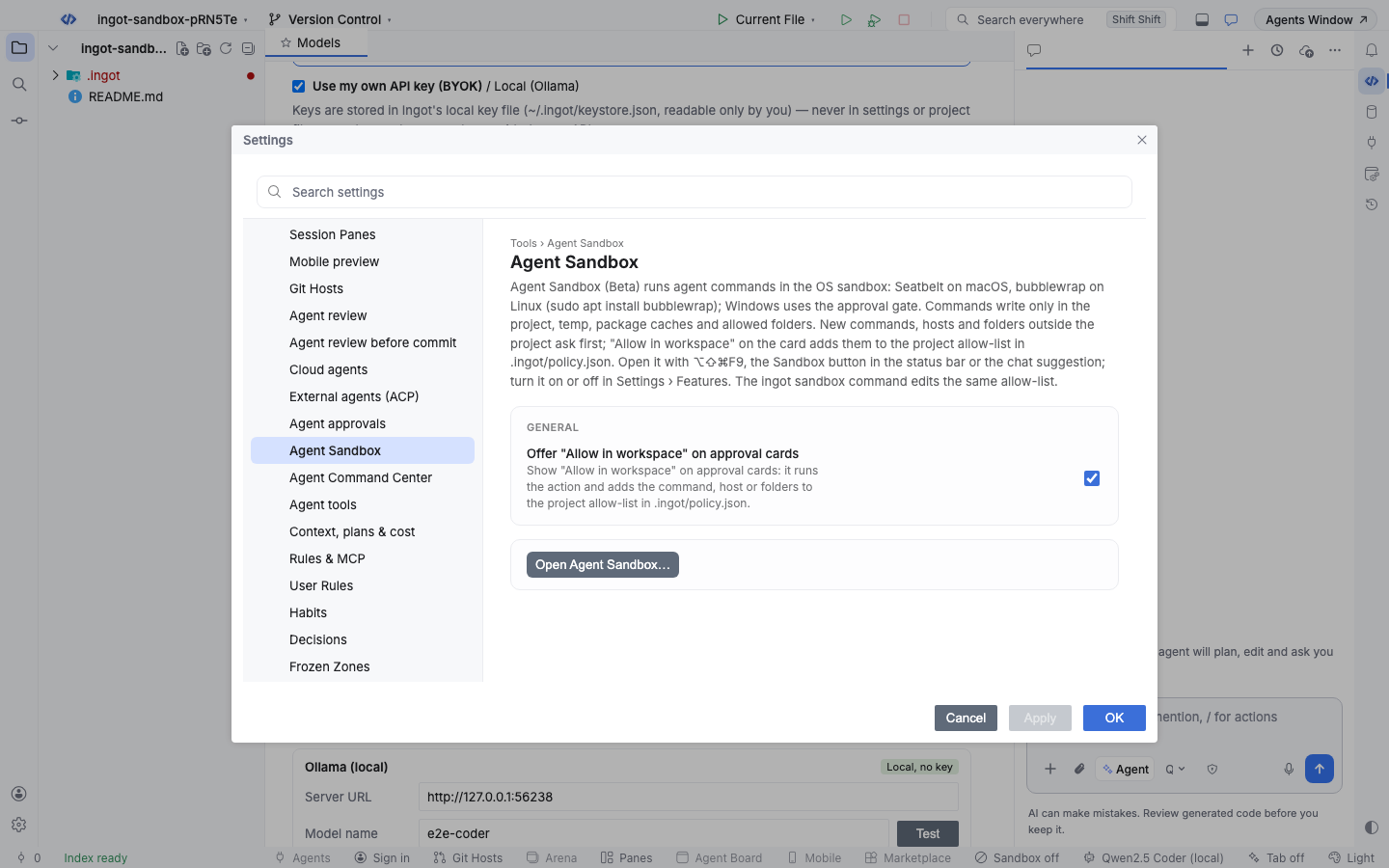
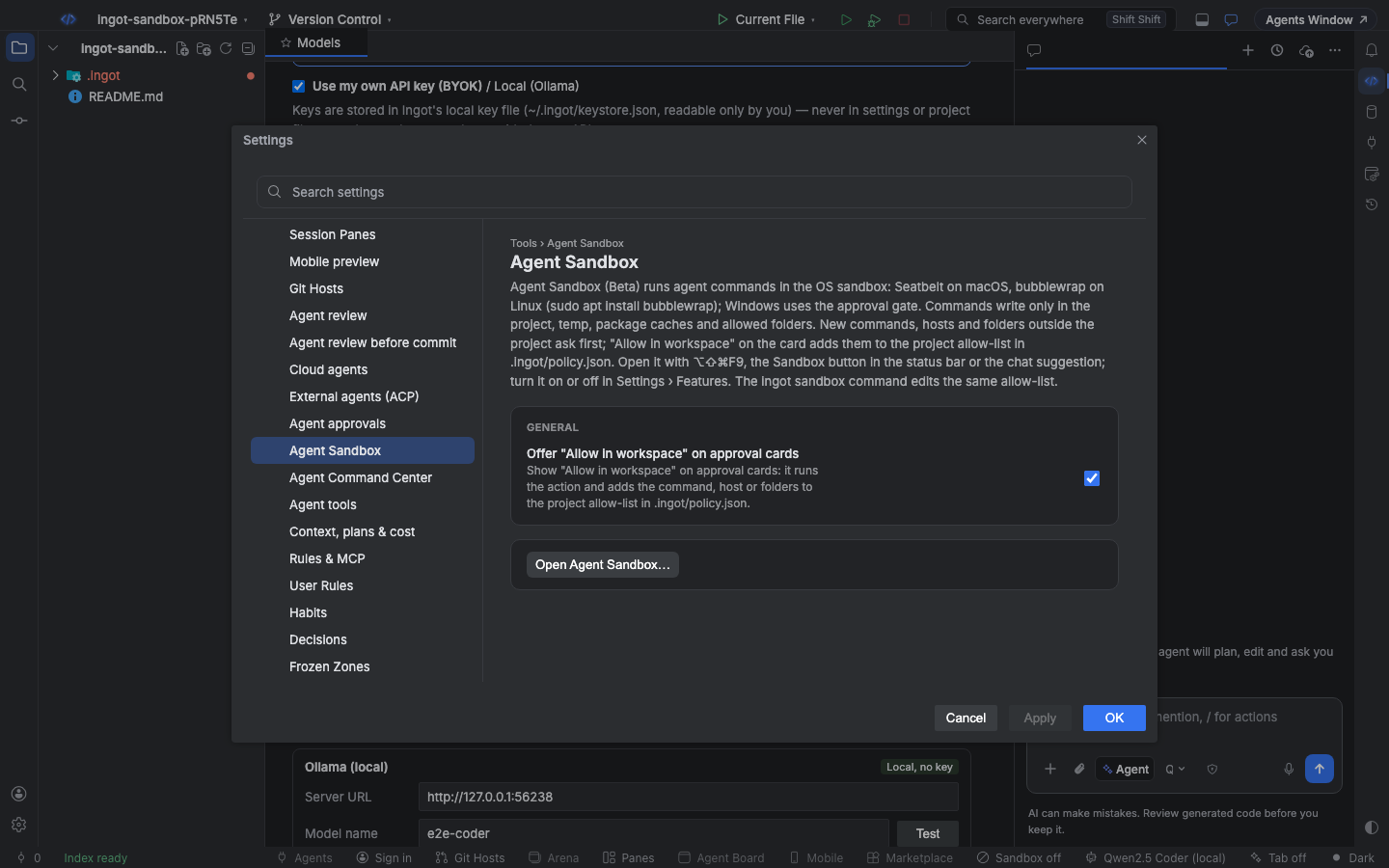
Settings › Tools › Agent Sandbox:
| Setting | Default | What it does |
|---|---|---|
Offer "Allow in workspace" on approval cards (ingot.sandbox.allowListPrompts) | true | Shows Allow in workspace on approval cards for new commands, hosts and folders outside the project |
From the terminal
ingot sandbox shows the sandbox this machine gives agents and edits the same allow-list. It never runs an agent.
npx @ingotide/cli sandbox                                  # this machine's sandbox and the project's settings; --json
npx @ingotide/cli sandbox status --platform linux          # what Ingot would use on Linux
npx @ingotide/cli sandbox list                             # commands, hosts and folders on the allow-list
npx @ingotide/cli sandbox allow command "npm run lint"
npx @ingotide/cli sandbox allow host registry.npmjs.org
npx @ingotide/cli sandbox allow path ~/.gradle
npx @ingotide/cli sandbox remove command "npm run lint"
npx @ingotide/cli sandbox wrap "npm test" --platform linux --network deny   # the command line Ingot runs
allow and remove refuse to rewrite a .ingot/policy.json with comments (the panel keeps comments). Every option is on the CLI page.
FAQ
Is Windows sandboxed? Not at the process level yet. On Windows, the approval gate checks every command against the allow-list and asks before anything outside the project, but an approved command runs with your permissions.
Can the agent change the allow-list? Not on its own. Agent edits to .ingot/policy.json are refused, and a command that touches it always asks you. Entries are added from a card, the panel, the CLI or the editor.
What about MCP tools? Tools from MCP servers keep their own approval cards; they don't run in the OS sandbox.