Agent review before commit
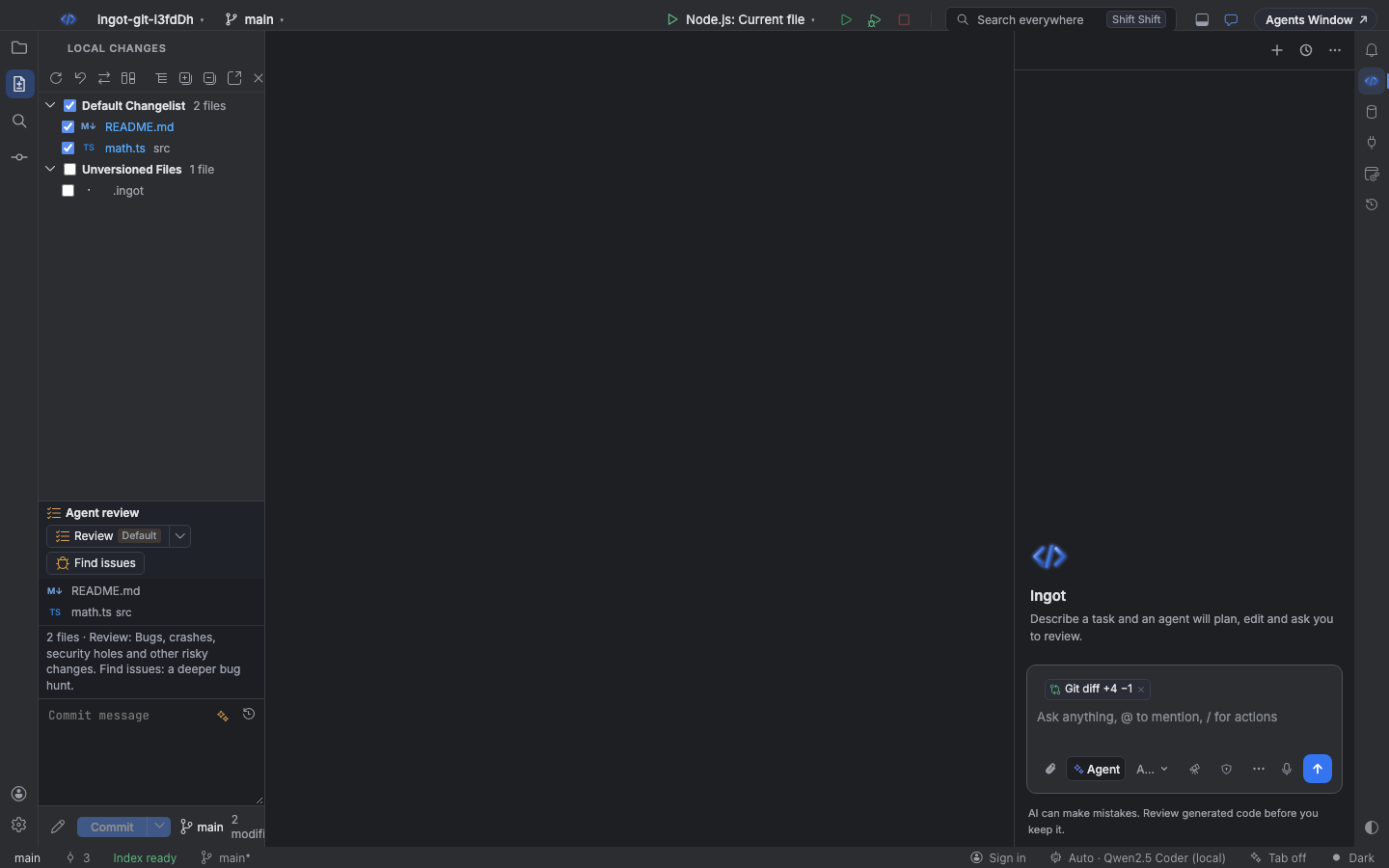
Agent review, right above your commit message, reviews your changes in the mode you pick, finds issues, and lets you fix each finding inline before you commit.
It sits in the Source Control view and at the end of every agent run in the chat. Each finding comes with its file and line, a severity, whether it blocks the commit, and a suggested fix you can apply in one click.
The review row
By default Agent review is one row above the commit message, in Local Changes, the Commit window and under an agent run's edits in the chat:
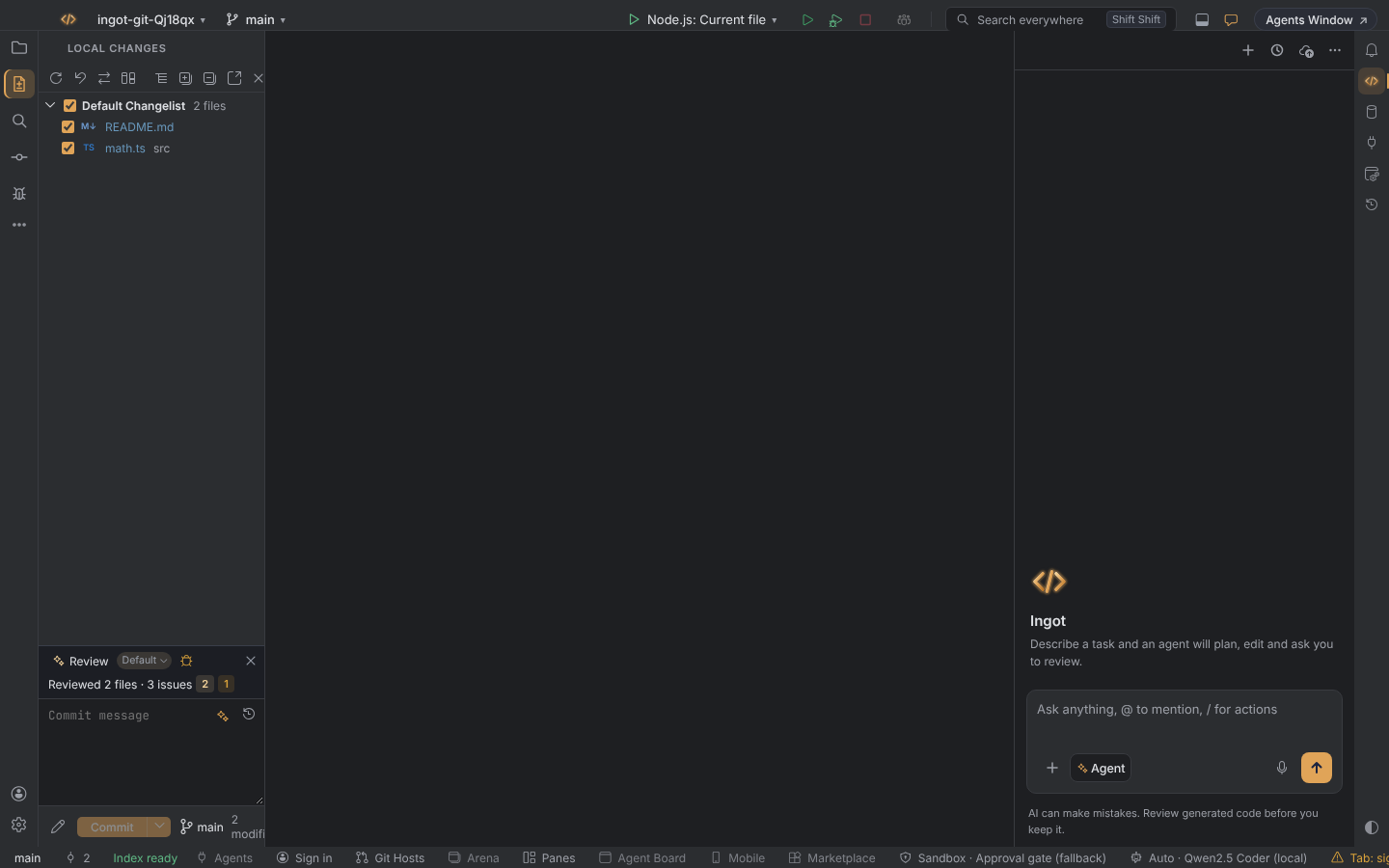
| Part | What it does |
|---|---|
| ✦ Review | Reviews the changes in the selected mode. |
| Default ▾ | The mode chip. Click it, or run Agent Review: Choose Review Mode (⌘⌥⇧., Ctrl+Alt+Shift+.), to pick Default, My rules, Industry rules or Both. |
| Bug icon | Find issues, the deeper bug hunt. |
| Last result | One line such as Reviewed 3 files · 1 issue with the severity counts. Click it to open the findings in the diff viewer, with Apply and Dismiss under each line. |
| × | Clears the result. |
A blocked commit shows Commit blocked by Agent review · Commit anyway in the same row. The explanations moved to the tooltips, and the editor still shows each finding inline with its quick fixes.
To get the full block below instead, with the file list and every finding inline, turn off the compact row in Settings › Tools › Agent review before commit or Settings › Features › Compact Agent review row (ingot.review.compactPanel).
The Agent review block
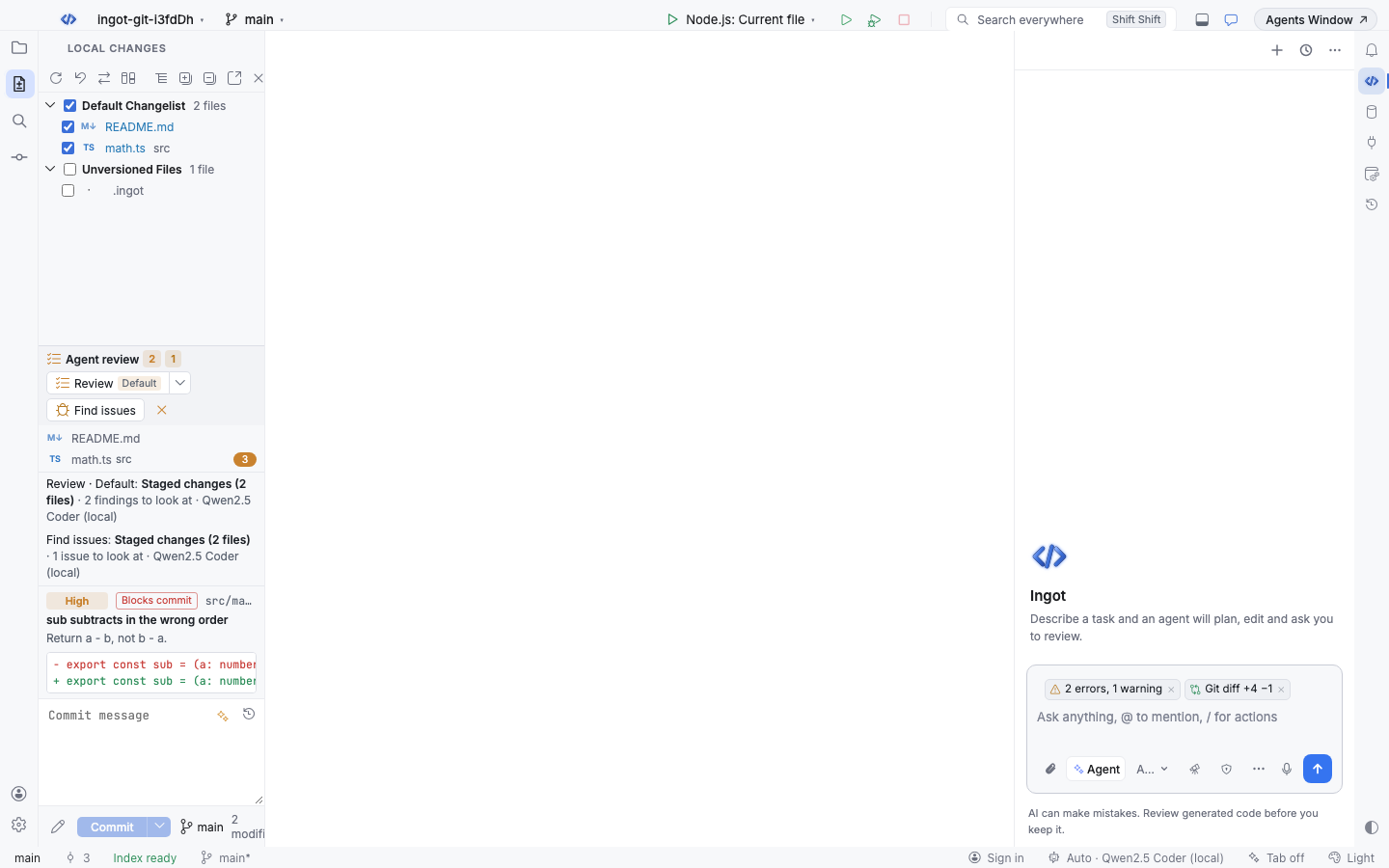
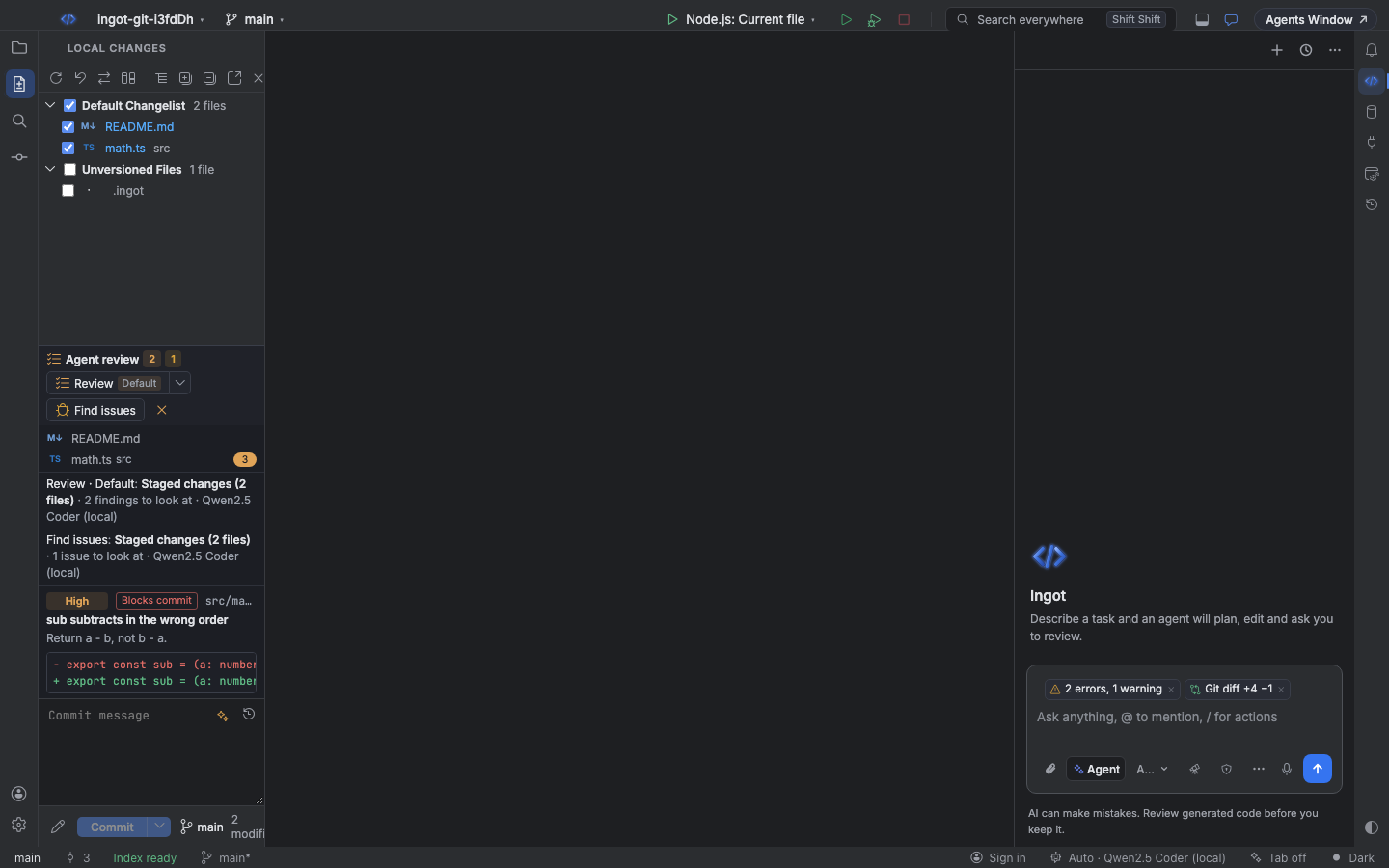
With the compact row turned off, one block holds everything:
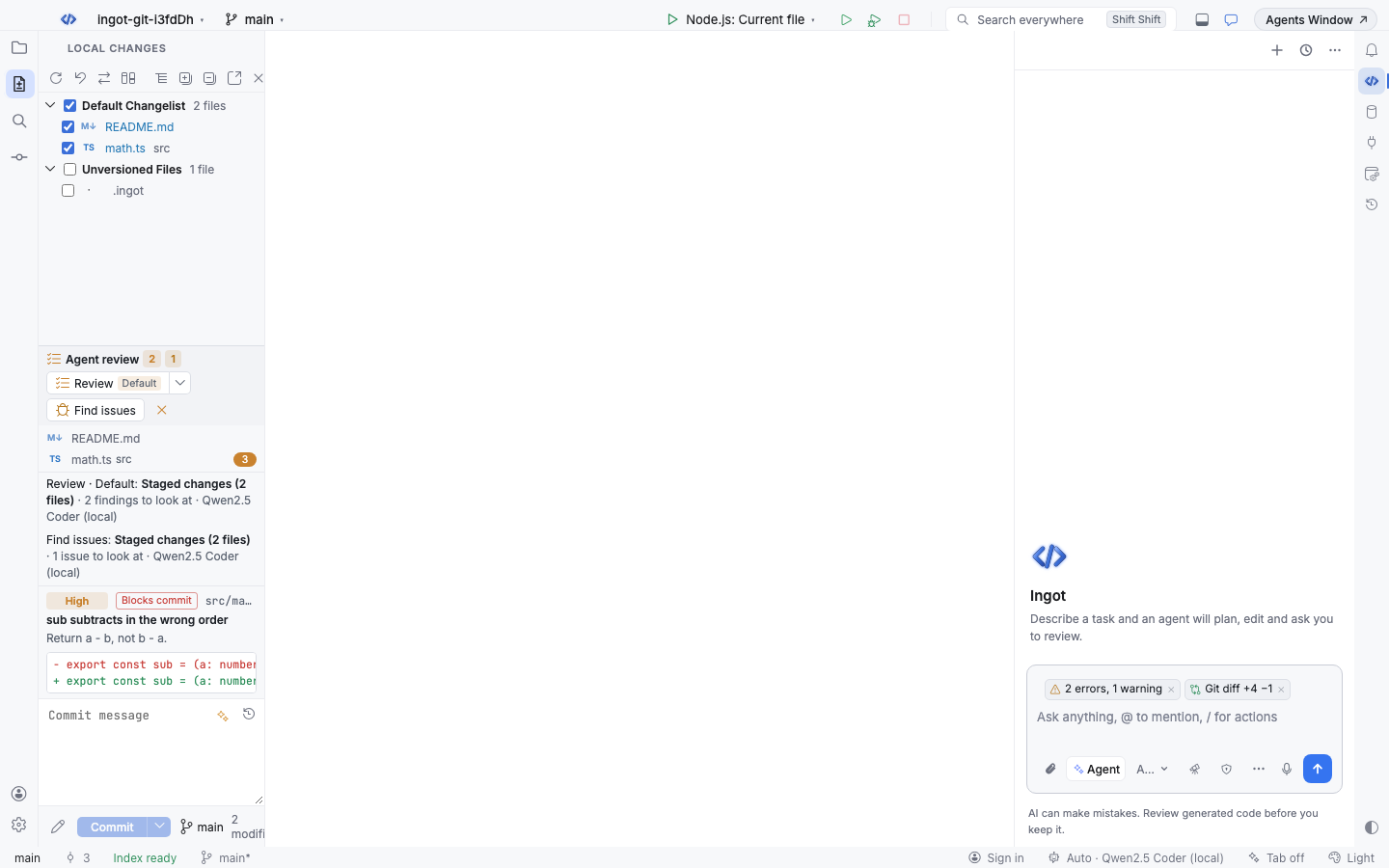
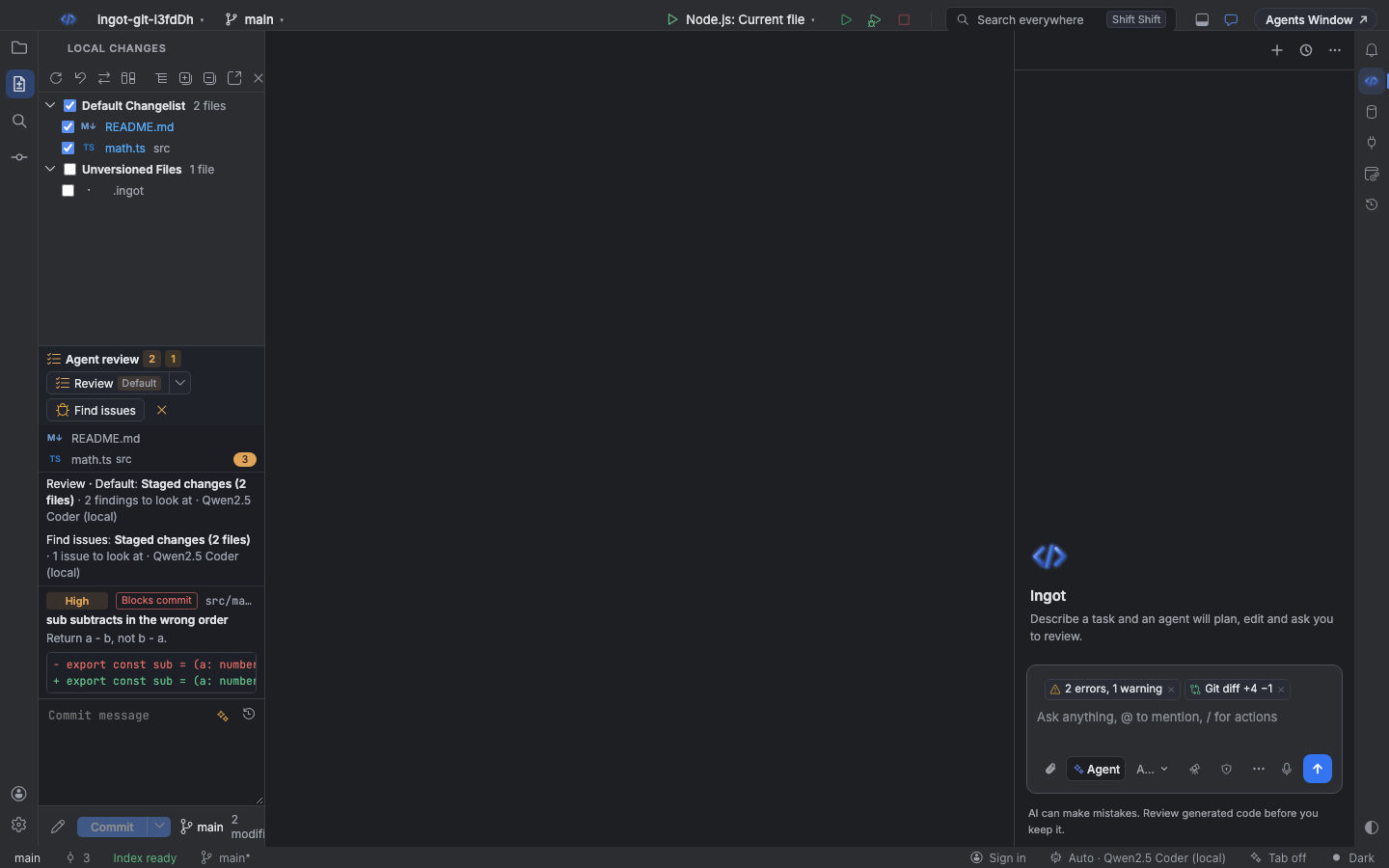
| Part | What it does |
|---|---|
| Review ▾ | Reviews the changes in the selected mode. The arrow opens the mode menu. |
| Find issues | A deeper bug hunt that also reads the whole changed files. |
| Changed files | The files the review covers, with a count of open findings. Double-click a file to open the diff viewer. |
| Status lines | What was reviewed, in which mode and with which model, for example Review · Default: Staged changes (1 file) · 2 findings to look at · Ingot Fast. |
| Findings | Each finding with Apply, Fix with agent and Dismiss. |
The block shows up in two places:
- Source Control: in the Local Changes tool window (⌘K, Ctrl+K) and in the Commit window, under the changed files. It reviews what you are about to commit.
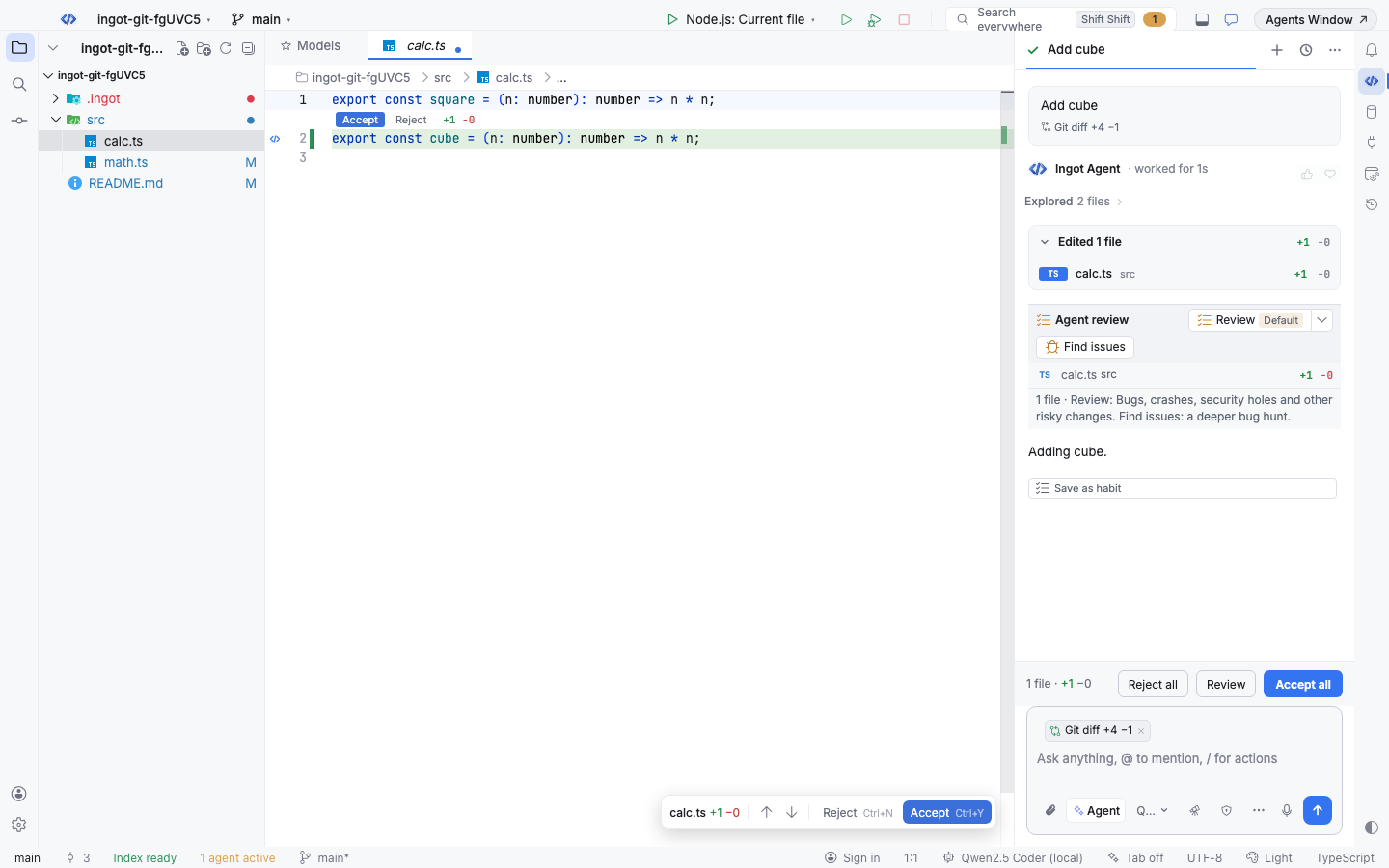
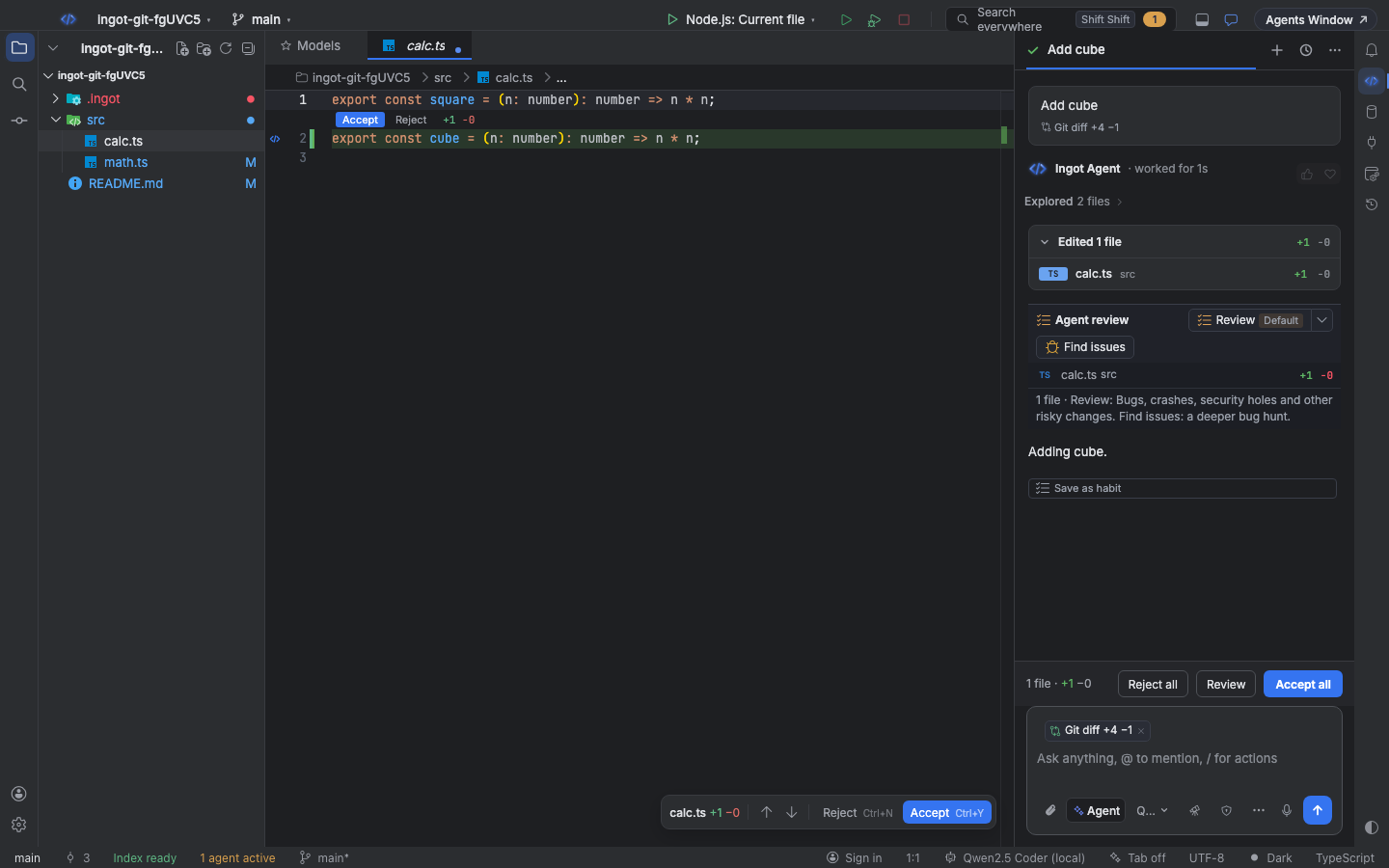
- Chat: at the end of each agent run's edits summary, under Edited N files. It reviews only that run's edits.
In Source Control the block shows only once Git works in the folder. In a folder without a repository, Local Changes and the Commit window show Initialize Repository instead. See Folders without Git.
Review modes
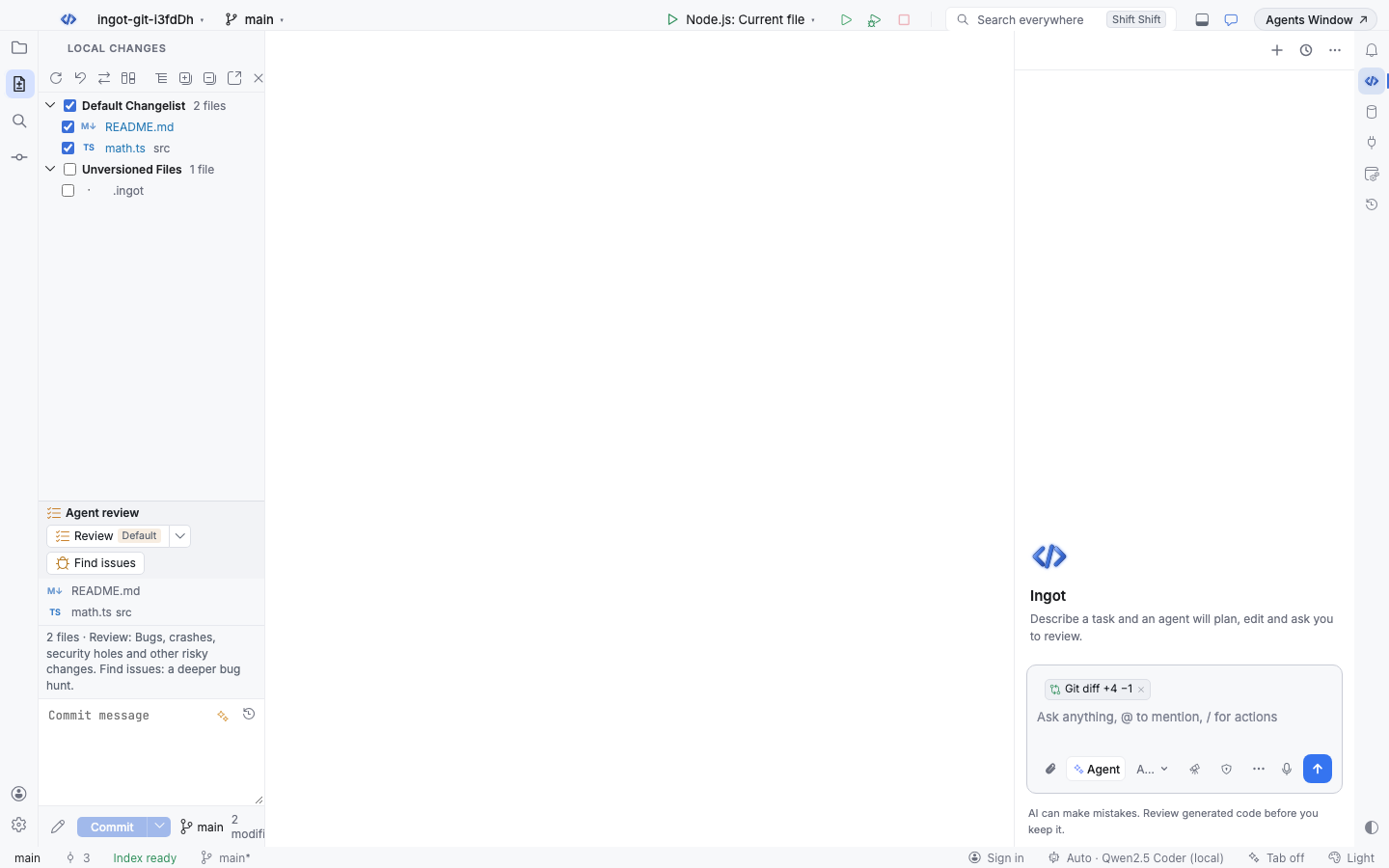
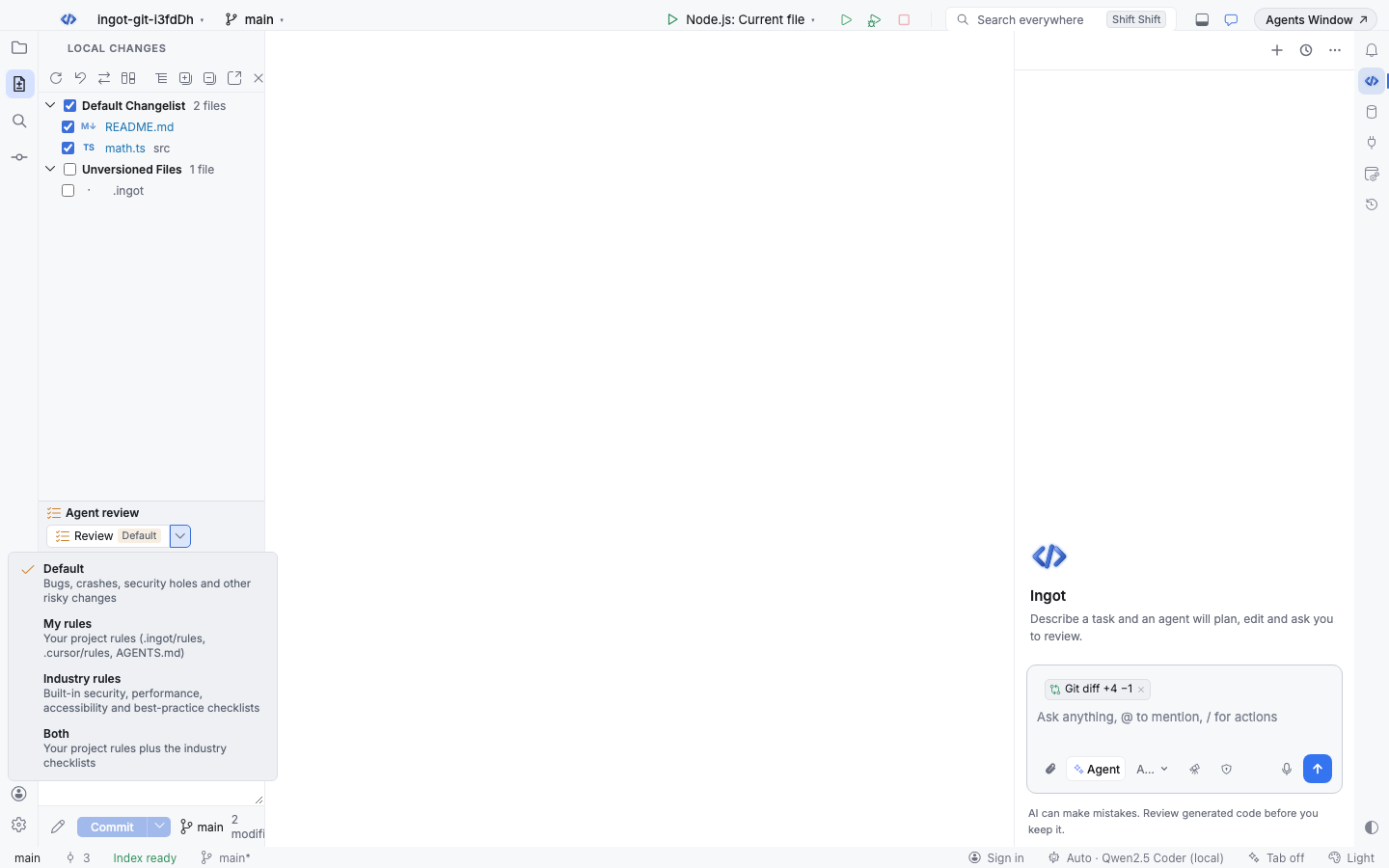
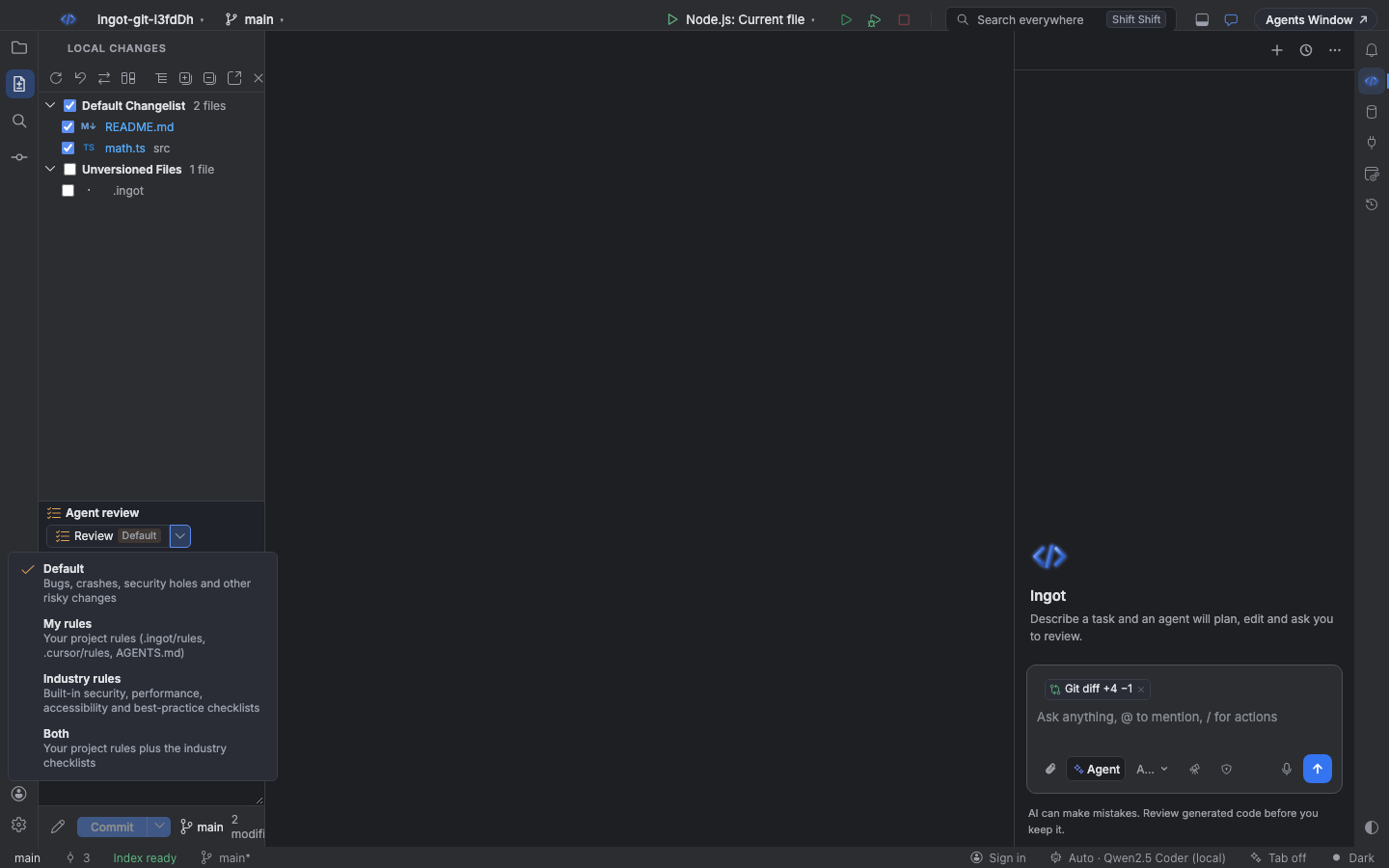
Click the arrow next to Review to choose what it checks. Default is selected at first, and your last choice is remembered.
| Mode | What Review checks |
|---|---|
| Default | Bugs and risky changes: crashes, security holes, data loss, race conditions, wrong logic, missing error handling. |
| My rules | Your project rules that apply to the changed files: .ingot/rules, .cursor/rules and AGENTS.md, nested ones included. Each violation is tagged with its rule, such as Rule: engineering.mdc. Serious bugs are still reported. |
| Industry rules | Built-in checklists: Security, Performance, Accessibility (only when a UI file changed, such as .tsx, .html or .css) and Best practice. Each violation is tagged with its checklist. |
| Both | Your project rules plus the industry checklists. |
The button shows the current mode (Review · Default), and the status line shows how many project rules were used. The choice is saved in ingot.agentReview.mode, in your user settings, or in the project settings when the project already sets it.
Find issues
Find issues goes deeper than Review. It hunts for concrete bugs the change introduces or exposes and gives the model the full current text of every changed file, so it can check callers, invariants, error paths, edge cases (empty, null, zero, large input), off-by-one errors, async races and resource leaks.
Its findings carry a Find issues tag and the category Bug, and they join Review's findings in the same list, in the editor and in the diff viewer. They count toward the commit block like any other finding. Run it from the block, from the diff viewer, or with Agent Review: Find Issues (⌘⌥⇧/, Ctrl+Alt+Shift+/).
Review what you are about to commit
In Source Control, Review and Find issues cover:
| What is staged | What is reviewed |
|---|---|
| Some files are checked (staged) | Only the staged files |
| Nothing is checked | All changes, new files included |
You can also run Git: Agent Review Before Commit (⌘⌥⇧Enter, Ctrl+Alt+Shift+Enter) or find it with Find Action.
The review uses the same engine as AI code review. It looks only at added and changed lines and reports real problems.
Review an agent run's edits
In the chat, the block under an agent run reviews only the files that run edited, compared with how they were before the run, even before you accept the edits. The status line says Agent edits (2 files). Apply, Dismiss and the diff viewer work the same way as in Source Control.
Findings and fixes
Each finding shows:
- its severity (Critical, High, Medium or Low)
- whether it Blocks commit or is only a Warning (see Block or warn)
- its category, such as
SecurityorRule: engineering.mdc, and a Find issues tag when Find issues found it - its place,
src/math.ts:2, which opens the file at that line - a title and why it is a problem
- the suggested fix as a small diff, when the model has a safe one
Under each finding:
| Action | What it does |
|---|---|
| Apply | Writes the fix into the file and saves it. Undo works as usual (⌘Z, Ctrl+Z). |
| Fix with agent | Starts a chat that fixes the finding with a minimal change. |
| Dismiss | Hides the finding. |
Apply finds the code by its text, not by line number. If the code changed since the review, nothing is written and you see: The code changed since the review, so this fix no longer matches. Run Agent review again.
Diff viewer
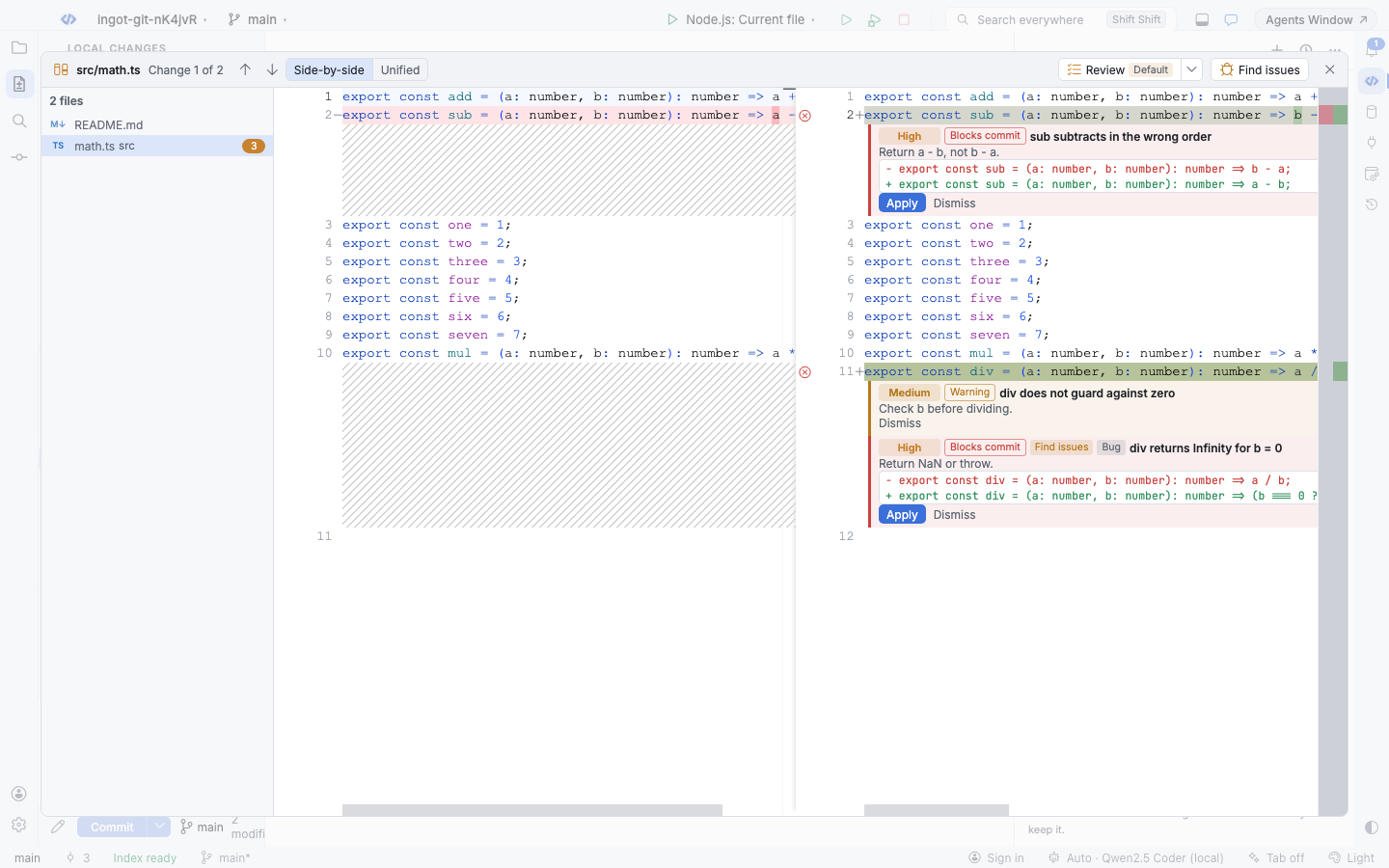
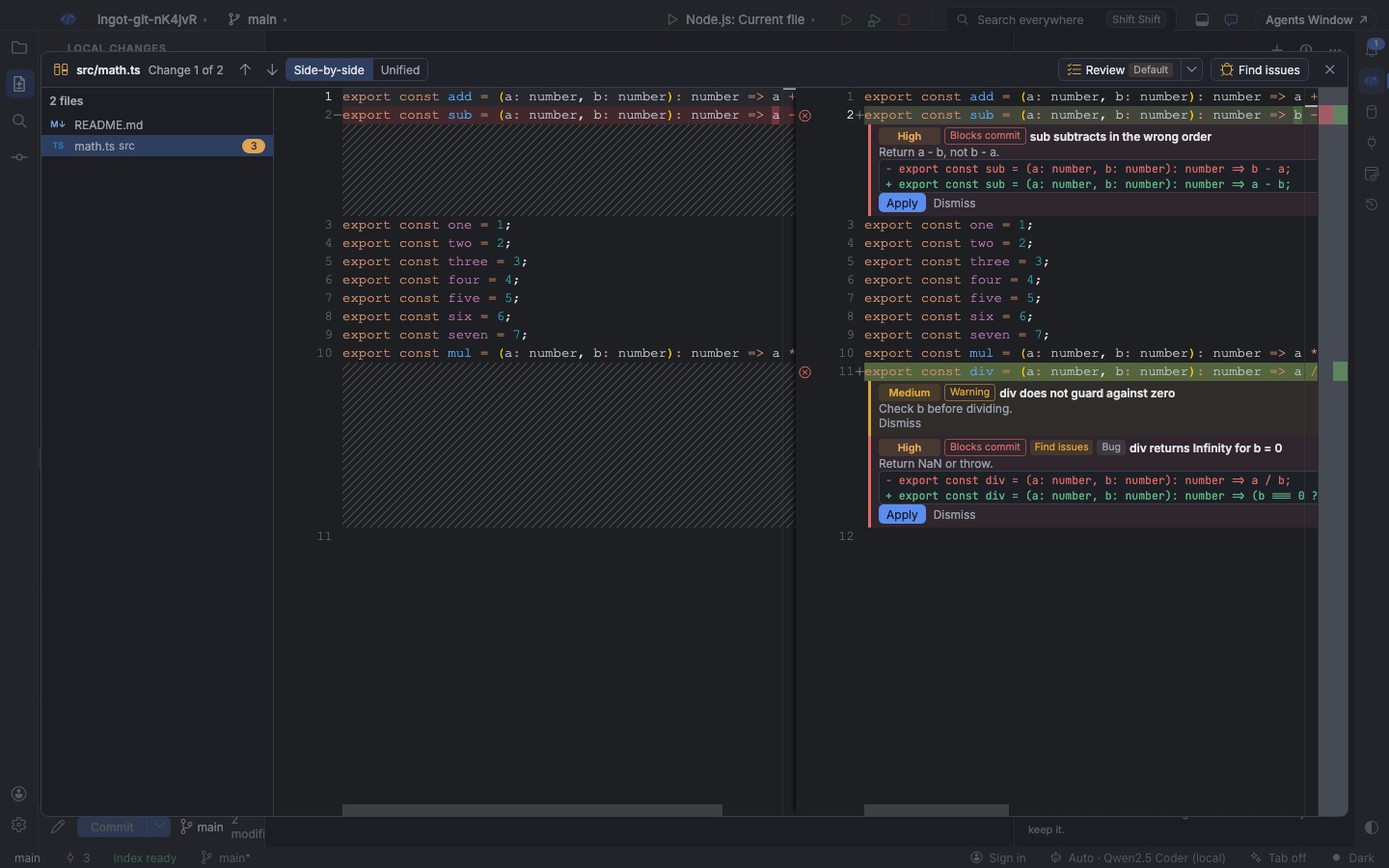
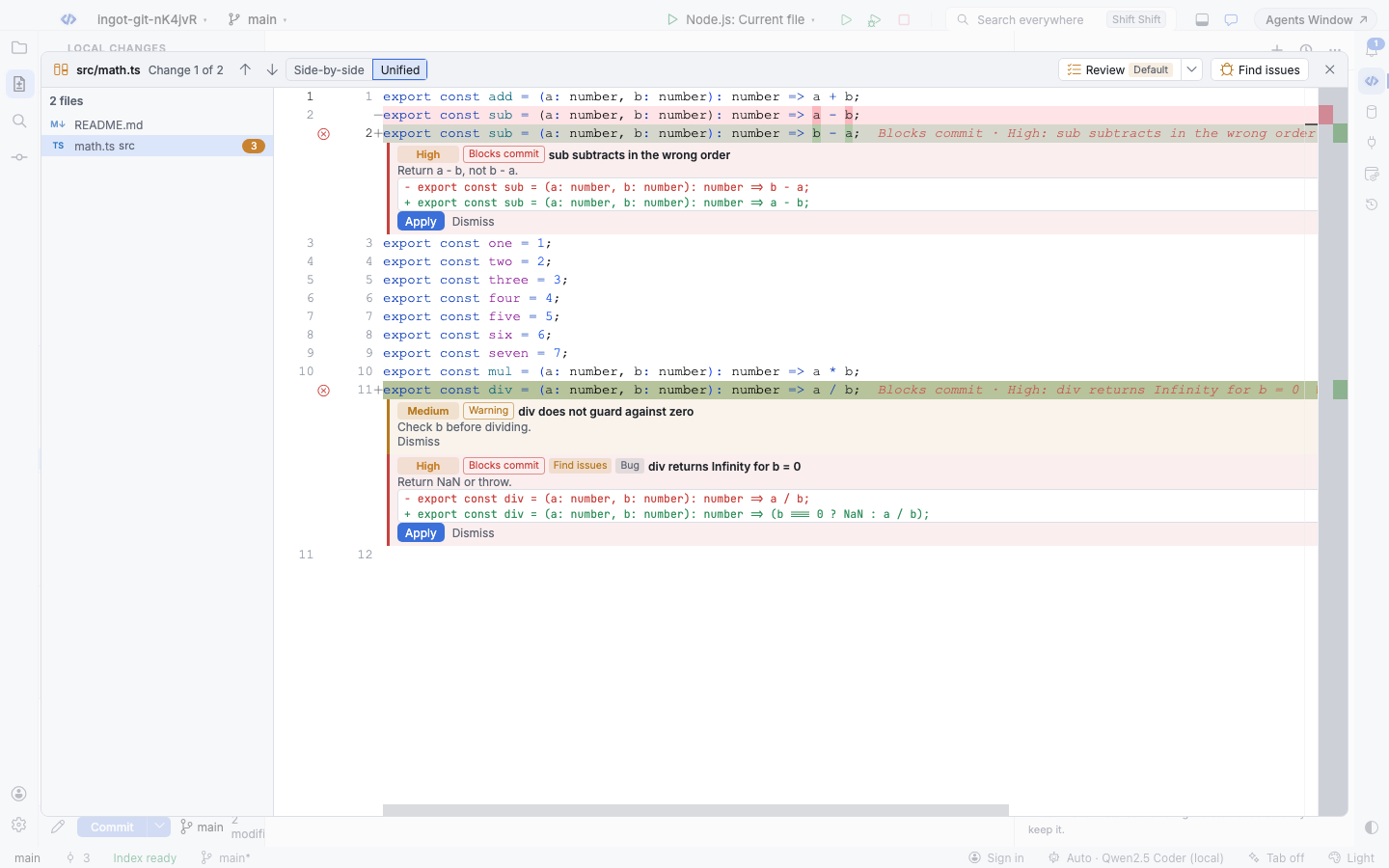
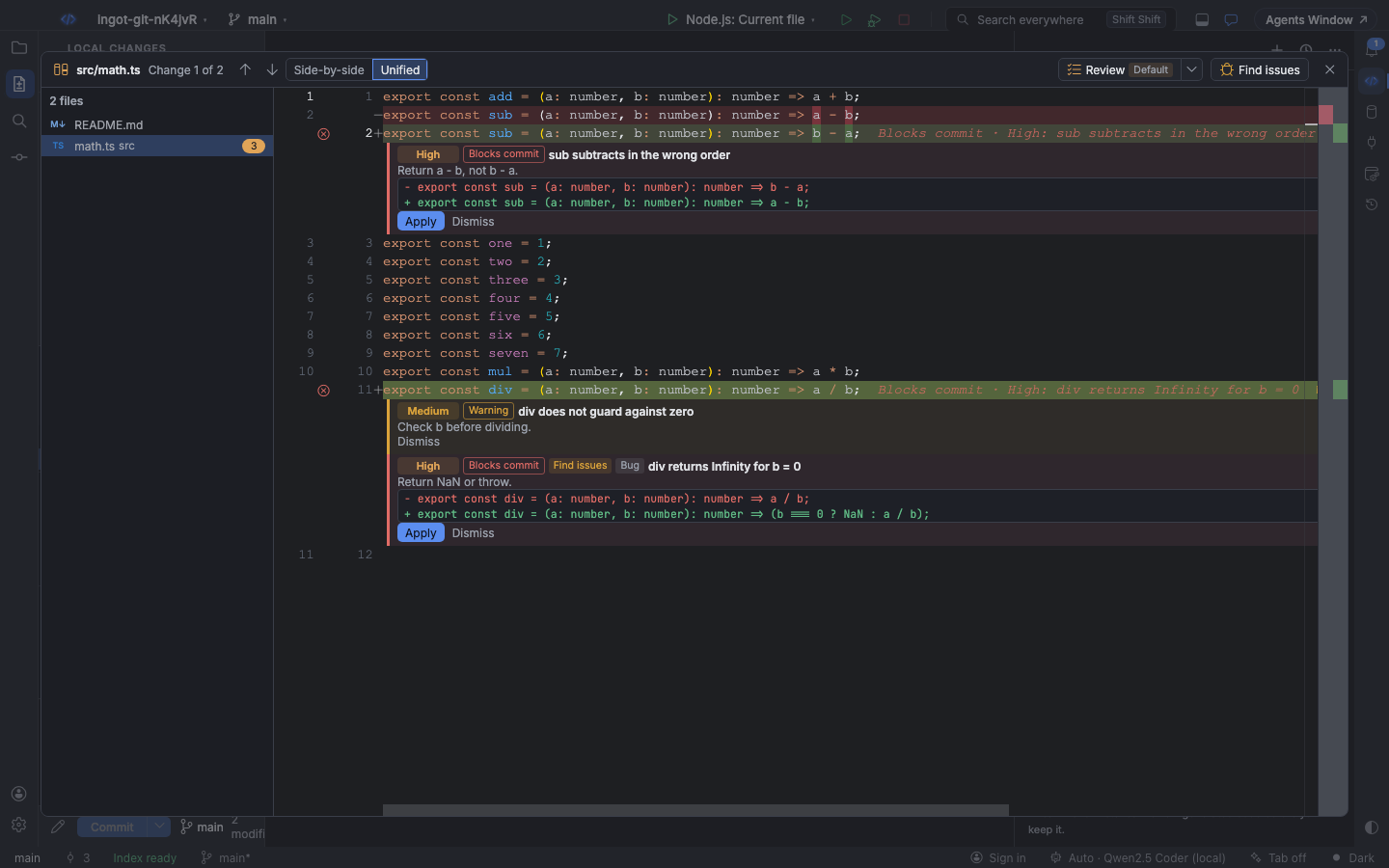
Double-click a file in the block (or press Enter on it) to open a large diff viewer, like the commit dialog of a desktop IDE:
- Side-by-side or Unified, switched in the header
- Previous and Next change (↑ ↓, or Shift+F7 and F7). Past the last change of a file it moves on to the next file, and the header counts
Change 1 of 2. - the changed files on the side: click one to jump to it
- Review (with the mode menu) and Find issues in the header
While the viewer is open, findings from Review and Find issues appear right under their lines with Apply and Dismiss, and they update live as you review again, apply or dismiss. Esc closes the viewer and returns focus to where you were.
In the editor
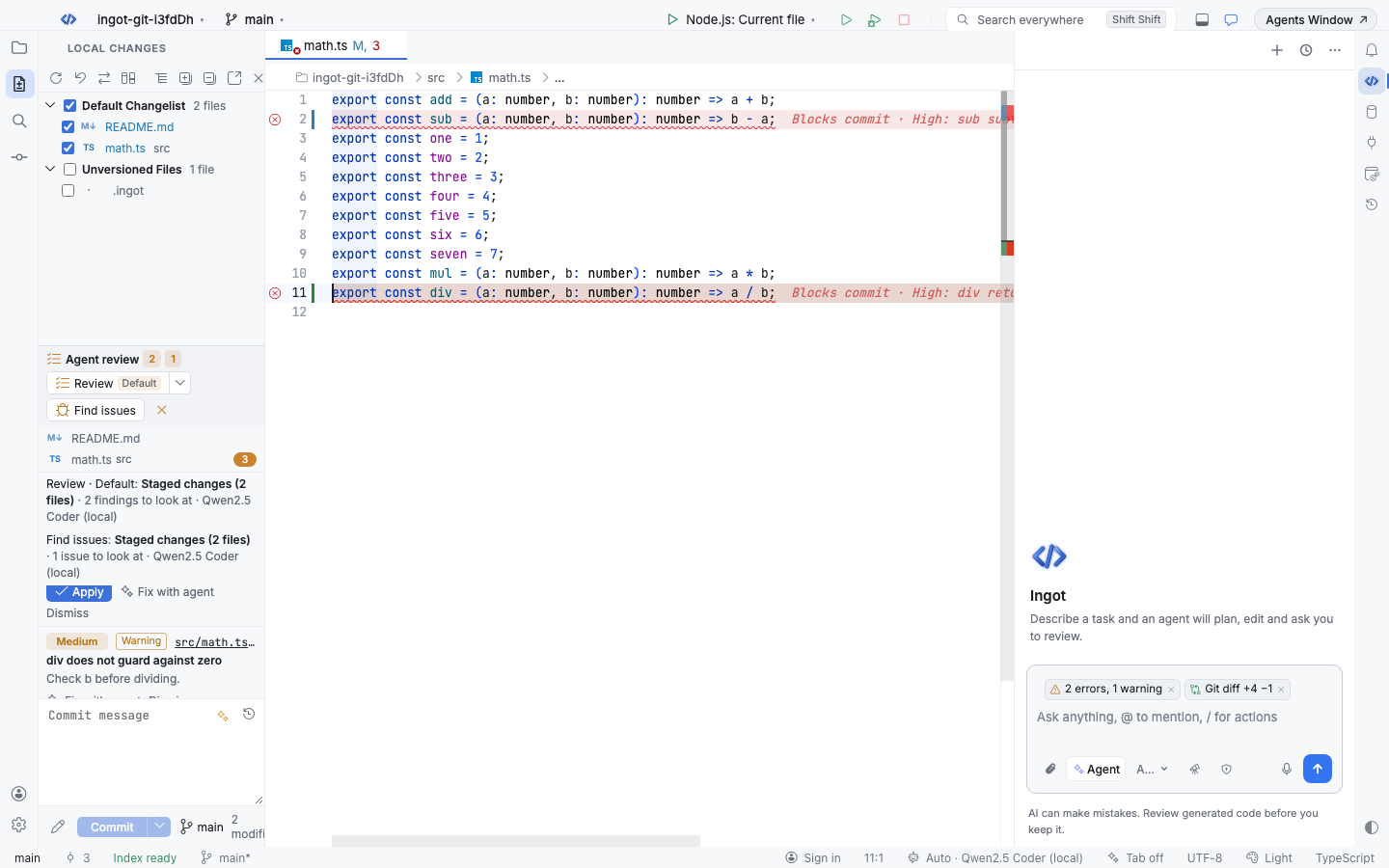
Findings show up in the editor and in diff editors too:
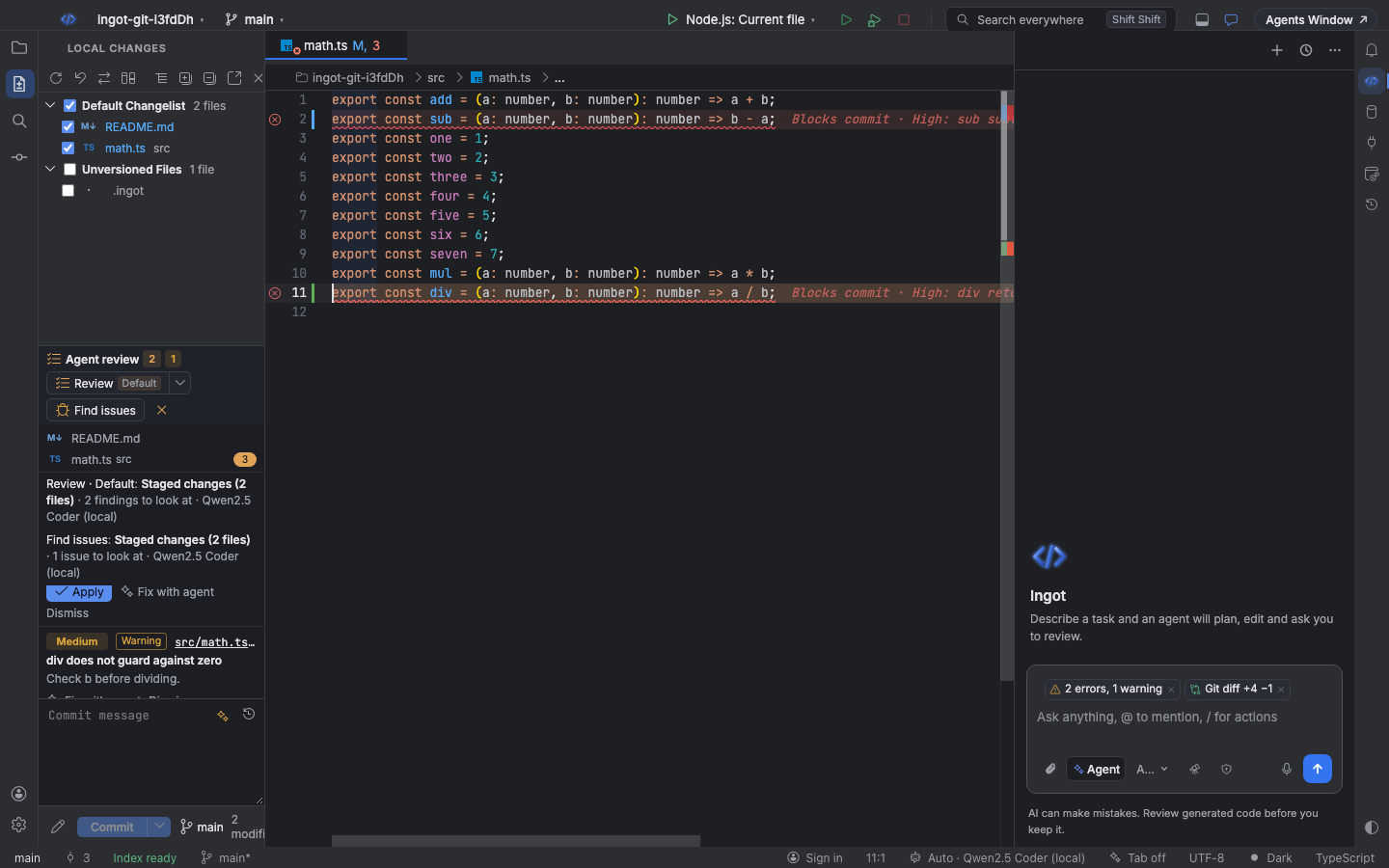
- a gutter icon and a tinted line, red when the finding blocks the commit and amber when it only warns
- a short hint at the end of the line, such as
Blocks commit · High: sub subtracts in the wrong order - a hover with the explanation, the category and the suggested fix
- an entry in Problems with the source
Ingot Agent Review - context actions (⌥Enter, Alt+Enter): Apply fix: … and Fix with agent: …
Block or warn on high-severity findings
Critical and High findings are high-severity. What they do depends on ingot.review.highSeverity:
| Value | What happens when you commit |
|---|---|
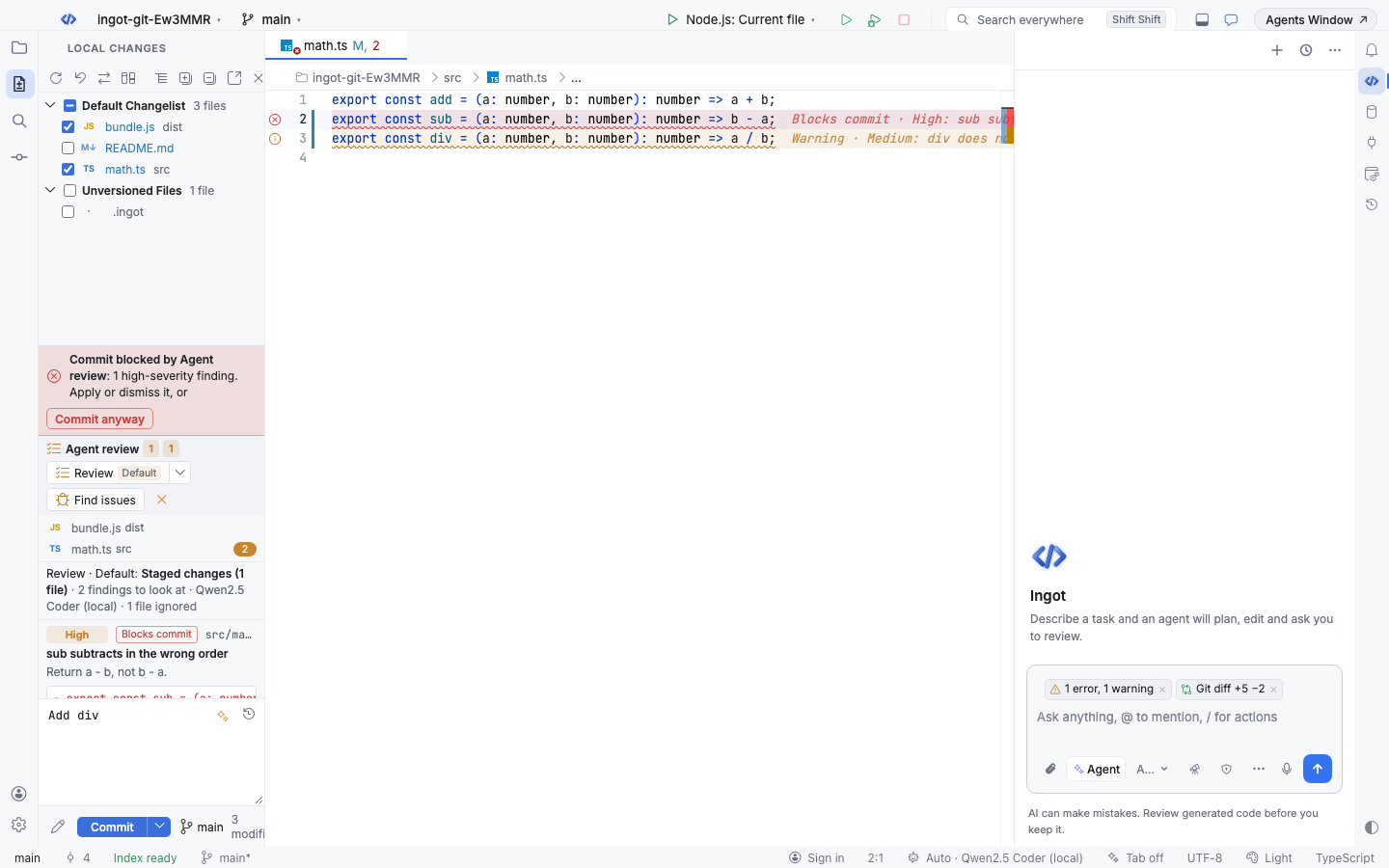
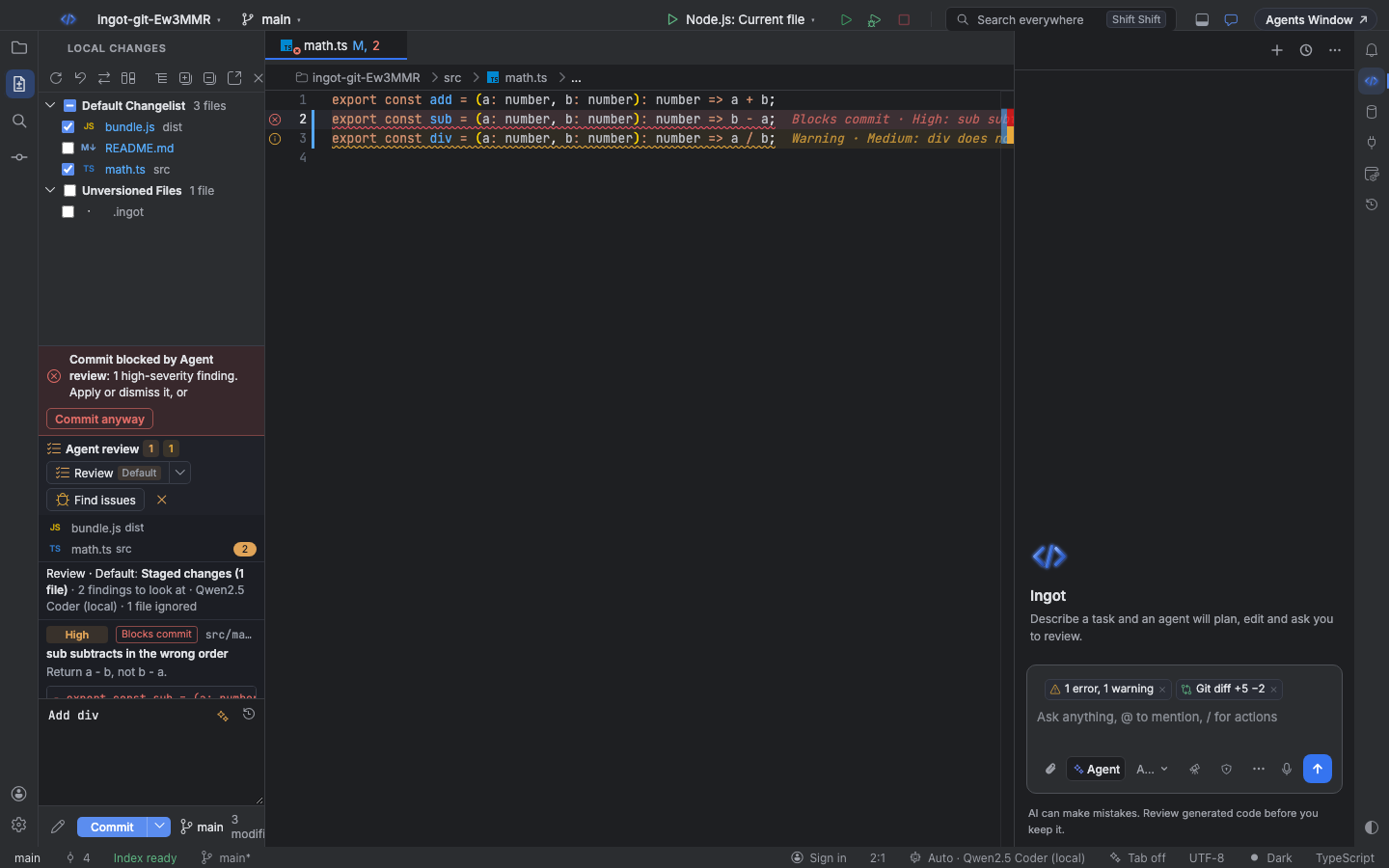
block (default) | The finding says Blocks commit, and the commit stops with Commit blocked by Agent review: 1 high-severity finding. Apply or dismiss it, or Commit anyway. |
warn | Every finding says Warning. The commit goes ahead, with a notification that lists the findings. |
Commit anyway commits right away. Applying or dismissing the last high-severity finding lifts the block. Medium and Low findings never stop a commit.
Review on click or before every commit
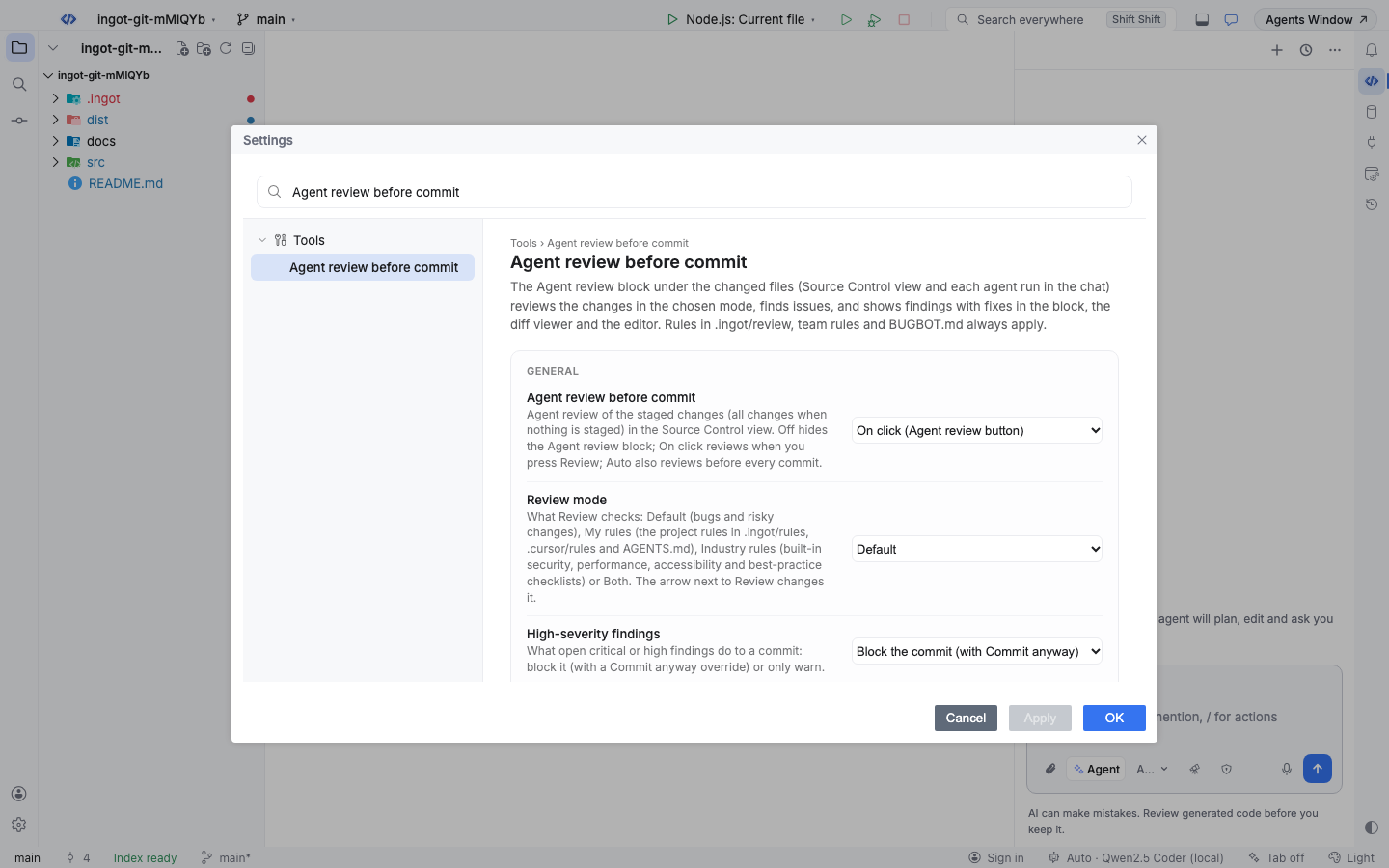
ingot.review.beforeCommit decides when a review runs:
| Value | Behavior |
|---|---|
off | No Agent review block and no review. |
onClick (default) | Reviews when you click Review or Find issues. A blocking finding stops the commit until you apply, dismiss or override it. |
auto | Also reviews before every Commit and Commit and Push, in the selected mode. If the changes are the same as at the last review, it does not run again. |
In auto mode, if the review cannot run (for example the model is offline), the commit goes ahead with a warning: Agent review did not run (…). Committing without it.
Keyboard shortcuts
Every action is also in Find Action (⌘⇧A, Ctrl+Shift+A).
| Action | macOS | Windows and Linux |
|---|---|---|
| Agent Review Before Commit | ⌘⌥⇧Enter | Ctrl+Alt+Shift+Enter |
| Agent Review: Find Issues | ⌘⌥⇧/ | Ctrl+Alt+Shift+/ |
| Agent Review: Choose Review Mode | ⌘⌥⇧. | Ctrl+Alt+Shift+. |
| Agent Review: Open Changes in Diff Viewer | ⌘⌥⇧, | Ctrl+Alt+Shift+, |
| Next / previous change in the diff viewer | F7 / ⇧F7 | F7 / Shift+F7 |
Settings
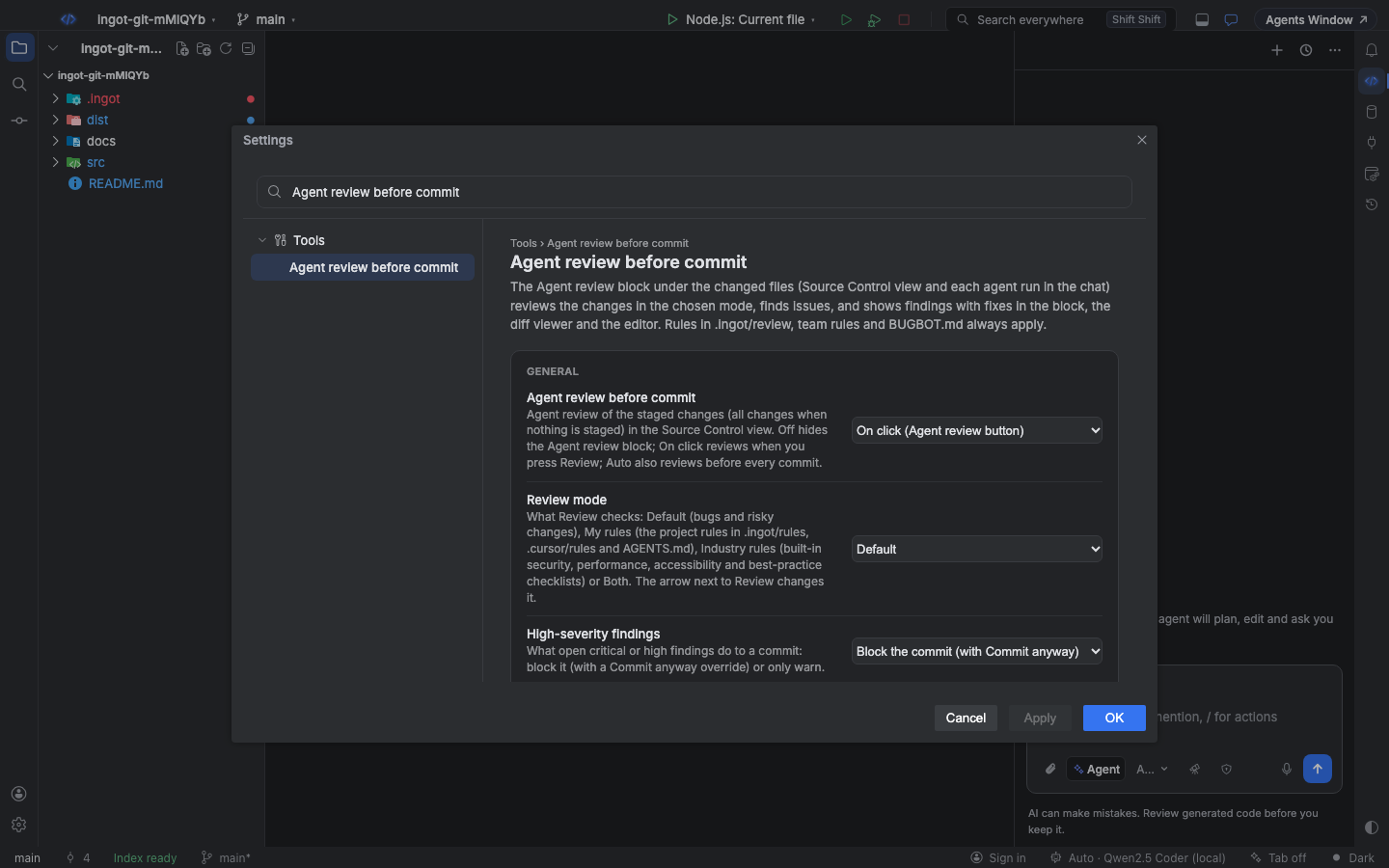
Open Settings › Tools › Agent review before commit, or set the keys in your user settings or the project's .ingot/settings.json:
| Setting | Default | What it does |
|---|---|---|
ingot.review.beforeCommit | onClick | off, onClick or auto |
ingot.review.compactPanel | true | true shows Agent review as one row; false shows the full block |
ingot.agentReview.mode | default | default, rules, industry or both. The Review menu writes it. |
ingot.review.highSeverity | block | block or warn |
ingot.review.model | empty | Model for the review. Empty uses the review model from ingot.agent.reviewModel, then a cheap connected model such as Ingot Fast. |
ingot.review.rules | [] | Review rules, one per line: rule text, or a file such as @docs/review.md |
ingot.review.ignore | [] | Globs of paths to leave out, one per line, such as dist/** |
{
  "ingot.review.beforeCommit": "auto",
  "ingot.agentReview.mode": "both",
  "ingot.review.highSeverity": "block",
  "ingot.review.rules": ["Money is always integer cents.", "@docs/review-guidelines.md"],
  "ingot.review.ignore": ["dist/**", "**/*.lock", "src/generated/**"]
}
Review rules
Every review, in any mode, also follows these, in this order:
- Your team rules and
BUGBOT.mdfiles, as in AI code review. - Each entry of
ingot.review.rules. An entry that is a single.md,.mdcor.txtpath (@docs/review.md,./review.txt) is read from the project; anything else is used as the rule text. - Every
.md,.mdcand.txtfile in.ingot/review/(up to 40). Frontmatter is dropped, so.mdcrules work as is.
A file in .ingot/review/ that a BUGBOT.md already links to is not added twice. As with Bugbot, each rule is cut at 30,000 characters and all rules of one review add up to at most 100,000. The My rules mode adds your project rules within the same limits.
Ignored paths
Files that match ingot.review.ignore are never sent to the model. They still get committed. The status line counts them: 1 file ignored.
Budget
A review stays fast and inexpensive: at most 3 model calls of 24,000 characters of diff each, and up to 40 findings. Find issues also sends the changed files' text, up to 12,000 characters per file and 24,000 per call. Files that don't fit are listed in the status line as over the review budget.
From the terminal
The ingot CLI runs the same review, so you can use it in a git hook or in CI:
ingot review                    # staged changes, else all changes
ingot review --mode both        # project rules and industry checklists
ingot review --find-issues      # deeper bug hunt with the whole changed files
ingot review --all --json       # everything, as JSON
ingot review --apply            # write the suggested fixes into the files
ingot review --fail-on medium   # fail on medium findings too
It reads ingot.review.rules, ingot.review.ignore, ingot.review.highSeverity and ingot.agentReview.mode from .ingot/settings.json, the rules in .ingot/review/ and your BUGBOT.md files. It exits 1 when a high-severity finding blocks the commit, so a pre-commit hook is one line:
# .git/hooks/pre-commit
ingot review --staged
| Option | What it does |
|---|---|
--staged, --all | Review only the staged changes, or every change |
--mode <mode> | default, rules, industry or both (default: ingot.agentReview.mode, else default) |
--find-issues | The Find issues bug hunt instead of a review in a mode |
--model <id> | OpenRouter model (default google/gemini-2.5-flash-lite) |
--max-cost <usd> | Hard cost cap for the whole review (default $0.05, at most $1). A call that could cross it is not made and the run exits 3. |
--rule, --ignore | Extra rules and ignore globs; repeat them for more |
--warn, --fail-on <severity> | Report without failing, or fail from a given severity |
--apply | Write the suggested fixes (they are not staged) |
--mock | A free, deterministic reviewer for testing pipelines |
The OpenRouter key comes from OPENROUTER_API_KEY or ai.openrouterApiKey in the project's gitignored ingot.config.json. See the CLI reference.