Rex offers to take a step
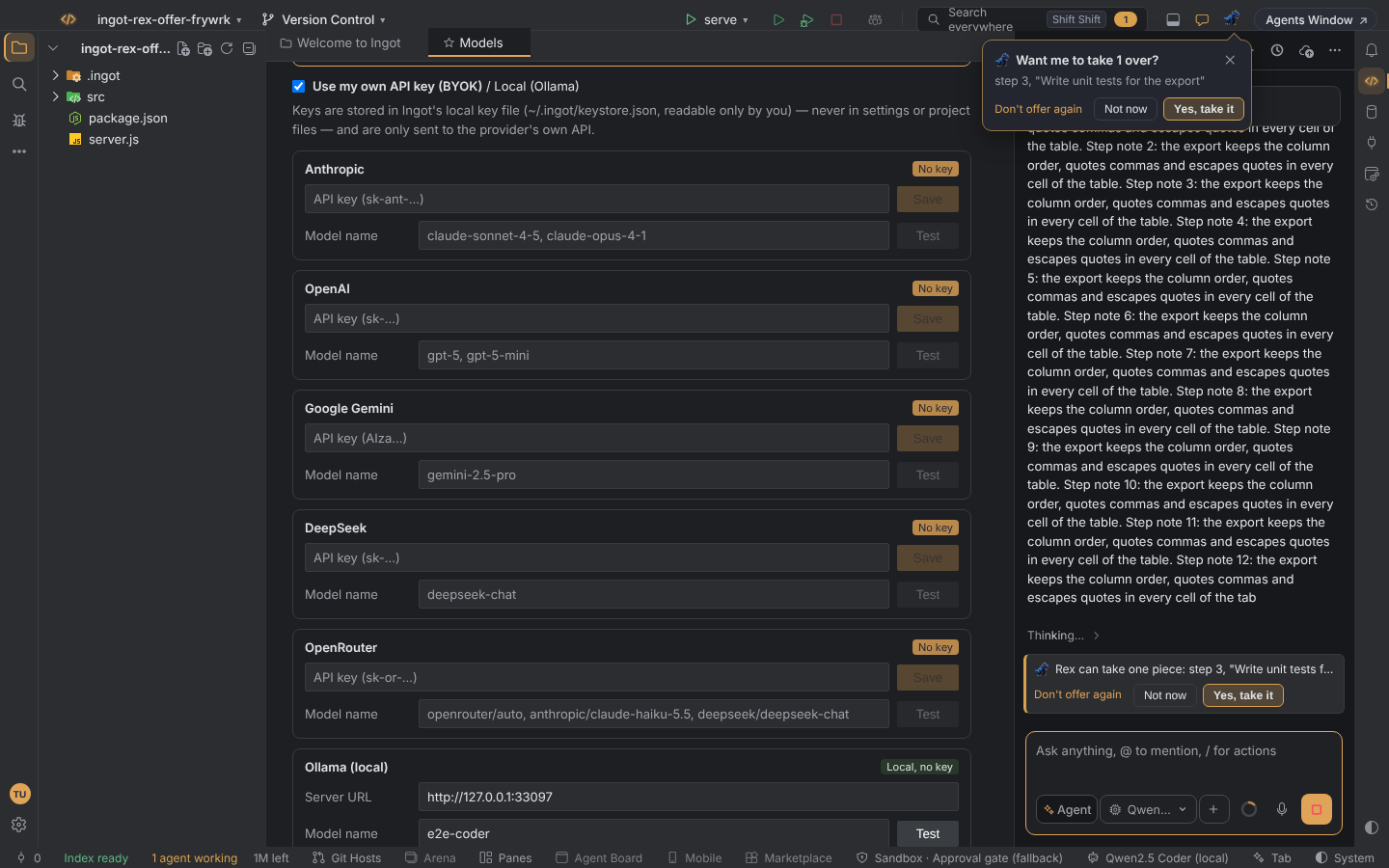
During a long agent run, Rex, the T-rex in the title bar, can offer to take one step of the work off the agent's hands and do it at the same time in the Zaprex desktop app. You choose: Yes, take it, Not now or Don't offer again.
The offer is for PRO+ plans and admins, and taking a step needs the Zaprex desktop app on the same computer.
When Rex offers
Rex speaks up once per run, when the run turns heavy. A run is heavy when any of these is true:
- it has gone on for 90 seconds or more
- it has 12 or more tool steps
- it touches five or more files
- it comes from a numbered prompt or a plan with four or more steps
A small speech bubble appears under the T-rex: Want me to take 1 over? A one-line card above the chat box says the same thing and names the step, for example Rex can take one piece: step 3, "Write unit tests for the export". If you close the bubble, the card keeps the offer.
How Rex picks the step
Rex reads the agent's plan, or the numbered steps of your prompt when there is no plan. It picks one step that hasn't started yet and can be done on its own:
- tests first
- then docs, refactors and styling
- then any step that names its files
Rex never picks the step the agent is working on right now. If no step stands alone, Rex offers to take the rest of the run, which is what clicking the T-rex already does.
Your choices
| Choice | What happens |
|---|---|
| Yes, take it | The step goes to the Zaprex desktop app in Harmony mode. The agent is told that Rex has that step, so it skips it. |
| Not now | No more offers for this run. The next run can offer again. |
| Don't offer again | Turns the offer off. See Turn it on or off. |
While Rex works
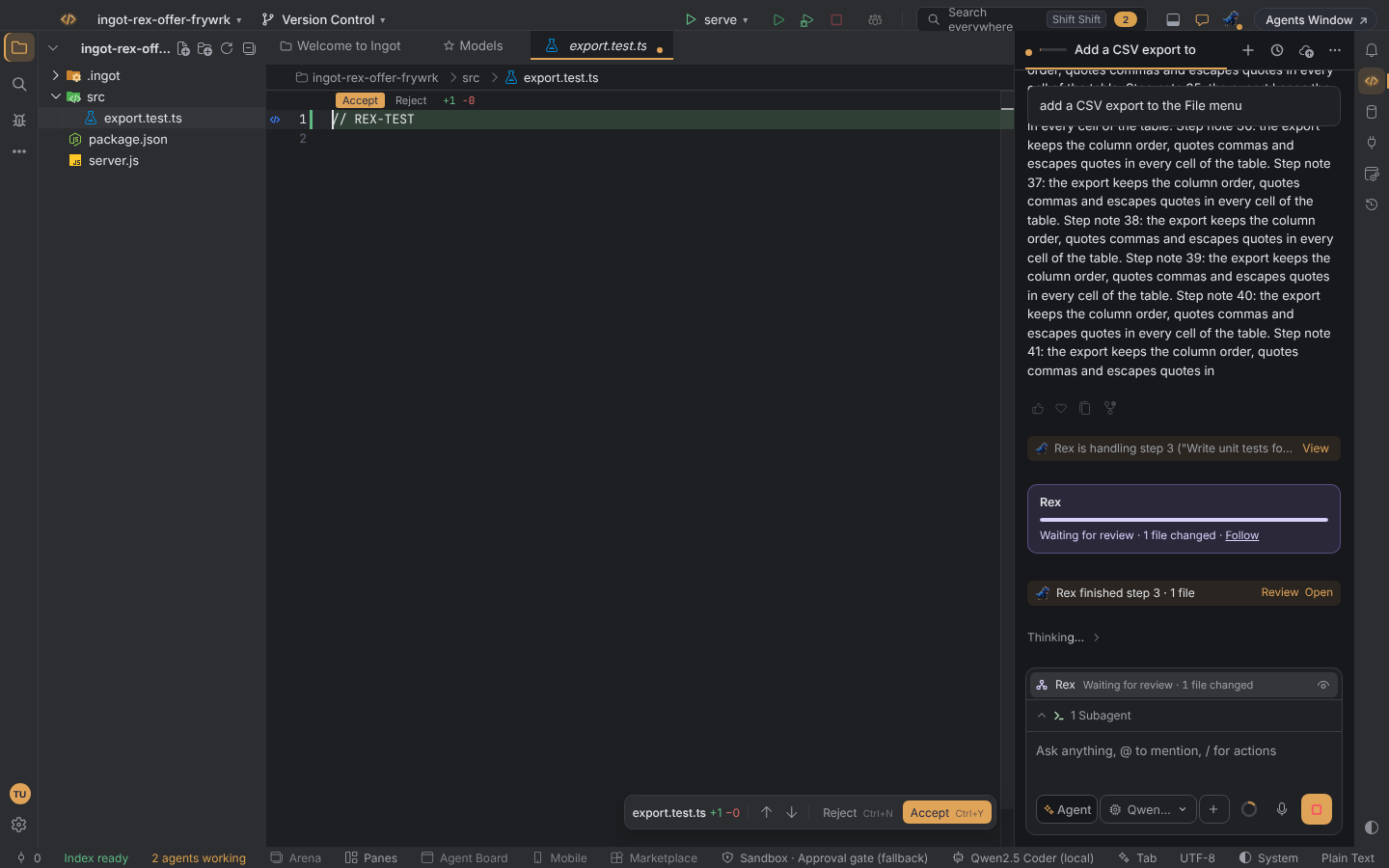
Rex shows as a Rex row in the chat tray, with its status and a Stop button. When Rex is done, a short line in the chat says which step it finished, with:
- Review: Rex's changes side by side
- Open: Rex's step as a chat tab
Rex's edits go through the same review as the agent's: you accept or reject them like any other change.
Without the Zaprex desktop app
If the Zaprex desktop app isn't installed, the bubble says once that Rex needs it, with a Get Zaprex link.
Keyboard
The bubble is a dialog, but it never takes focus while you're typing. Tab moves between its buttons. Esc closes it and puts focus back on the T-rex. The card above the chat box keeps the offer.
Turn it on or off
The offer is on by default. Turn it off with Don't offer again, and back on in any of these places:
- Settings › Tools › AI & Zaprex › Rex
- Settings › Features
- the first-run setup
| Setting | Default | What it does |
|---|---|---|
ingot.rex.offerTakeOver | true | Rex offers once per heavy run to take one step |
While the offer is on, it is the only offer Rex makes under the T-rex. Harmony mode's own bubble ("I can write the tests…") comes back if you turn the offer off.
Desktop and browser
The offer looks and works the same in the desktop app and the browser edition. Taking a step needs the Zaprex desktop app on the same computer as Ingot.
See also Rex Crew and Processes, browser and subagents.