Core rules by task type
Core rules are the first part of the .ingot engineering OS: load only the rules a task needs. A rule can say which kinds of task it is for, and each message loads only the rules for its task type. Bug-fix rules stay out of a docs change, and review rules load only for reviews.
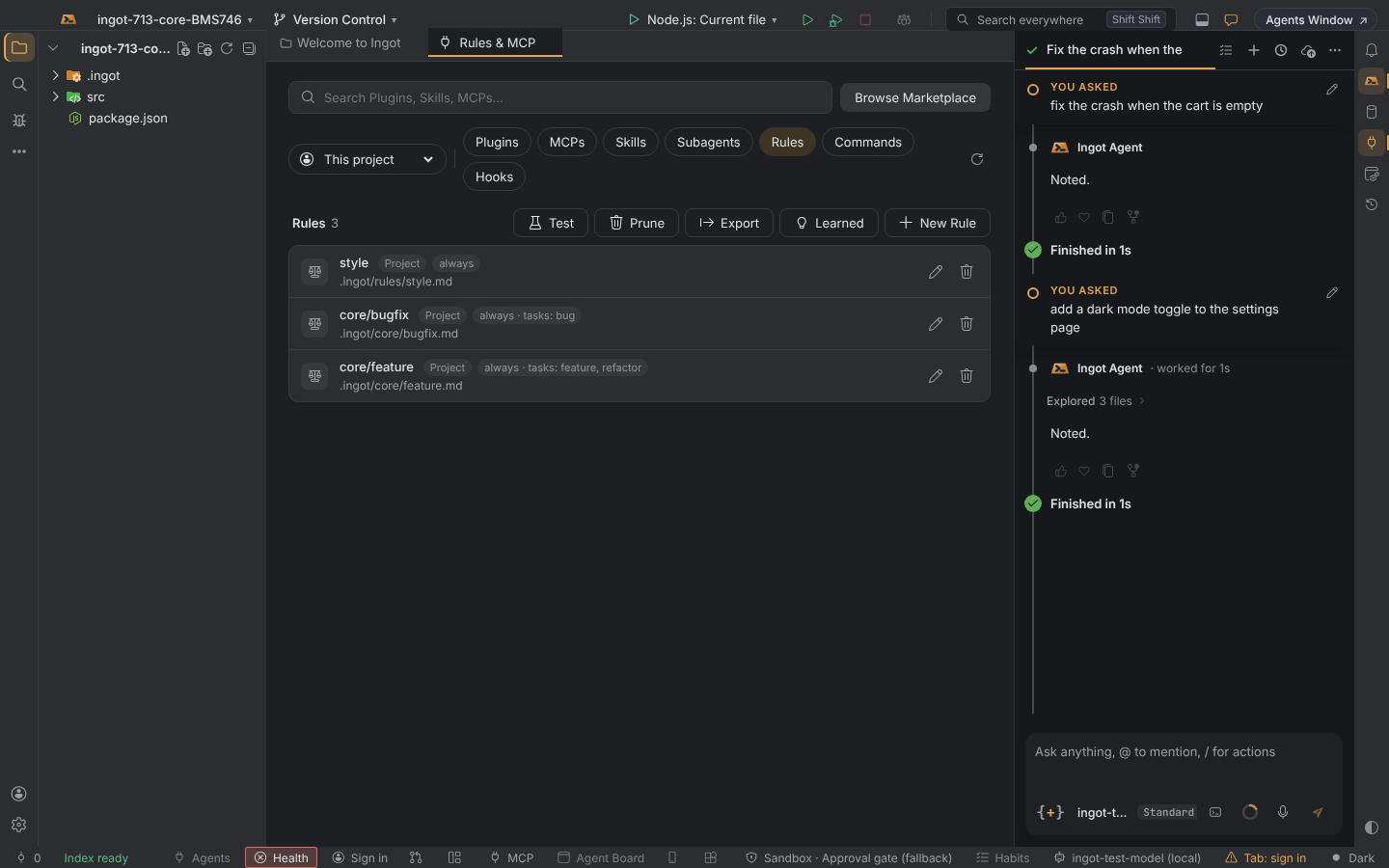
Where core rules live
Put them in .ingot/core/, next to .ingot/rules/. They show up as core/<file>, and sub-folders work as in .ingot/rules/. Rules in .ingot/rules/ can use task types too.
Name the task types
Add tasks: to a rule's front-matter:
---
tasks: [bug]
alwaysApply: true
---
Write a failing test that shows the bug before changing code.
| Task type | Messages like |
|---|---|
feature | "add a dark mode toggle", and questions about the code |
bug | "fix the crash when the cart is empty" |
review | "review the fix in checkout.ts" |
refactor | "refactor the payment module", renames and formatting |
test | "add unit tests for the cart" |
docs | "update the README" |
tasks comes on top of the rule's own kind: an always rule with tasks: [bug] loads for every bug fix; a rule with globs and tasks: [review] loads for reviews of matching files. A rule without tasks loads as it always did. Agent-requested rules are offered only for their task types.
What the agent is told
The agent gets a short Task type block: the task type, the rules loaded for it, and how many rules for other task types were left out. The task type comes from the same check Ingot uses to pick a cheaper model for simple steps, so the two always agree.
See which rules are for which task
Rules, Commands & MCP Servers › Rules shows each rule's tasks next to its kind, such as always · tasks: bug.
Turn it off
| Setting | Default | Where |
|---|---|---|
ingot.core.contextActivation | on | Settings › Core Rules, Settings › Features › Core rules by task type |
Off: every rule loads as its kind says, whatever the task.