Language support
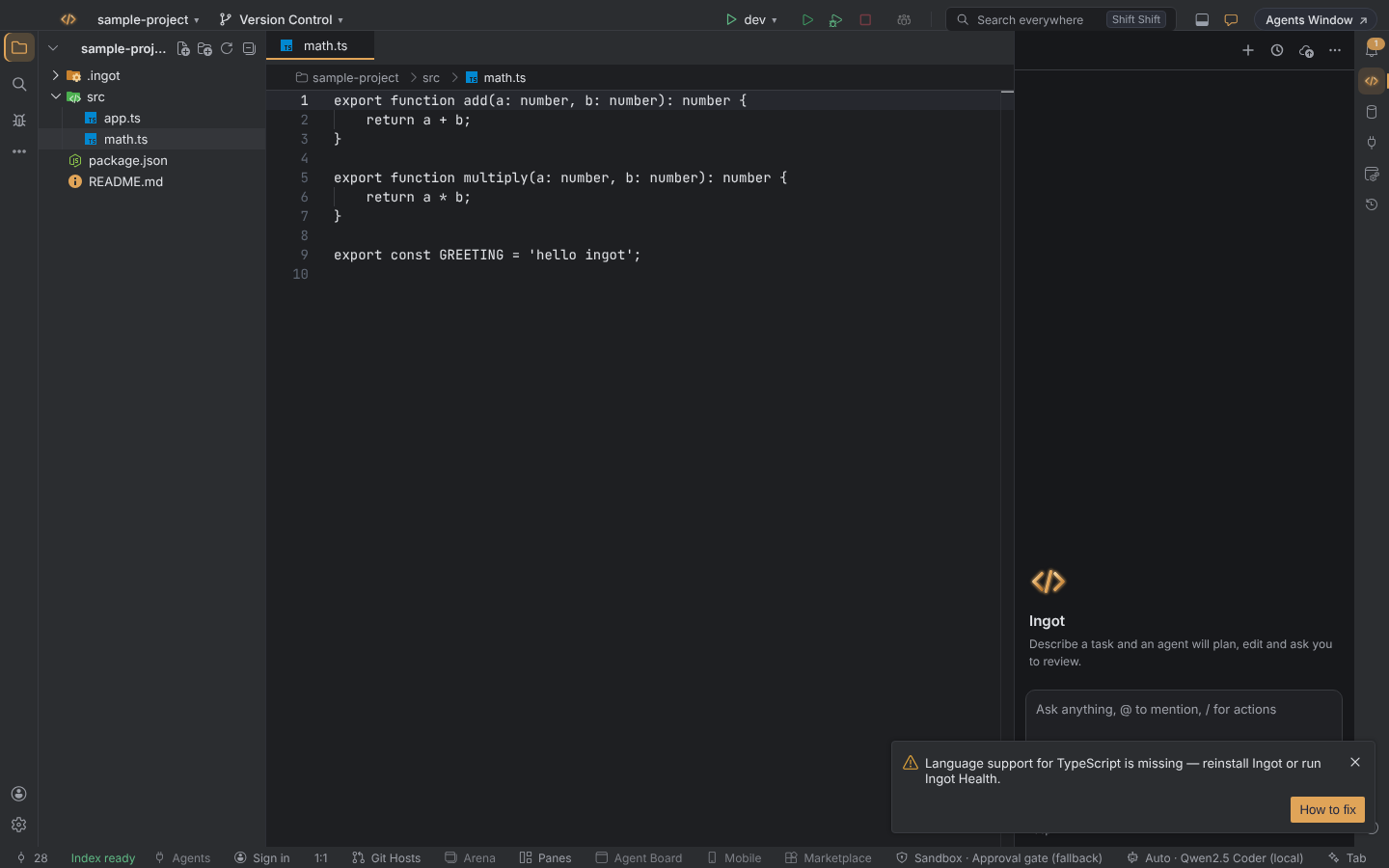
Ingot ships with language support for the web languages built in. If a file opens as Plain Text instead, Ingot tells you once with Language support for … is missing, and this page explains how to fix it.
What is bundled
These languages come inside every Ingot build, desktop and browser, as bundled language plugins:
| Language | Files |
|---|---|
| TypeScript | .ts, .tsx, .mts, .cts |
| JavaScript | .js, .jsx, .mjs, .cjs |
| JSON | .json, .jsonc |
| CSS | .css |
| HTML | .html, .htm |
| Markdown | .md, .markdown |
| YAML | .yaml, .yml |
For each of them you get syntax highlighting, completions, hover and go-to-definition where the language has them, and formatting. You don't install anything. Highlighting for about 40 more languages is bundled too, and full support for C++, C#, Python, Go, Rust and the other major languages installs the first time you open one of their files: see Languages for the full table.
Why it can go missing
Every release, beta and nightly build is checked for all of these plugins before it is published, and a build without them is not published. A file can still open as Plain Text when:
- the install is damaged, for example an update that was interrupted or files removed by a cleanup tool
- you built Ingot from source and the language plugin download failed or was skipped
The notice
When a file opens and no loaded plugin supports its language, Ingot shows one warning:
Language support for TypeScript is missing — reinstall Ingot or run Ingot Health.
- It does not block you. The file opens and you can keep editing it as plain text.
- It shows once per language per window, and is written to the log too (
~/.ingot/logs). - Its button opens Ingot Health. Builds without the Health panel show How to fix instead, which opens this page.
How to fix it
- Open Help › Ingot Health… and look at the Extensions row. It lists the languages that did not load, for example Language support did not load: TypeScript. When everything is fine it reads … extensions loaded · TypeScript, JSON, CSS, HTML, Markdown support present. See Ingot Health.
- Reinstall Ingot from the download page. Your settings, rules and memories in
~/.ingotstay where they are. - Built from source? Run
npm run download:pluginsand build again.
If the notice still shows after a reinstall, click Copy diagnostic report in Ingot Health and send it to us (Troubleshooting).
Turn the notice off
Settings › Editor › General › Languages: Missing Notice.
| Setting | Default | Effect |
|---|---|---|
ingot.languages.missingNotice | true | warn once when a file opens without its bundled language support |
The notice and the setting work the same in the desktop app and the browser edition.