Free local Tab
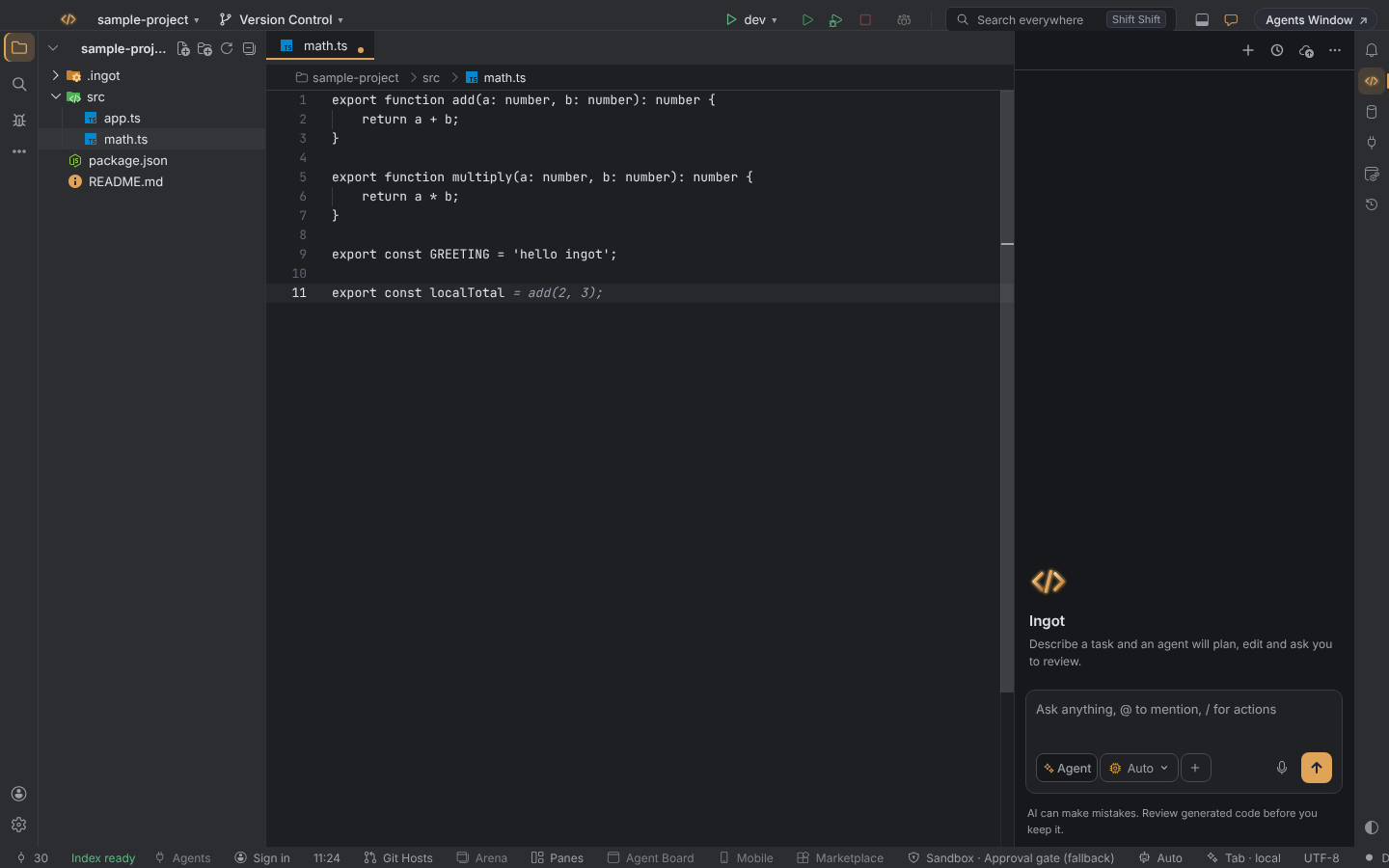
Tab can run on a coder model in Ollama on your own computer. Local Tab costs $0, works offline, and no code leaves the machine, so it fits well with privacy mode.
Everything else about Tab stays the same: the ghost text, the keys, next edits and the status bar (Tab completion).
Set it up (once)
- Install Ollama from ollama.com/download and start it.
- Install a coder model, about 1 GB:
ollama pull qwen2.5-coder:1.5b
You can also do the second step from Ingot: click Tab in the status bar and pick Install a local model…. A terminal opens with the command already typed; press Enter to run it. Tab picks the model up by itself when the download finishes.
Turn it on or off
Free local Tab is on by default. The quick switch is Free local Tab in Settings › Features and in the first-run setup (Help › Set Up Ingot…): on means auto, off means ingot.
The full settings are in Settings › Tools › AI Models:
| Setting | Values | Default | Effect |
|---|---|---|---|
ingot.tab.provider (Tab runs on) | auto, ingot, local | auto | where Tab gets its suggestions: decided for you, always Ingot (hosted), or always Ollama |
ingot.tab.localModel | an Ollama model name, or empty | empty | the coder model for local Tab; empty picks the best one installed |
ingot.models.ollamaUrl | a URL | http://127.0.0.1:11434 | the address of the Ollama server |
How auto decides
With auto, Tab uses the local model when Ollama has a coder model installed and one of these is true:
- privacy mode is on
- you are signed out
- your plan has no hosted Tab
Otherwise Tab uses Ingot (hosted). If you picked a Tab model yourself (ingot.autocomplete.model), that choice is kept.
With local, Tab always uses Ollama. When Ollama is not running or has no coder model, the status bar says so instead of falling back to hosted Tab.
Which model
When ingot.tab.localModel is empty, Tab picks the best coder model you have installed, preferring speed: Qwen2.5 Coder 1.5B first, then 3B.
Fill-in-the-middle models also see the code after the caret, so their suggestions fit better in the middle of a file: Qwen2.5 Coder, StarCoder2, DeepSeek Coder, Code Llama, CodeGemma and Codestral. Other models only get the code before the caret.
The status bar
| Shows | Meaning |
|---|---|
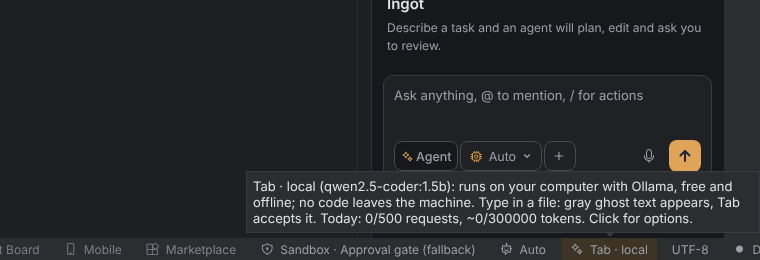
| Tab · local | Tab runs on Ollama. Hover it for the model, for example Tab · local (qwen2.5-coder:1.5b). |
| tinted Tab | Ollama is not running or has no coder model |
Click the tinted item, or run Ingot: Why isn't Tab suggesting? from Find Action. It offers Open Ollama download page, Install a local model… and Check for Ollama again.
Speed and limits
- Tab waits the same typing delay as hosted Tab (
ingot.tab.debounceMs). - If you keep typing, the request to Ollama is cancelled at once.
- Replies are capped at 64 tokens.
- The last suggestions are cached in memory, as with hosted Tab.
- Local Tab does not count against Tab's daily limits.
Desktop app and browser build
Ollama is always contacted by the Ingot backend, never by the browser.
- Desktop app: the backend is your computer, so Tab uses the Ollama on your computer.
- Browser build (
npm run start:browser): the backend is the machine that runs the Ingot server. On your own computer that works exactly like the desktop app. When the server runs somewhere else, Tab looks for Ollama on that server, the Install a local model… terminal opens there too, and the status says "on the computer running the Ingot backend". The browser never connects to an Ollama on the viewer's machine.
Not included
Tab in the agent chat box stays hosted only. While Tab runs locally, the chat box shows no ghost text.
Troubleshooting
| Problem | What to do |
|---|---|
| The status bar shows Tab, not Tab · local | With auto, local Tab needs privacy mode on, signing out, or a plan without hosted Tab. Set ingot.tab.provider to local to always use Ollama. |
| Tinted Tab: Ollama not found | Start Ollama (ollama serve), check that ingot.models.ollamaUrl matches its address, then pick Check for Ollama again. |
| Tinted Tab: no coder model | Run ollama pull qwen2.5-coder:1.5b, or pick Install a local model…. Run ollama list to see what is installed. |
| Browser build, server elsewhere | Install Ollama and the model on the machine that runs the Ingot server, not on the computer with the browser. |
| Suggestions are slow | Use the 1.5B model, or leave ingot.tab.localModel empty so Tab picks the fastest one. |
| No ghost text in the agent chat | Expected: chat Tab is hosted only. |
For the full list of reasons Tab can stop, see Why isn't Tab suggesting?. The Ingot Health panel also shows the Tab state with its fix.