Shared project context
Agents write down what they learn about your project, and every future agent and teammate reuses it instead of rediscovering it.
An agent that spent ten minutes finding out that the tests need npm run build:packages first, or that money is stored in integer cents, writes that down in one line. It is committed to .ingot/context/ with the rest of your code, so the next agent on any machine and any branch starts with it.
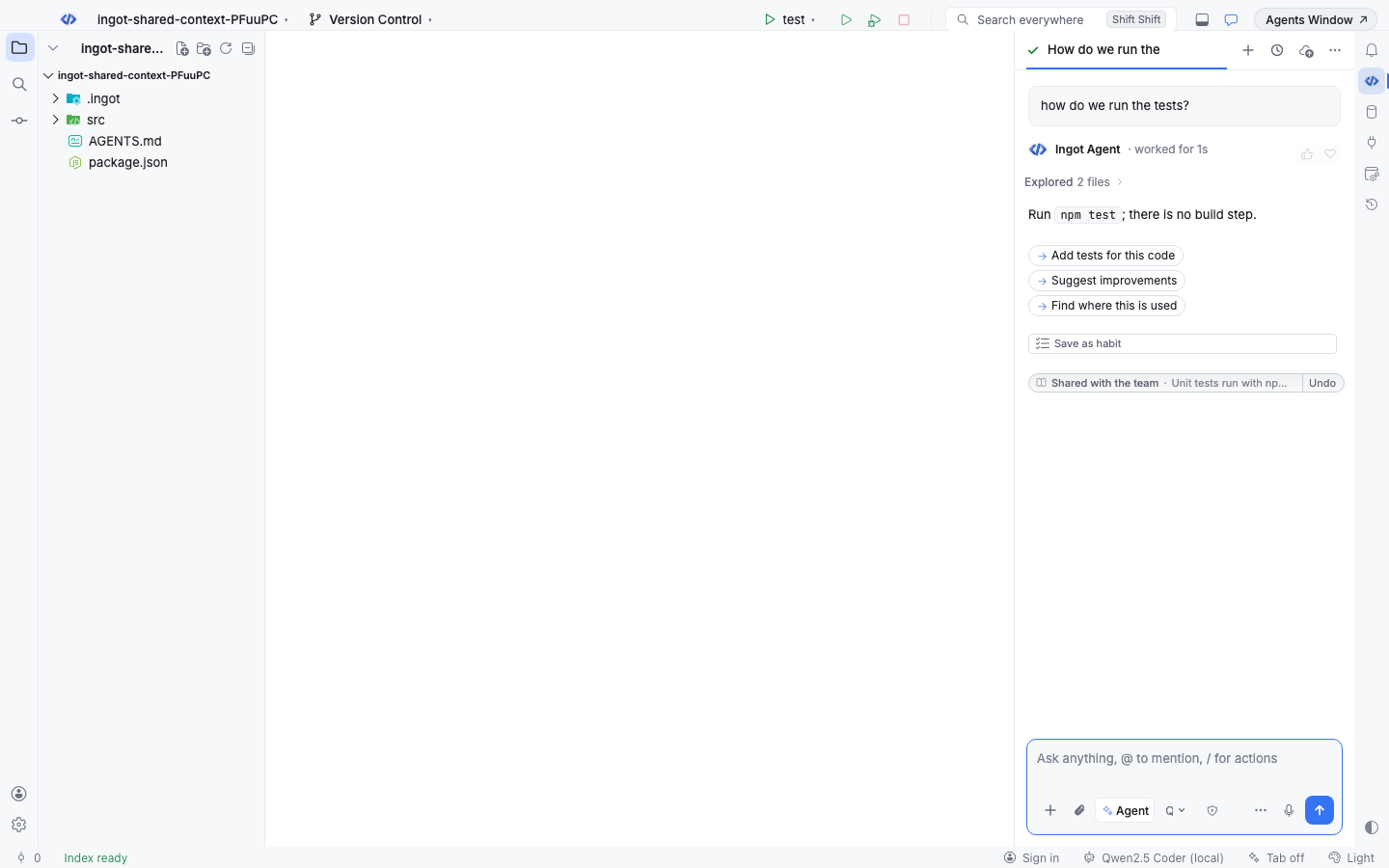
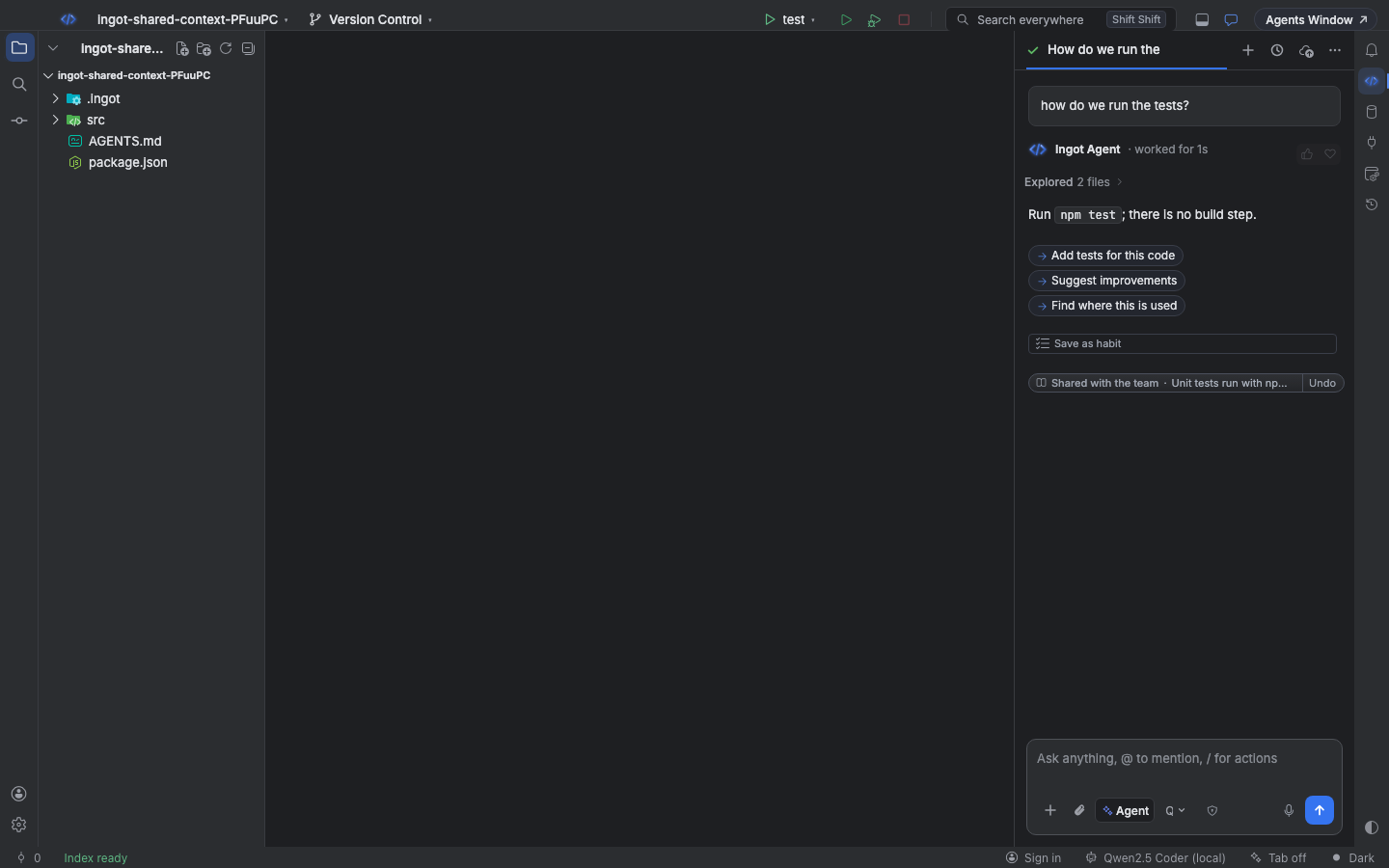
How agents share what they learn
Every agent chat gets a short instruction: when it finds out something durable about the repository (how to build, test or run it, where things live, a convention, a gotcha, the fix for a confusing error), it adds one line to its reply:
LEARNING: [test] Unit tests run with npm test and need no build first (paths: src/, package.json)
The line is hidden from the reply. Ingot saves it and shows a silver Shared with the team note with Undo. Things that only matter for this task, personal preferences and anything that looks like a key, token or password are not shared: secrets are replaced with [redacted] before the file is written.
If an agent writes a learning that is already there, it confirms it instead of adding a copy: the note says Confirmed in shared context and the learning's confirmation count goes up. Confirmed learnings win when only a few fit in the prompt.
Projects without shared context
Agents only write learnings into a project that already has a .ingot/context/ folder, so a task never leaves files in git status that you did not ask for. In a project without one, the learning stays in the chat: the note says Learned, not shared yet and has Share. Share creates .ingot/context/ with the learning and a README; from then on agents in this project write their learnings at once. Add Learning to Shared Context…, + Add in Settings and ingot learnings add create the folder too.
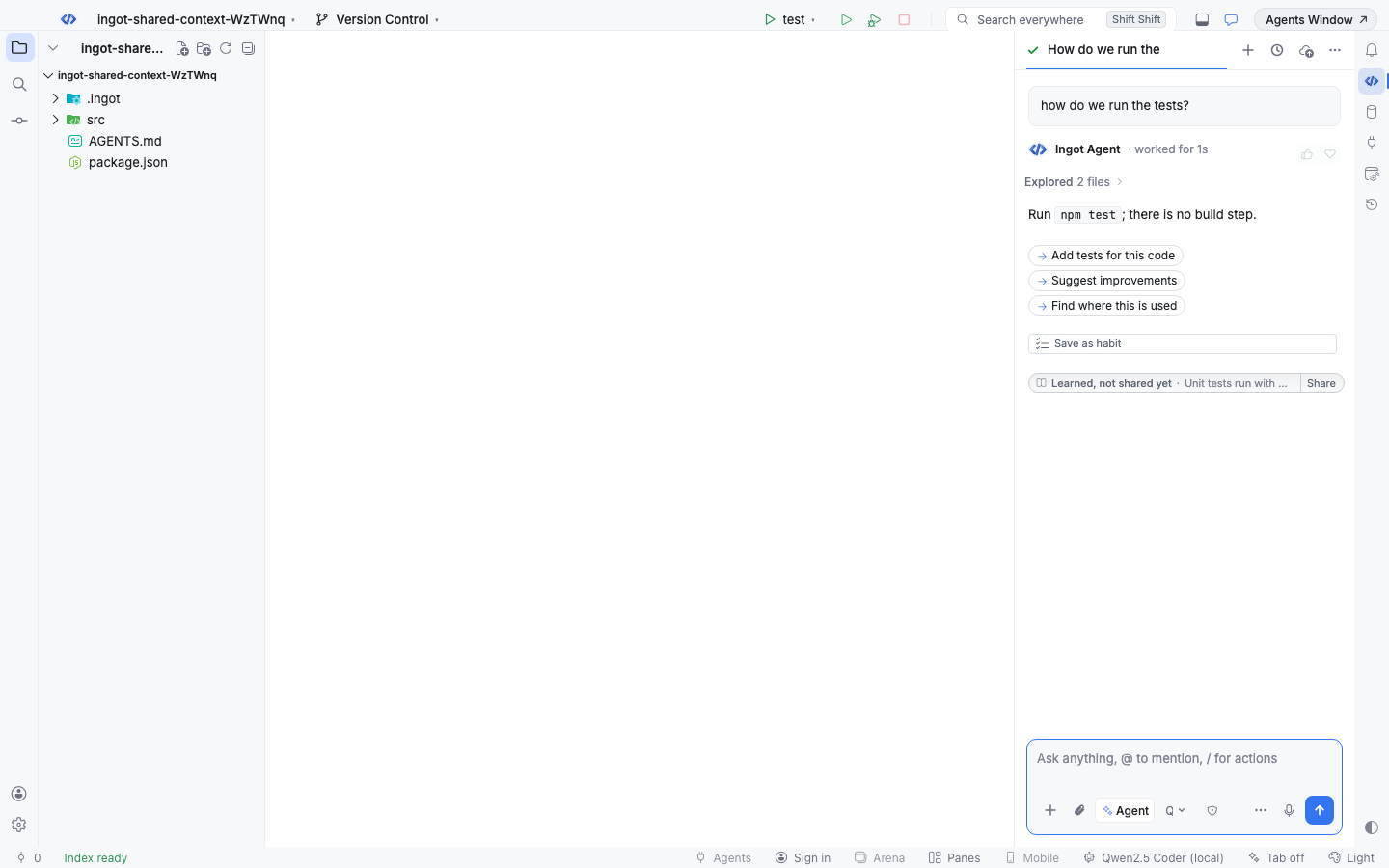
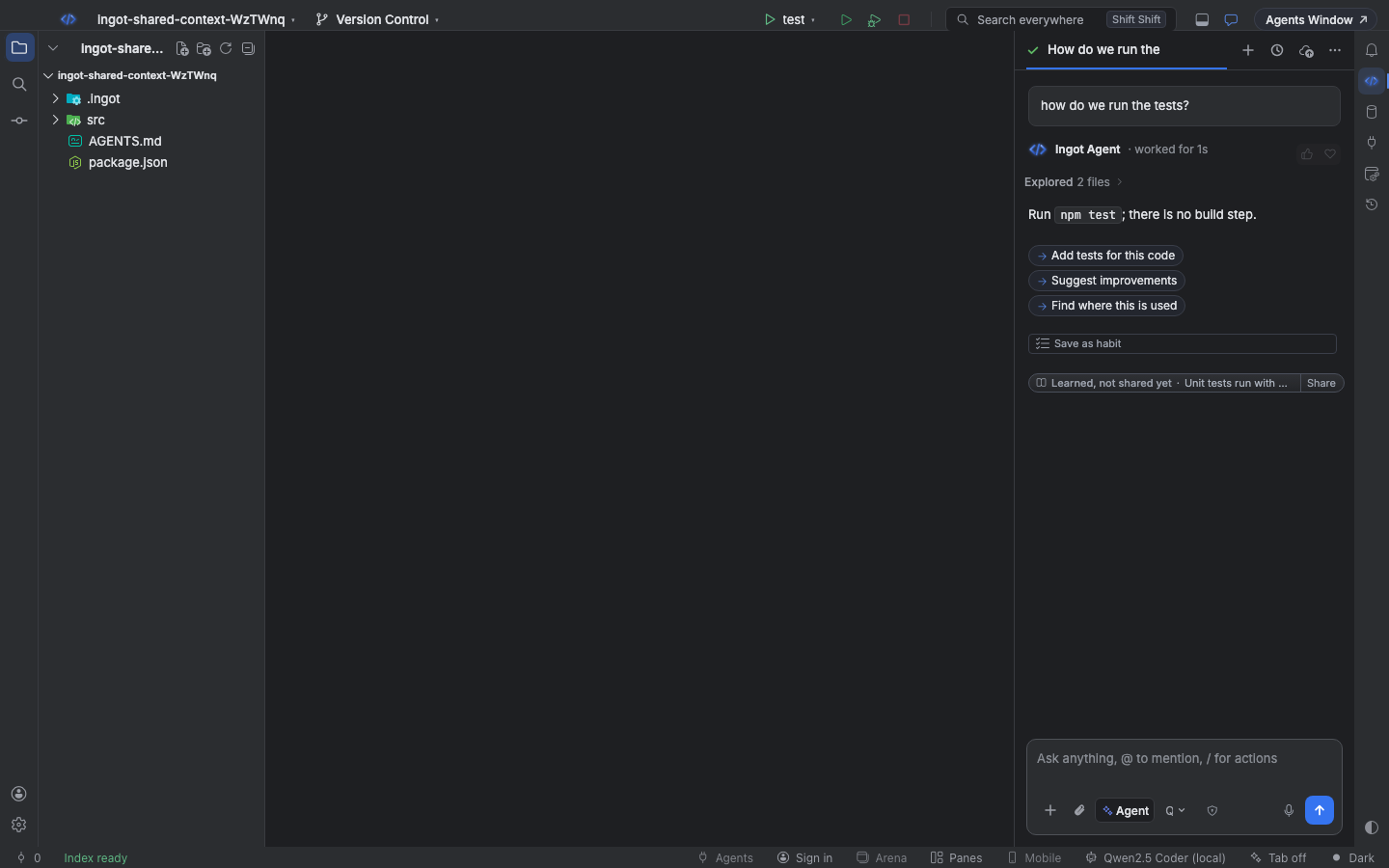
A learning file
One Markdown file per learning, so two agents on two branches never conflict. The file name is the learning's id.
---
topic: test
paths: src/, package.json
status: shared
author: agent (Claude Sonnet 4.5)
created: 2026-11-03T09:12:00.000Z
updated: 2026-11-03T09:12:00.000Z
confirmations: 2
---
Unit tests run with npm test and need no build first.
| Key | What it means |
|---|---|
topic | build, test, layout, convention, gotcha or other |
paths | files, folders or globs the learning is about; none means the whole project |
status | shared (agents get it), proposed (waits for a person) or outdated (retired) |
author | the agent and its model, a teammate, or cli |
confirmations | how many times an agent or person wrote the same learning |
reason | why it was marked outdated |
A file without front matter is a project-wide learning, so you can also write them by hand. Commit the folder like any other code; review learnings in pull requests.
What every agent gets
Before an agent starts, Ingot adds the relevant learnings to its system prompt under Shared project context, each with its id. When they all fit (8 by default, up to 30 in Settings) every shared learning is sent. Otherwise the ones about the files in context come first, then the ones that share words with your message.
- Proposed and outdated learnings are never sent.
- A learning is stale when every file or folder it names is gone (globs never make it stale). Stale learnings are flagged in Settings and not sent until you fix their paths.
- Ingot counts how often each learning reached an agent on your machine ("used 3×"). That count stays local and is never committed.
Keep it current
When a learning turns out to be wrong, the agent follows the code and retires it:
OUTDATED: convention-cart-totals-are-float-euros-a1b2 totals moved to integer cents
The note says Marked outdated in shared context, with Restore if the agent was wrong. You can also mark a learning outdated, edit it or delete it in Settings, or with ingot learnings outdated.
Propose instead of write
Settings › Tools › Shared Context › Agents write decides what happens to an agent's learnings:
| Setting | What happens |
|---|---|
| Write at once (default) | the learning is shared right away in a project that has .ingot/context/ (elsewhere the note has Share); Undo in the chat note deletes it |
| Propose; a person shares them | the learning is saved as proposed; the note has Share and Discard, and agents don't get it until someone shares it |
| Off | agents don't write learnings (they still read the shared ones) |
Turn off Agents read it to stop sending the shared context to agents in this project.
Settings › Shared Context
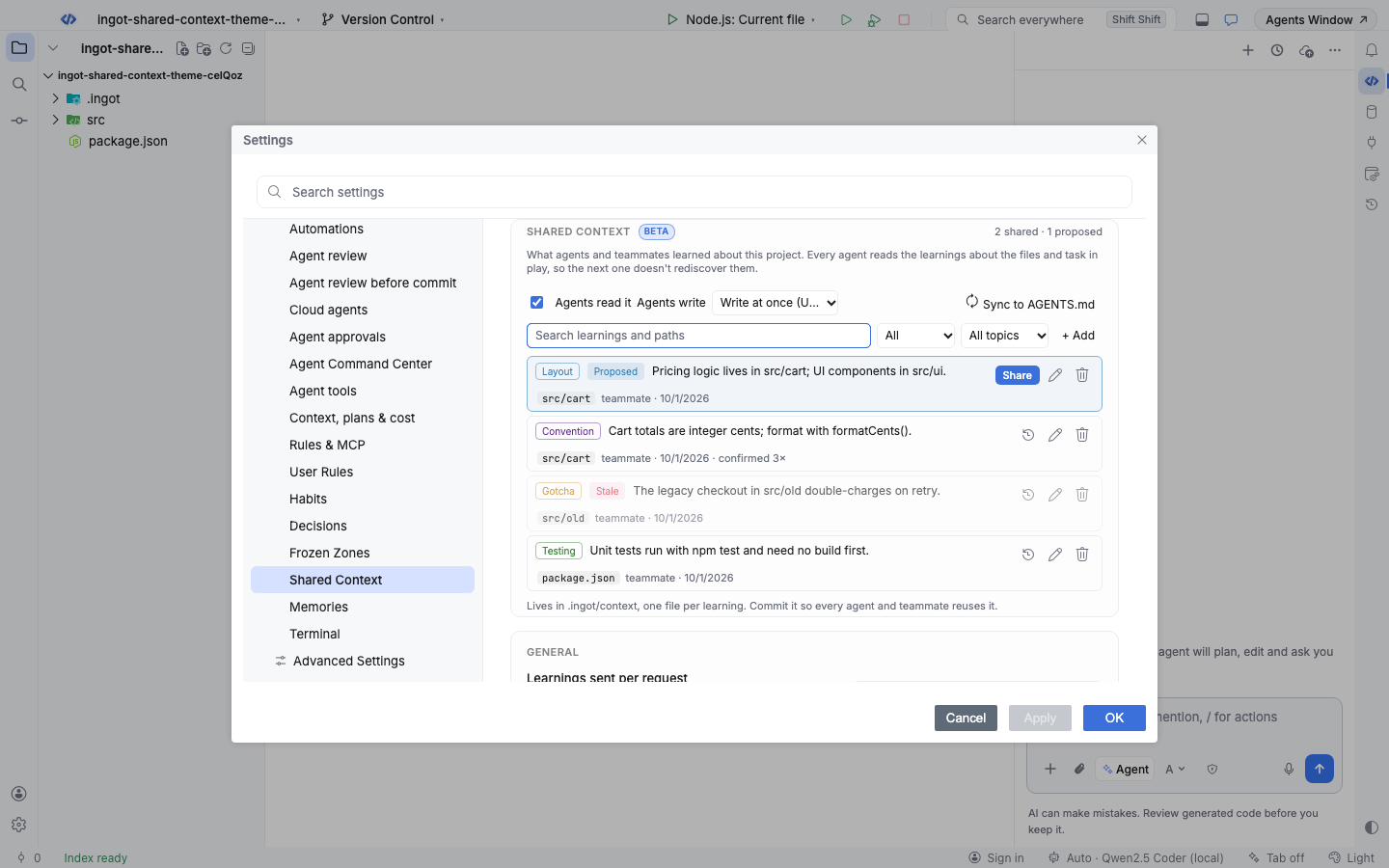
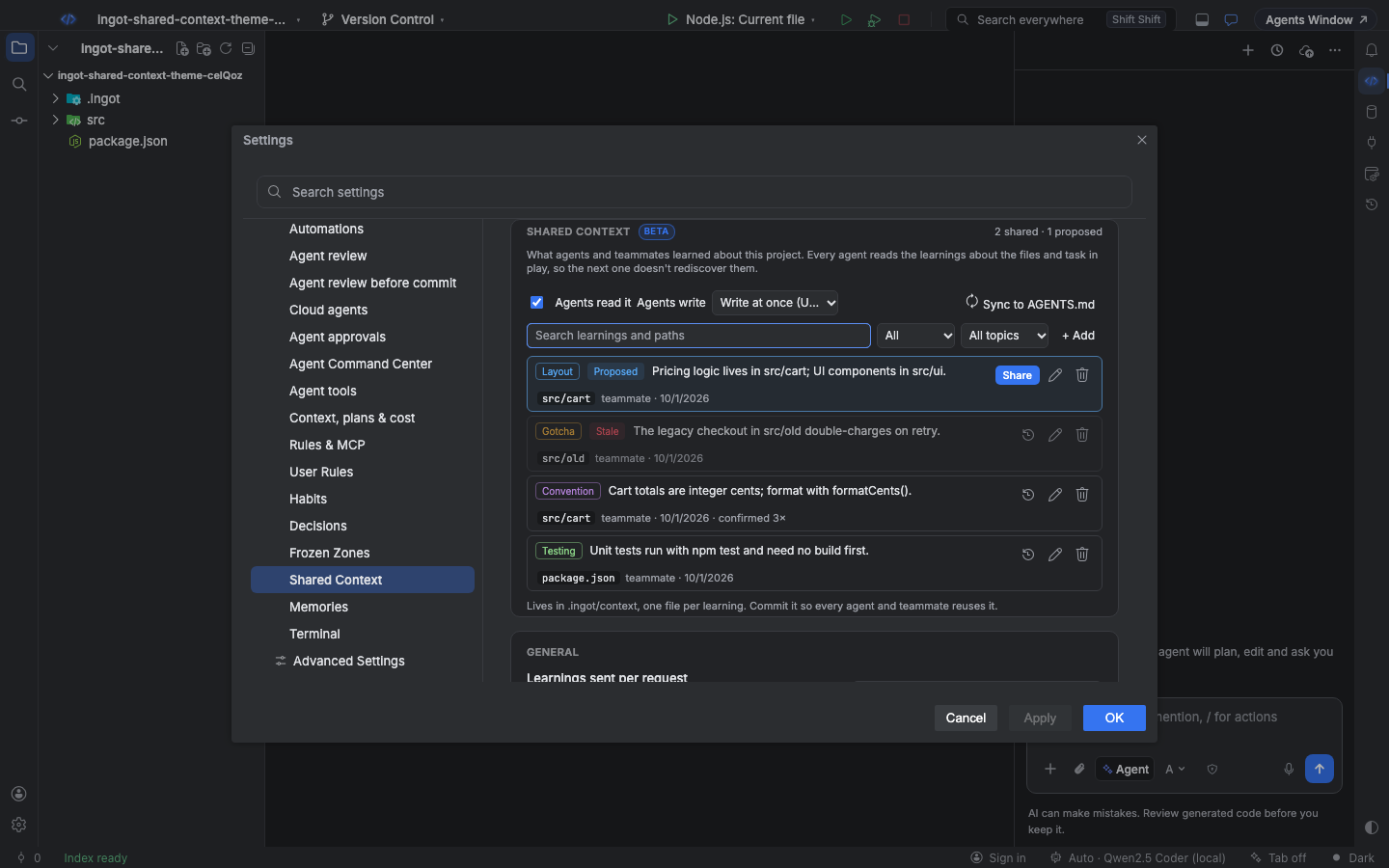
Open it from the chat header menu (Shared Context), Find Action › Show Shared Context, or Settings › Tools › Shared Context. It lists every learning with its topic, paths, author, date, confirmations and how often it was used, with proposed ones first.
- Search by text or path, and filter by status (Shared, Proposed, Outdated, Stale) or topic.
- + Add writes a learning by hand; Edit, Mark outdated, Share, Restore and Delete work on one learning.
- Learnings sent per request and List the shared context in AGENTS.md for other agents are on the same page.
| Action | Find Action | Shortcut (macOS / Windows and Linux) |
|---|---|---|
| Open the page | Show Shared Context | ⌥⇧⌘; / Ctrl+Alt+Shift+; |
| Add a learning | Add Learning to Shared Context… | ⌥⇧⌘= / Ctrl+Alt+Shift+= |
| Update AGENTS.md | Sync Shared Context to AGENTS.md | ⌥⇧⌘] / Ctrl+Alt+Shift+] |
Add Learning to Shared Context… takes the same line an agent writes: [build] Run npm run build:packages before typecheck (paths: packages/).
Other coding agents (AGENTS.md)
Other coding agents don't read .ingot/context. Sync to AGENTS.md writes the shared learnings into a block at the end of your AGENTS.md, between <!-- ingot:shared-context:start --> and <!-- ingot:shared-context:end -->. The rest of the file is left alone. Turn on List the shared context in AGENTS.md for other agents to update the block every time a learning changes.
Ingot itself skips that block when it reads AGENTS.md, so its agents never get the same learning twice.
From the terminal
ingot learnings works with the same files. It never calls a model.
npx @ingotide/cli learnings                                    # every learning; proposed first, stale flagged
npx @ingotide/cli learnings add "[build] Run npm run build:packages before typecheck (paths: packages/)"
npx @ingotide/cli learnings prompt "fix the users endpoint" --files src/api/users.ts   # exactly what an agent gets
npx @ingotide/cli learnings check                              # bad files and secrets fail (exit 1); stale and duplicates warn
npx @ingotide/cli learnings sync --check                       # exit 1 when the AGENTS.md block is out of date
share, outdated <id> --reason, remove and show work on one learning. Every option is on the CLI page.