Agent Command Center
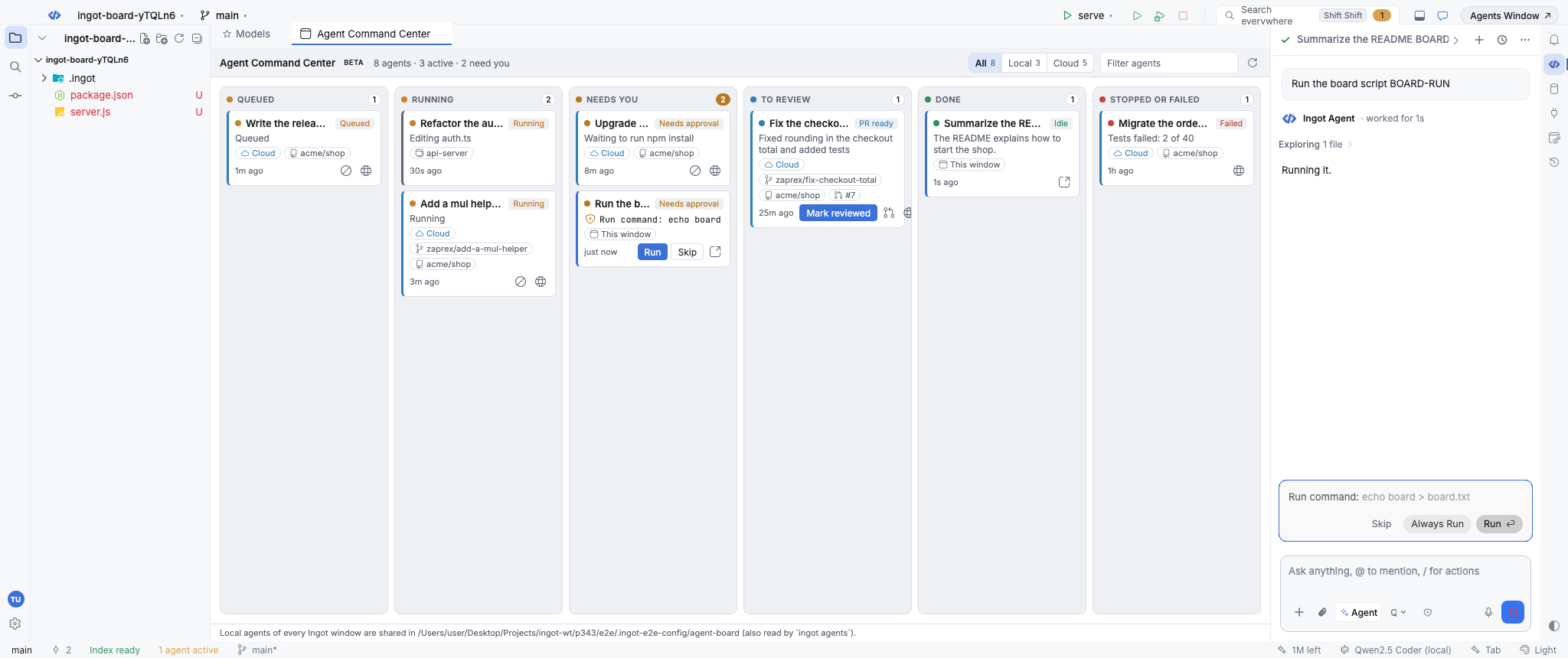
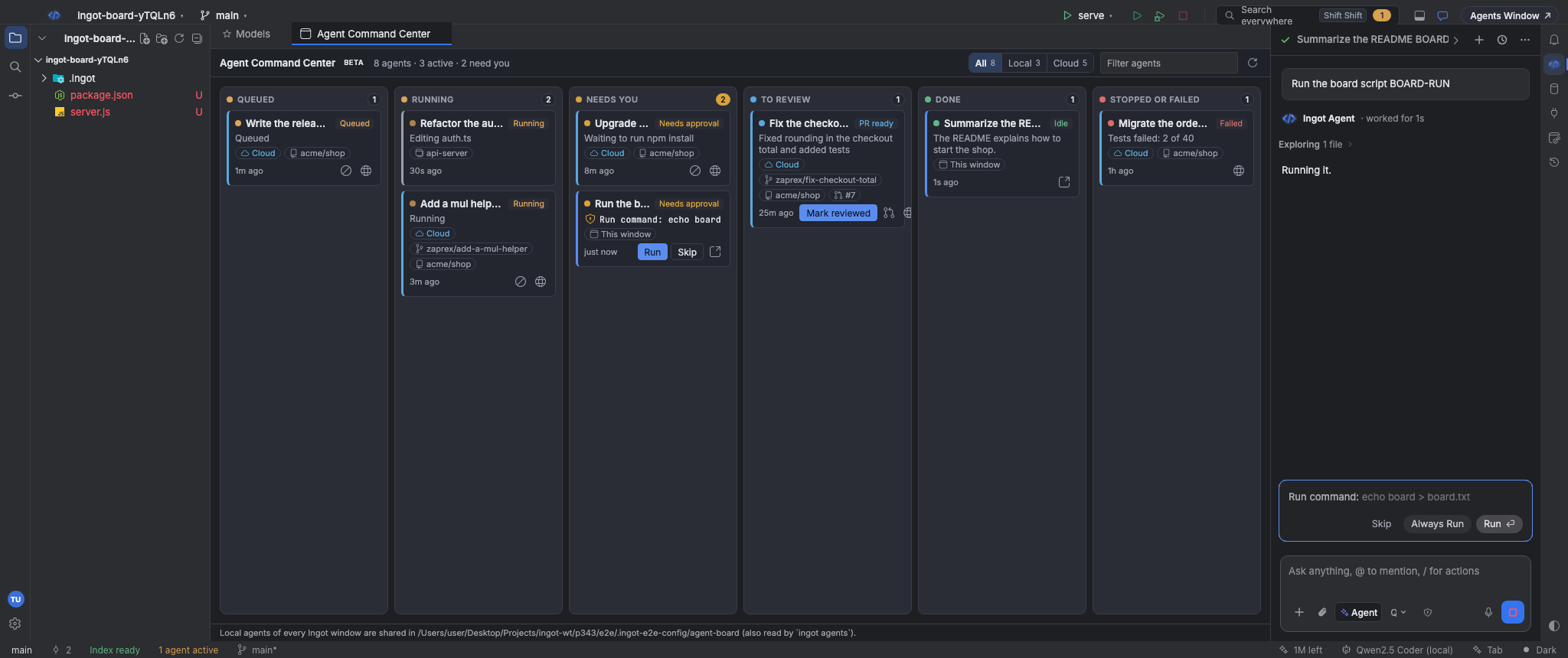
One Kanban board with every agent you have running: the chats of each Ingot window and your cloud agent runs, by status. Approve, stop and cancel from the cards.
Turn it on
The board is built into Ingot and is also the free Agent Command Center extension in the store. It starts off in a new install; any of these turns it on in one click and opens it:
- Agent Board in the status bar.
- ⌥⌘E (Ctrl+Alt+E on Windows and Linux), or Agent Command Center in Find Action.
- Install in Settings › Plugins, on the welcome screen's Recommended list, on the store page, or on the small suggestion in the chat (when two agents run at once, or when you ask to see or manage your agents).
- The Agent Command Center switch in Settings › Features.
If you used the board before, it stays on. Uninstalling turns it off, resets its settings and deletes its files; see Marketplace extensions.
Open the board
Press ⌥⌘E (Ctrl+Alt+E on Windows and Linux), click Agent Board in the status bar, run Agent Command Center in Find Action, or click Command Center in the Agent Manager. The board opens as an editor tab, so you can keep it next to your code or drag it to a second screen.
The header counts the agents, how many are active and how many need you. It refreshes by itself while the tab is visible; Refresh (or Refresh Agent Command Center in Find Action) loads it right away.
Columns
| Column | What lands there |
|---|---|
| Queued | Cloud runs waiting for a machine (Queued, Starting) |
| Running | Chats and subagents that are working, cloud runs that are Running or Finishing |
| Needs you | Chats waiting for an approval or an answer, paused runs, and cloud runs that need approval. The oldest is first |
| To review | Chats with changes to review, and cloud runs that succeeded with a draft pull request (PR ready) |
| Done | Finished chats, and cloud runs that are done or that you marked reviewed |
| Stopped or failed | Stopped or failed chats, and cloud runs that failed, were cancelled or timed out |
Other columns put the newest card first. Each card shows the task, its last step (or the command waiting for approval), how long ago it changed and where it runs.
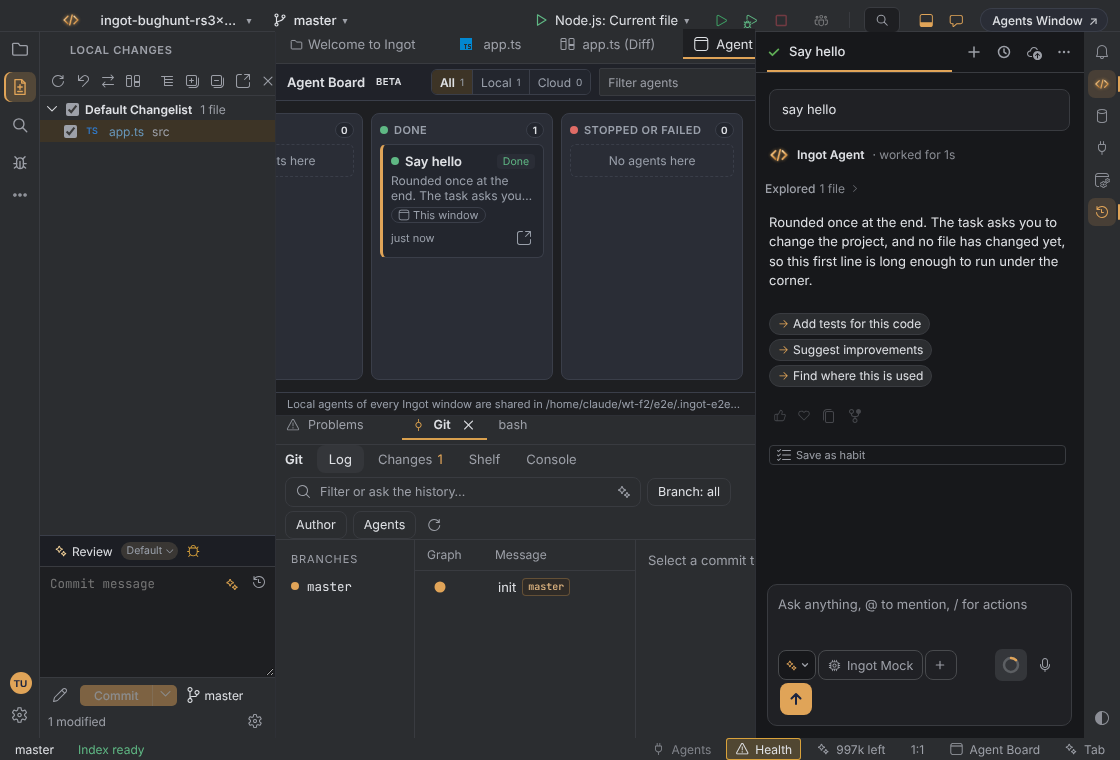
On a narrow window the columns scroll sideways instead of squeezing. A finished chat reads Done, and its age counts from the end of the run, not from when the chat started. The footer shows the folder where every Ingot window shares its local agents, with your home folder written as ~.
Where the agents come from
| Chip on the card | Source | What you can do |
|---|---|---|
| This window | Chats and subagents of the window you are in. A subagent shows Subagent of its lead chat | Every action |
The project name (for example api-server) | Chats of your other Ingot windows on this machine | Read-only. Open that window to act on them |
| Cloud | Your Ingot cloud agent runs (the latest 30), with their repository, branch and pull request | Cancel, open the PR, open the run on the portal |
Cloud runs need you to be signed in. Signed out, the board says Sign in to Ingot to see your cloud agents here. with a Sign In button; when the Ingot server can't be reached, it shows your local agents and says so.
All, Local and Cloud above the board filter by source, with a count on each, and Filter agents matches the title, step, project, repository and branch.
Act from a card
| Button | On | What it does |
|---|---|---|
| Run / Skip | A chat waiting for approval | Runs or skips the command or edit, like the buttons in the chat |
| Continue | A paused chat | Continues the run |
| Stop | A running or paused chat | Stops it |
| Open | Any chat in this window | Opens the chat in the Agents panel. Enter on a focused card does the same |
| Cancel run | A queued or running cloud run | Asks first (Cancel Run or Keep Running), then cancels the run. Work it has not pushed is lost |
| Mark reviewed | A cloud run in To review | Moves it to Done on this machine |
| Open PR / Open on portal | A cloud run | Opens its pull request on GitHub, or the run on the Ingot portal |
Drag and drop
Drag a card to another column to act on it. Columns that accept the card are outlined while you drag.
| Drag to | Does |
|---|---|
| Running | Run for a chat waiting for approval, Continue for a paused one |
| Stopped or failed | Stop for a chat, Cancel run (with the confirmation) for a cloud run |
| Done | Mark reviewed for a cloud run with a pull request |
Settings
Settings › Tools › Agent Command Center:
| Setting | Default | What it does |
|---|---|---|
ingot.agentBoard.enabled | Off (on if you used the board before) | The board is installed. Off, it is closed and this window doesn't share its agents with other windows. Also in Settings › Features |
ingot.agentBoard.showCloud | On | Show your cloud agent runs. They refresh every 5 seconds while one is active, every 30 seconds otherwise |
ingot.agentBoard.showOtherWindows | On | Show the agents of your other Ingot windows on this machine |
Keyboard shortcuts
| Action | macOS | Windows / Linux |
|---|---|---|
| Agent Command Center | ⌥⌘E | Ctrl+Alt+E |
You can change it in Keymap.
Privacy
While the board is on, each Ingot window shares the title, status and last step of its agents in ~/.ingot/agent-board/ (one file per window, readable only by you, refreshed every 20 seconds). Files of windows that stopped updating for a minute are left out and deleted after a day. Nothing about local agents leaves your machine.
Cloud runs are loaded by Ingot's backend with your session; the board never sees the token, and it can only list your runs and cancel one.
From the terminal
ingot agents prints the same board in a terminal, from the same window files and your cloud runs:
ingot agents                       # every agent by column
ingot agents --status needs-you    # one column
ingot agents --local --json        # this machine only, as JSON
ingot agents cancel <cloud-run-id> # the id is printed under each cloud card
| Option | What it does |
|---|---|
--local / --cloud | Only the agents of your Ingot windows, or only cloud runs |
--status <column> | queued, running, needs-you, review, done or failed |
--json | The board as JSON |
--dir <folder> | The Ingot config folder (default THEIA_CONFIG_DIR, else ~/.ingot) |
--token | A personal access token (ingot_pat_…), else INGOT_TOKEN. Without one, the board shows local agents only |
The server is --server, then INGOT_SERVER, then https://www.ingotide.com.