Project Digital Twin
A living model of your project, built from the code: its packages, components, routes, APIs, tests and the imports that link them. The Project Twin panel shows the map and answers what touches this file? for the file you have open, and the twin updates itself every time you save.
Silver The Project Digital Twin comes with Silver, Gold and Platinum. On another plan the panel stays and shows which plan has it, and nothing is built.
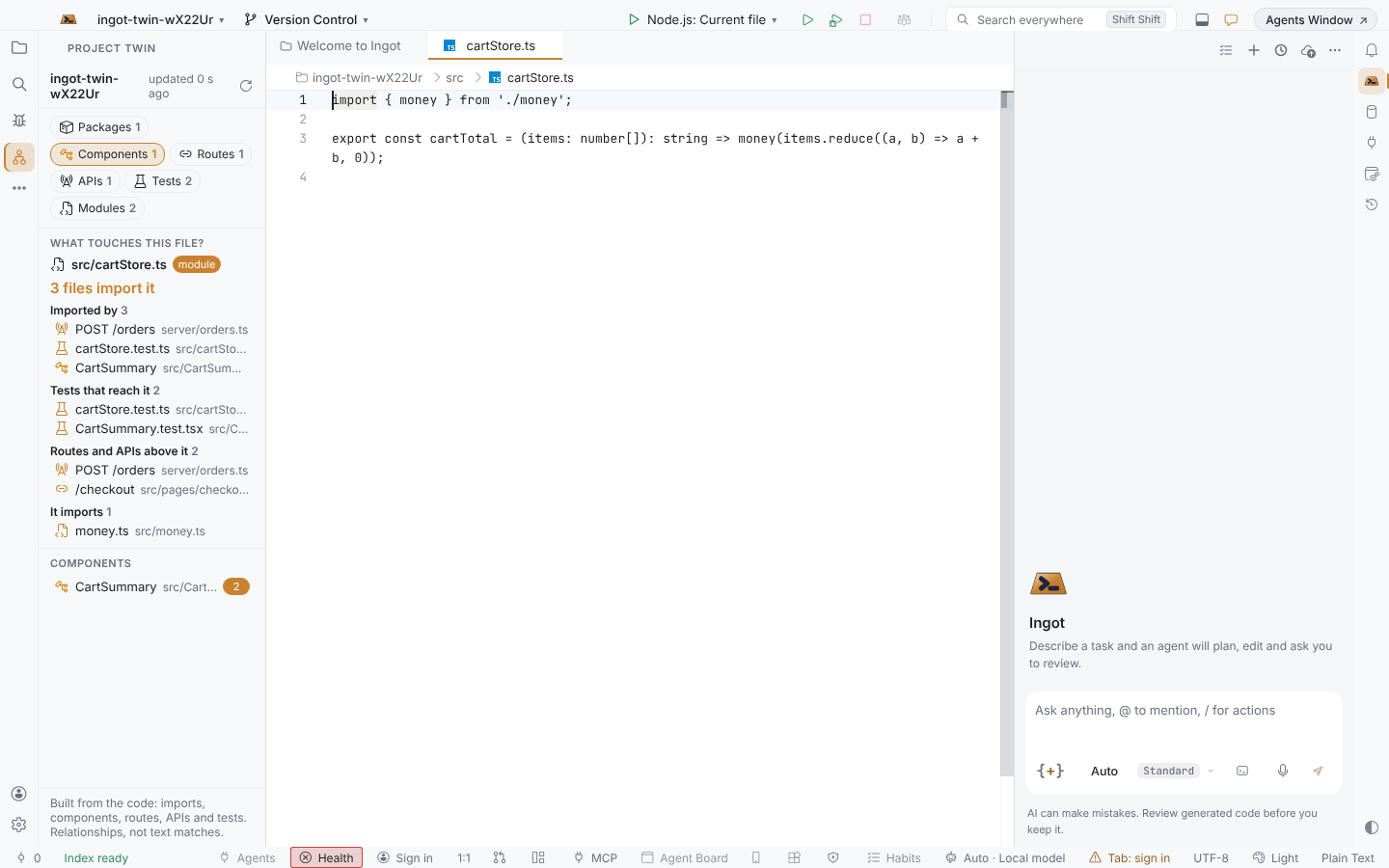
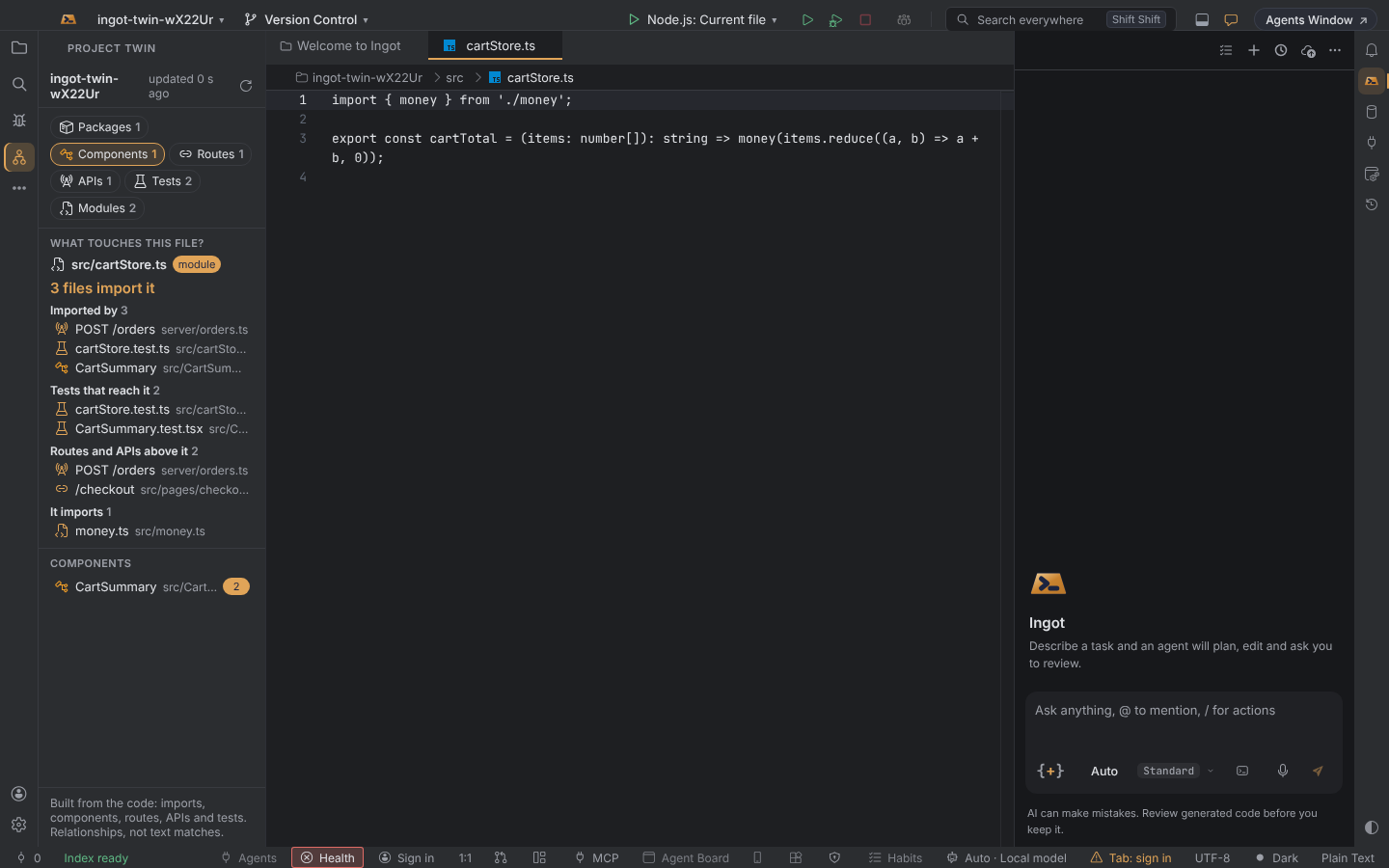
Open the panel
Press ⌥⇧T (Alt+Shift+T) or choose Project Twin: Show Project Twin in Find Action. The panel opens on the left. The first time, Ingot scans the project and builds the twin; on a big project that takes a few seconds.
What the twin holds
| Layer | What counts |
|---|---|
| Packages | Folders with their own package.json (one for a single-package project, each package of a monorepo) |
| Components | Exported components in .jsx and .tsx files (PascalCase names), and .vue and .svelte files |
| Routes | File-system routes (pages/cart.tsx, app/orders/[id]/page.tsx, routes/…) and route tables (<Route path="/checkout">, { path: '/cart' }) |
| APIs | Handlers such as router.post('/orders') or app.get('/users/:id'), @Controller classes with @Get / @Post, pages/api/… and app/api/…/route.ts |
| Tests | *.test.*, *.spec.*, files in tests/, __tests__/ and e2e/, test_*.py |
| Modules | Every other source file |
Between files, the twin keeps the imports, resolved to the files they point at (relative paths and tsconfig path aliases). It is built from relationships in the code, not from text matches.
Click a layer to list its files, most-imported first; click a file to open it.
What touches this file?
The top of the panel follows the file in the current editor:
| Group | Files |
|---|---|
| Imported by | Files that import it directly; the headline says how many |
| Tests that reach it | Tests that import it, or import a file that imports it |
| Routes and APIs above it | Routes and APIs that reach it through imports (up to four steps) |
| It imports | The project files it imports |
Look here before you change a file: you see what you might break and which tests to run.
Always current
- The twin is stored in
.ingot/twin/twin.jsonin your project. Its folder has its own.gitignore, so the twin is never committed: it is rebuilt from the code. - Every file you save, add or delete updates only that file in the twin, within a moment.
- When you open the project again, only files that changed since are read again.
- Project Twin: Rebuild Project Twin (or ↻ in the panel) rebuilds it from scratch.
Turn it off
The twin is on by default. Turn it off in Settings › Features › Project Digital Twin; the panel closes and the twin stops updating.
| Setting | Values | Default |
|---|---|---|
ingot.twin.enabled | true or false | true |
Good to know
- In a workspace with several folders, the twin covers the first folder.
- The Project map the agent reads at the start of a task is a separate, compact overview.
- Coming next: asking the twin questions in plain words, giving it to the agent as context, and more layers (state stores, database tables, owners, coverage).