Folders without Git
When the open folder has no working Git repository, Ingot shows a short message with the next step, such as Initialize Repository or Clone…, instead of Git's own error text. The commit box, Commit / Commit and Push and Agent review stay hidden until Git works in the folder.
This is the page the Learn more link in that message opens.
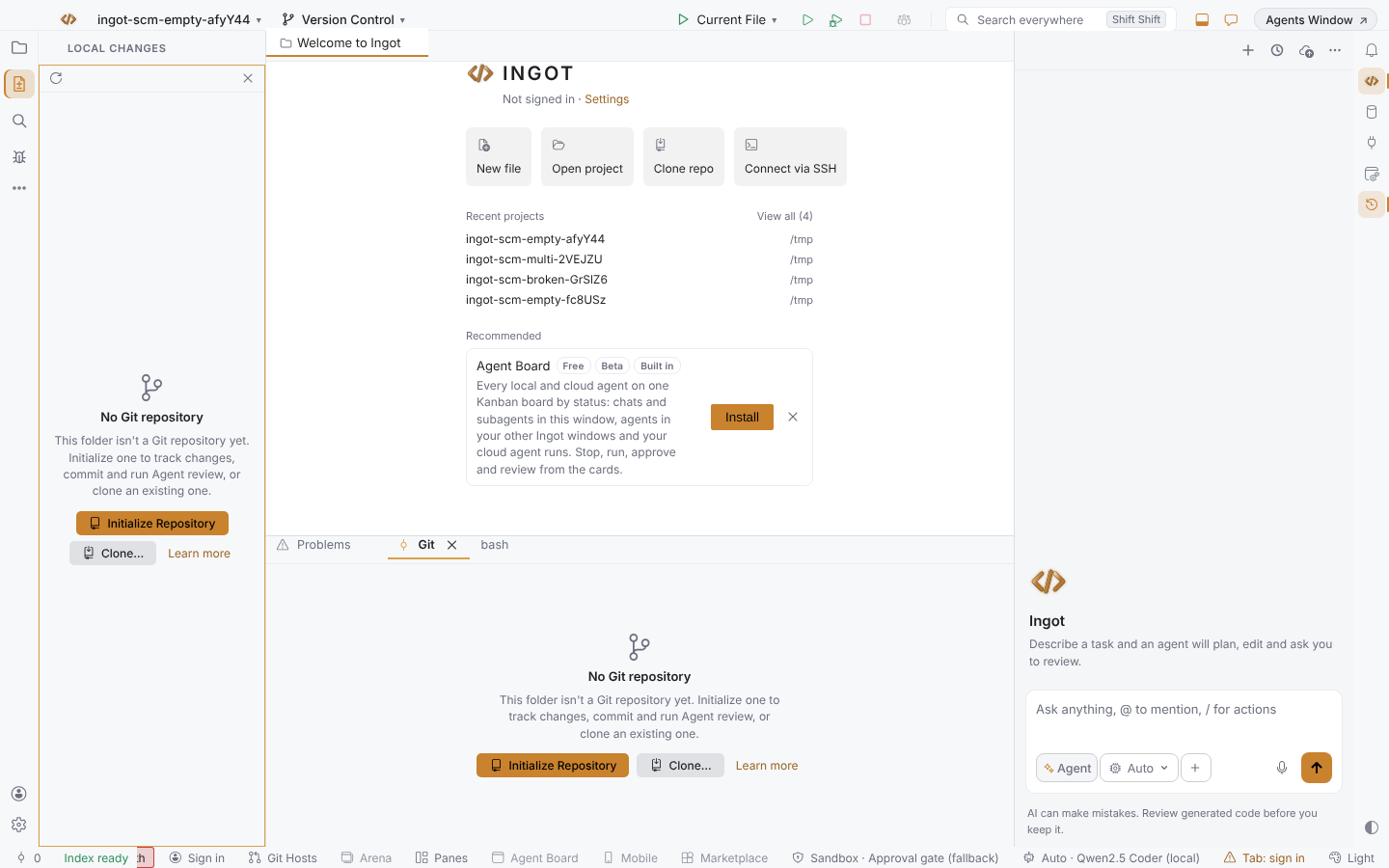
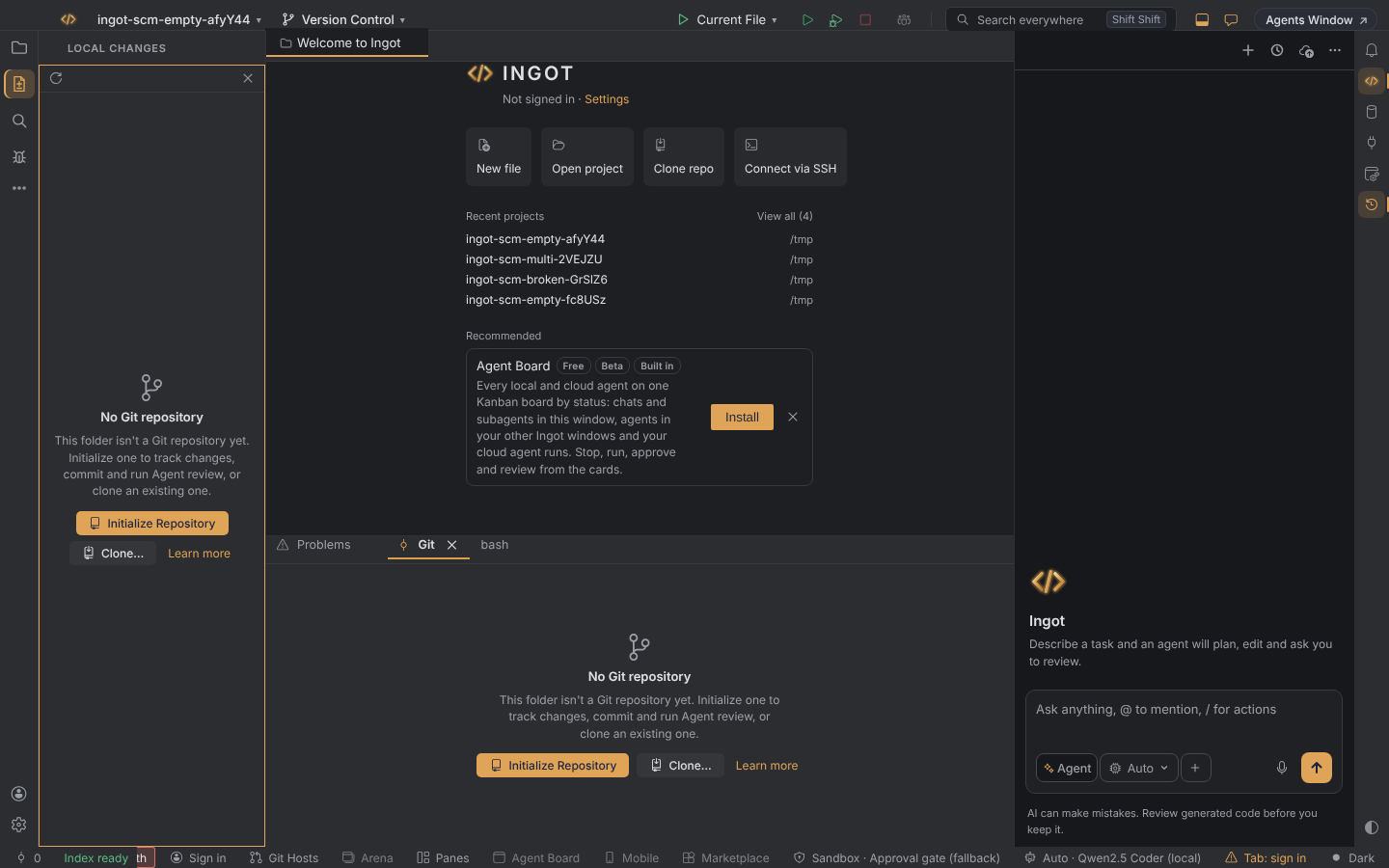
Where you see it
The same message shows in four places:
- the Local Changes tool window
- the Changes side view
- the Commit window (⌥⇧⌘K, Ctrl+Alt+Shift+K)
- the Git tool window
You never see Git's own text, such as fatal: not a git repository, in these views.
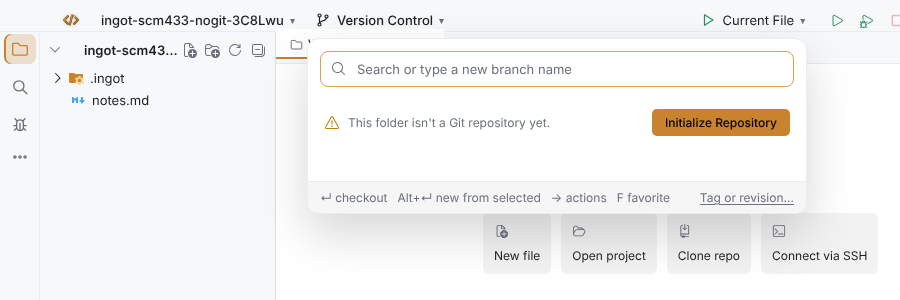
The Version Control button
The Version Control button in the toolbar opens the Branches popup, which says This folder isn't a Git repository yet. with Initialize Repository, instead of an empty Source Control view.
Actions that need a repository
While the folder has no working repository (none at all, a damaged .git, a folder Git doesn't trust, or Git missing), actions that only work in a repository are not listed in Find Action or in the menus: for example Push…, Pull…, Stash Changes…, Shelve Changes, Manage Remotes…, Commit Message History…, New Branch… and Rename Branch…. Initialize Git Repository and Clone Repository… stay.
Run one anyway, for example Push… with ⇧⌘K (Ctrl+Shift+K), and Ingot shows one message in plain words with the buttons that fix it, Initialize Repository and Clone… (or Trust Folder, or Open Ingot Health), and opens nothing else: no Ship dialog, no picker, no empty list. Pressing the shortcut again does not stack a second message.
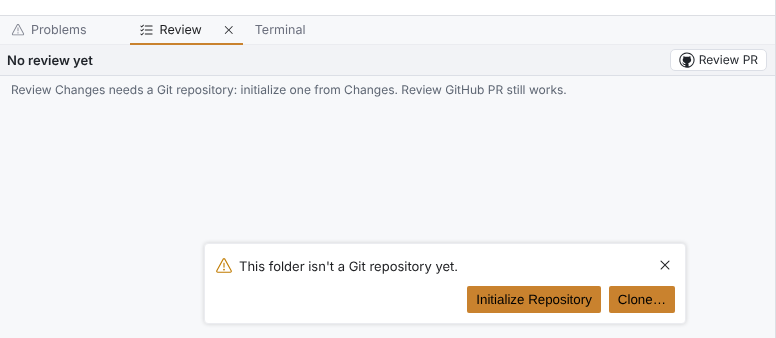
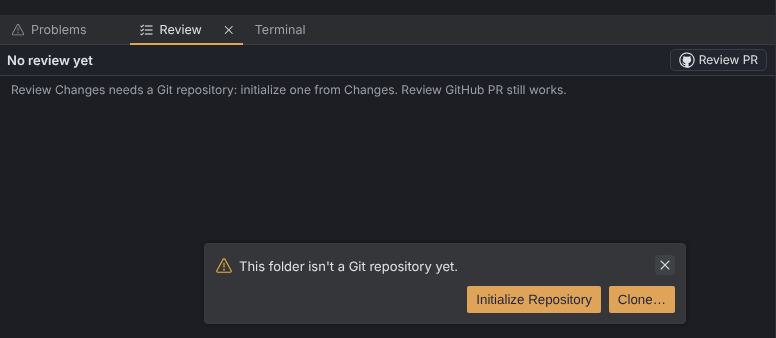
With a working repository nothing changes. A folder that is not a repository itself but holds working nested repositories counts as working.
What each message means
| Message | When | Buttons |
|---|---|---|
| No Git repository | The folder (and the folders above it) has no Git repository. | Initialize Repository, Clone…, Learn more |
| Git can't read this repository | The folder has a .git, but it is damaged, incomplete or not trusted by Git. | Initialize Repository, Learn more |
| Git isn't installed | Ingot can't find Git on your PATH. | Open Ingot Health, Learn more |
| No folder open | No folder is open in this window. | Clone…, Learn more |
Start a repository: Initialize Repository
Any of these runs git init in the open folder:
- the Initialize Repository button in Local Changes, the Changes side view, the Commit window or the Git tool window
- Git: Initialize Git Repository in Find Action (⌘⇧A, Ctrl+Shift+A), shown only while the folder has no working repository
- ⌥⇧⌘F6 (Ctrl+Alt+Shift+F6), which works only while the folder has no working repository
Ingot doesn't add or commit anything, and your files are not changed. They show up under Unversioned Files, the commit box and the Agent review row come back, and the Git tool window shows No commits. until your first commit. The new branch gets Git's default name (init.defaultBranch, often main or master).
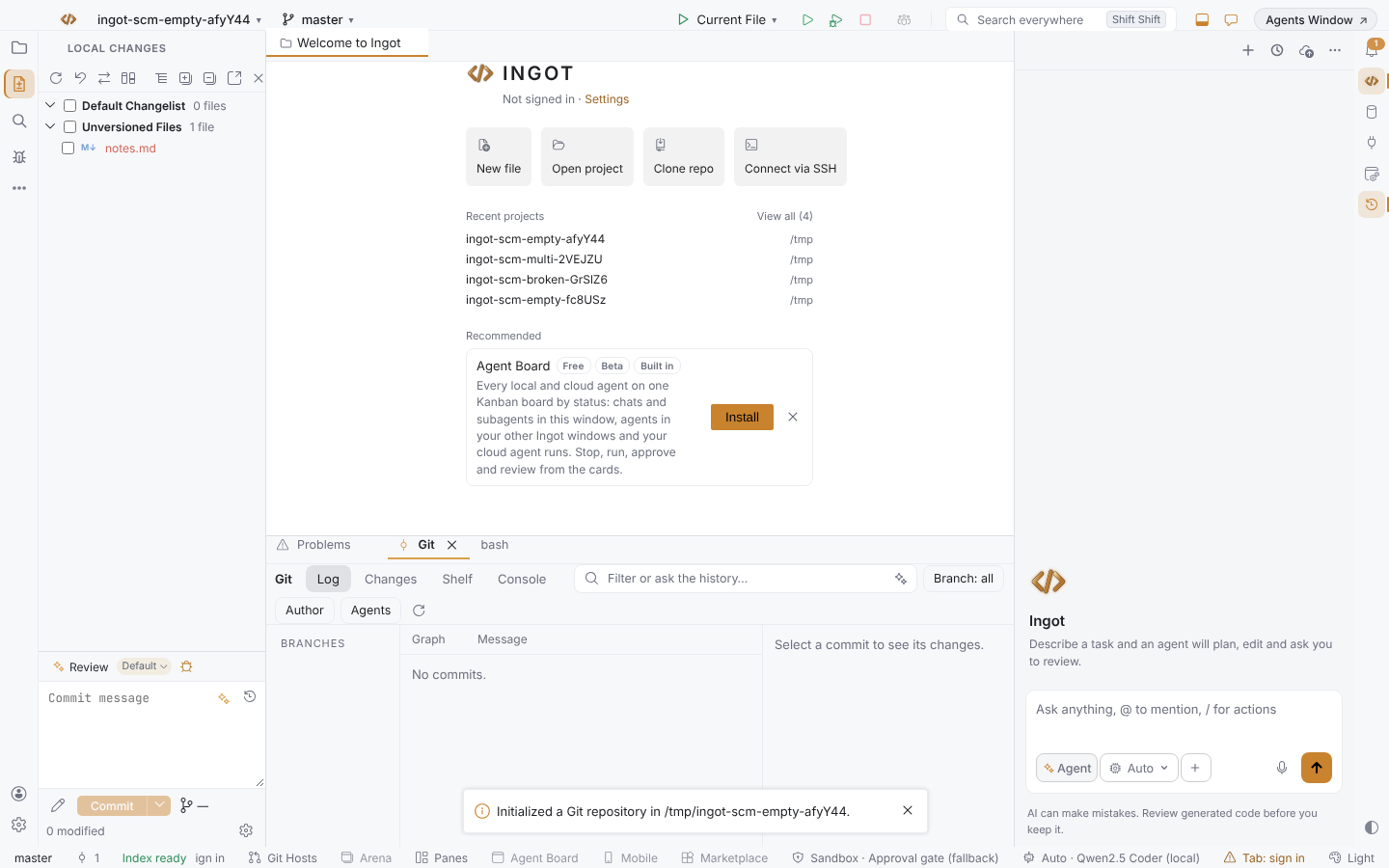
If git init fails, a notification says Couldn't initialize a Git repository here. Check that the folder is writable, then try again., without Git's own text.
Ingot also notices when you run git init in a terminal, or delete .git: the views update on their own.
Get an existing repository: Clone…
Clone… asks for the repository URL and a parent folder, clones the repository there and opens the clone. It is the same flow as Clone repo on the welcome screen, and Git: Clone Repository… in Find Action.
A damaged repository
Git can't read this repository means the folder has a .git that Git can't use. Initialize Repository runs git init there again, which often repairs a .git that is only missing pieces. If Git still can't read the repository, a notification says so and the message stays. Your files are never touched.
With several repositories in one folder (nested repositories or a multi-root workspace), a damaged repository shows Git can't read this repository on its own row in Changes. The other repositories keep their files, Commit and Agent review. A folder that isn't a repository itself but holds working repositories counts as ready.
Git isn't installed
When Ingot can't find Git, the message offers Open Ingot Health. It opens Ingot Health at the Git row, which says Git isn't installed, or it isn't on your PATH. and has an Install Git… button that opens git-scm.com. After you install Git, reopen the view or run Ingot Health again.
The Health Git row uses the same words as the message in every case: "No Git repository in this folder.", "Git can't read this repository…" or "Git isn't installed…".
Commit and Agent review
Until Git works in the folder:
- Local Changes and the Commit window show no commit message box, no Commit or Commit and Push button and no Agent review row.
- Agent Review Before Commit, Agent Review: Find Issues and Agent Review: Open Changes in Diff Viewer for Source Control aren't in Find Action, and their shortcuts do nothing.
- Commit Selected Changes and Commit and Push… do nothing.
Agent review of an agent run's edits in the chat still works, because it doesn't need Git.
The Source Control view
The Source Control side view comes from the built-in Git extension. It shows its own Initialize Repository welcome for a folder without Git, and it works the same way. See Source Control view.
Desktop and browser
The messages, buttons and shortcut are the same in the desktop app and in the browser.
Settings
This behavior has no settings and is always on. The Settings reference has nothing new for it.
Shortcuts
| Action | macOS | Windows / Linux |
|---|---|---|
| Git: Initialize Git Repository (only while the folder has no working repository) | ⌥⇧⌘F6 | Ctrl+Alt+Shift+F6 |
| Find Action (for Git: Clone Repository…) | ⌘⇧A | Ctrl+Shift+A |
See the full Keymap.
FAQ
Does Initialize Repository change my files? No. It only creates the .git folder.
I opened a subfolder of a repository. Do I see the message? No. Git finds the repository in a parent folder, so the normal Commit UI shows.
Why is Agent review missing from Local Changes? It reviews the changes you are about to commit, and there is nothing to commit without Git. It comes back as soon as the folder is a working repository. See Git workflow.
Git is installed, but Ingot says it isn't. Ingot looks for git on the PATH that Ingot itself starts with. Make sure git --version works in a new terminal, then restart Ingot.