Tab completion
As you type, Tab predicts the rest of your edit and shows it as grey ghost text: the end of the line, or several lines when you start a block or a function. Press Tab to take it. When your change means another line must change too, Tab jumps there and applies that edit as well. In the agent chat, Tab finishes the message you are typing.
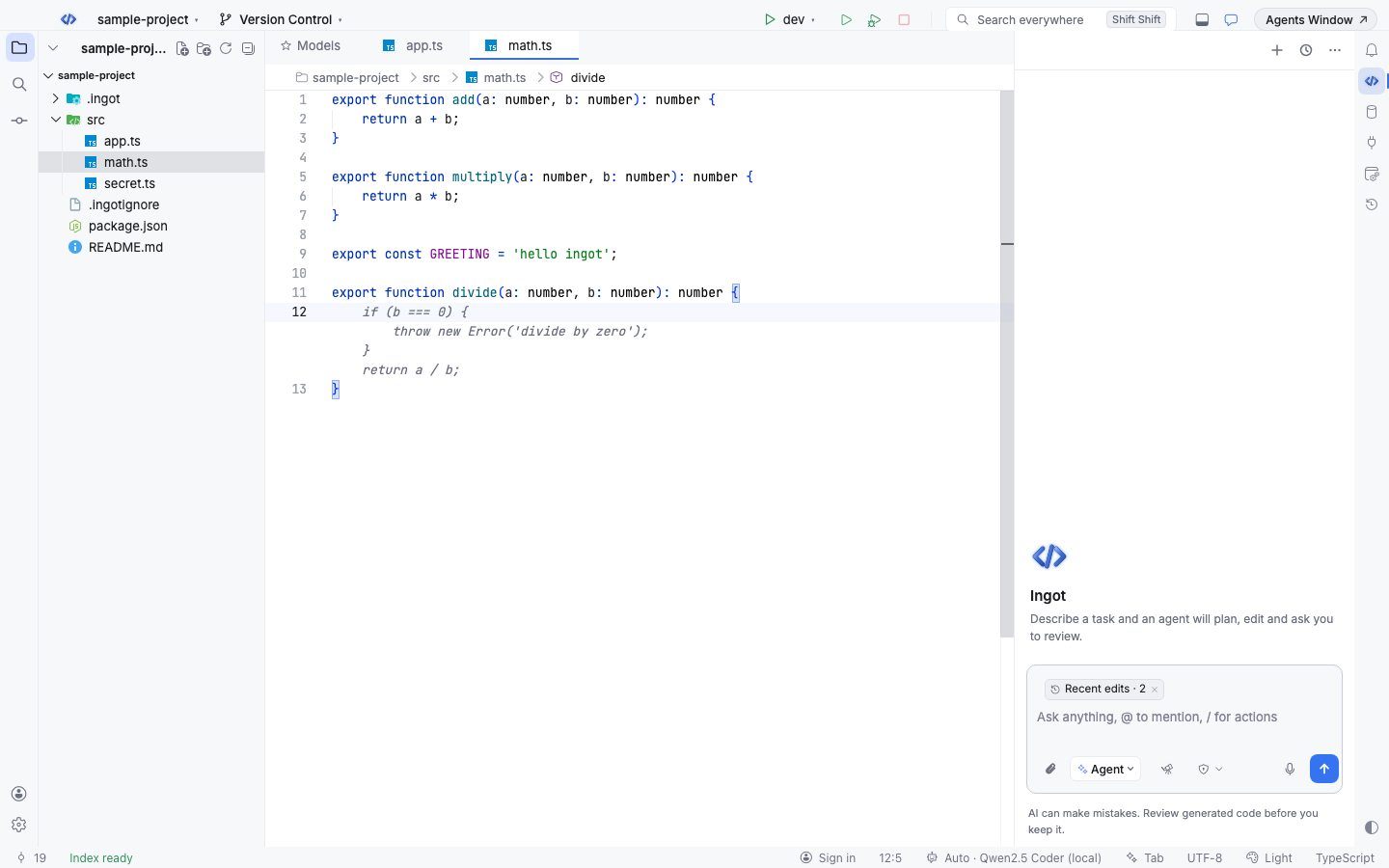
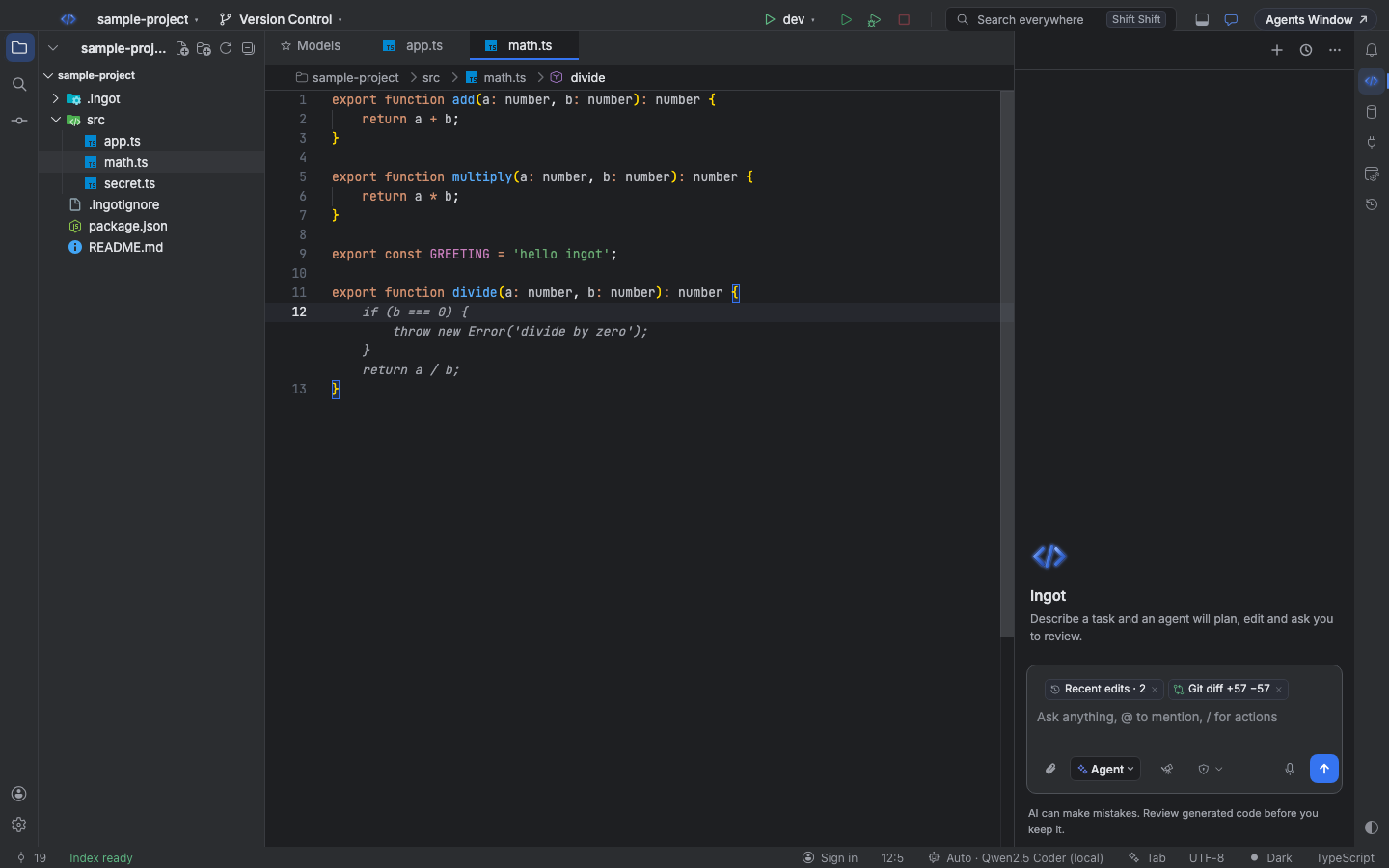
Tab is on by default. It uses the model you connected, with a fast, cheap one picked for you. It can also run for free on a coder model in Ollama on your computer, offline: see Free local Tab.
Keys
| Action | macOS | Windows / Linux |
|---|---|---|
| Accept the prediction | Tab | Tab |
| Accept the next word only | ⌘→ | Ctrl+→ |
| Dismiss it | Esc | Esc |
| Jump to the next edit (when the hint shows) | Tab | Tab |
| Apply the previewed next edit | Tab | Tab |
| Hide the next-edit hint | Esc | Esc |
The same Tab, ⌘→ (Ctrl+→) and Esc keys work in the agent chat box. They work with both keymaps. Accepting word by word keeps the rest of the prediction as ghost text, so you can take as much as you want.
Multi-line predictions
Type a function signature, an if, or the first line of a block and press Enter: Tab suggests the body, up to 16 lines. Lines that already follow the caret (a closing } the editor added) are not repeated, and the prediction keeps your indentation.
Tab tries to work out what you are building from the code, the file name and your recent edits, and completes the whole idea rather than only the next few tokens.
Follows your project rules
When your project's rules ask for named constants or for helpers in utils files, Tab follows them. For example, it suggests TAX_RATE with its import instead of a bare 1.17. Ingot reads the rules from AGENTS.md, CLAUDE.md, .cursorrules, .ingot/rules/ and .cursor/rules/. They stay on your machine; Tab only sends a two-line summary of the conventions.
Refactor suggestions
While you type, the editor suggests refactors your rules ask for:
| Suggestion | When | What happens |
|---|---|---|
| ✦ Move to a utils file? (at the end of the function's first line) | a function is longer than 60 lines | the agent moves it to <name>.utils.ts, exports it and fixes the imports |
| dotted underline on a number | the rules ask for named constants, and the number isn't 0, 1 or -1 | the agent moves it to a well-named constant in <name>.consts.ts and imports it |
Open the lightbulb or run Quick Fix (⌘. / Ctrl+.) on the line and pick the Ingot: action. The agent works in a background chat and the edits wait for your review; the notification offers Open in chat.
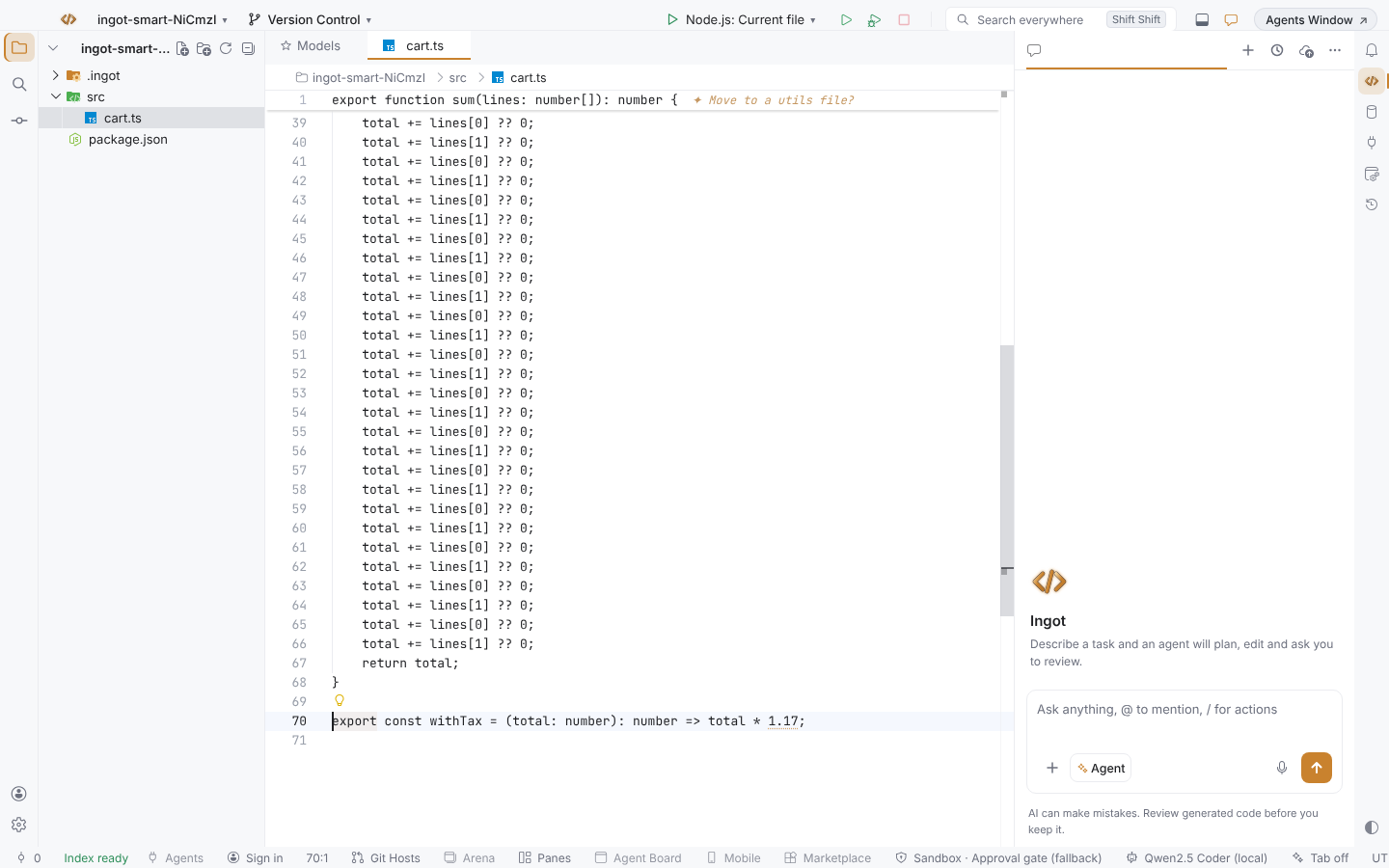
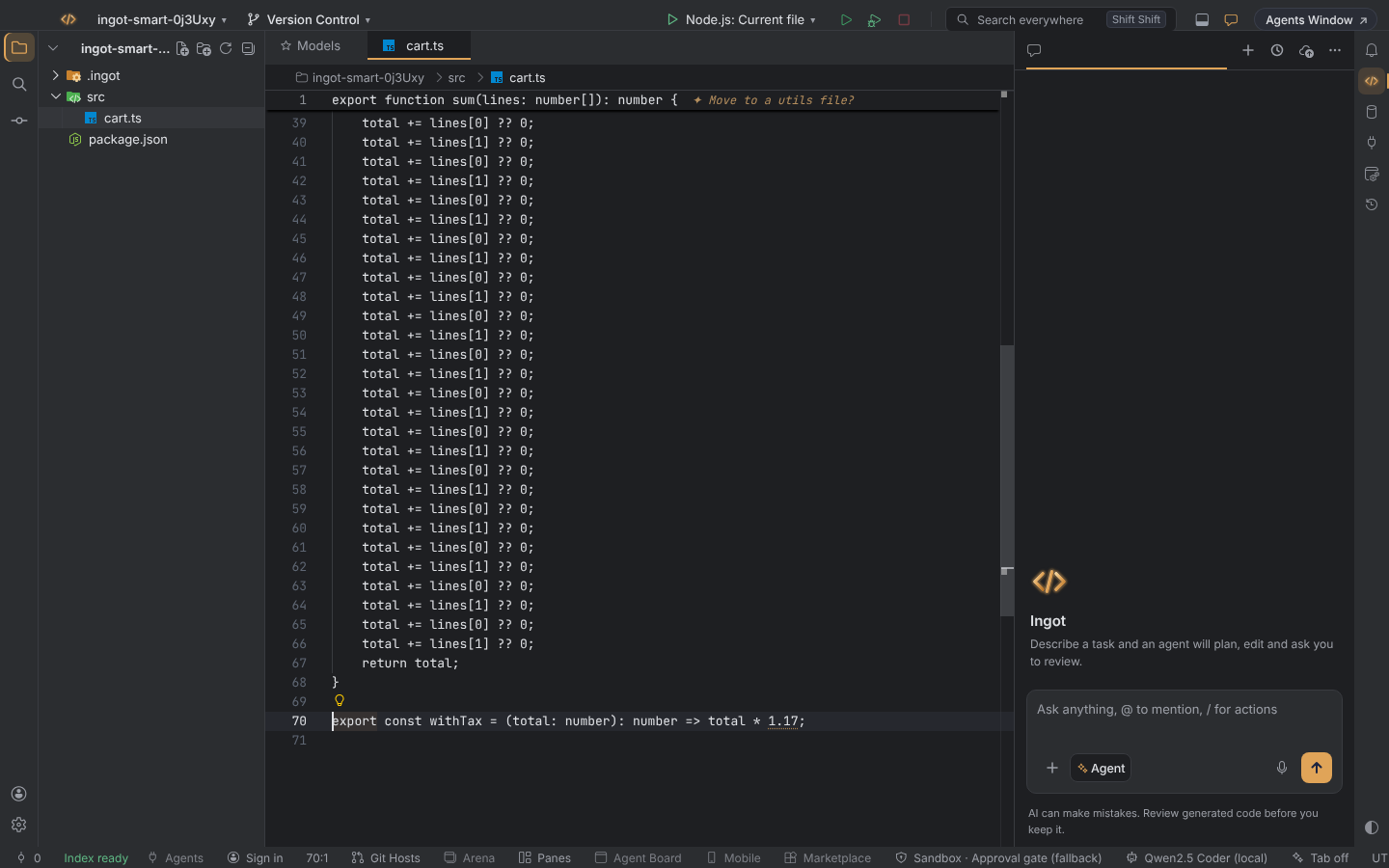
Change the line limit with Settings › Tab › Long function lines (ingot.tab.refactorSuggestions.longFunctionLines), or turn the suggestions off with ingot.tab.refactorSuggestions. Constants files, tests, strings and comments are never flagged, and a file gets at most 20 number hints.
Next edits
After you accept a prediction, Tab may know what else has to change: the matching call site, the next field, the other half of a rename.
- The target line is highlighted and marked
⇥ Tab to jump here. If it is on another line, the line you're on also says⇥ Tab: next edit at line 42. - Press Tab to jump there. When Tab knows the new text, the line shows a preview:
⇥ Tab to apply: greet(name, lang). - Press Tab again to apply it. One ⌘Z (Ctrl+Z) undoes it.
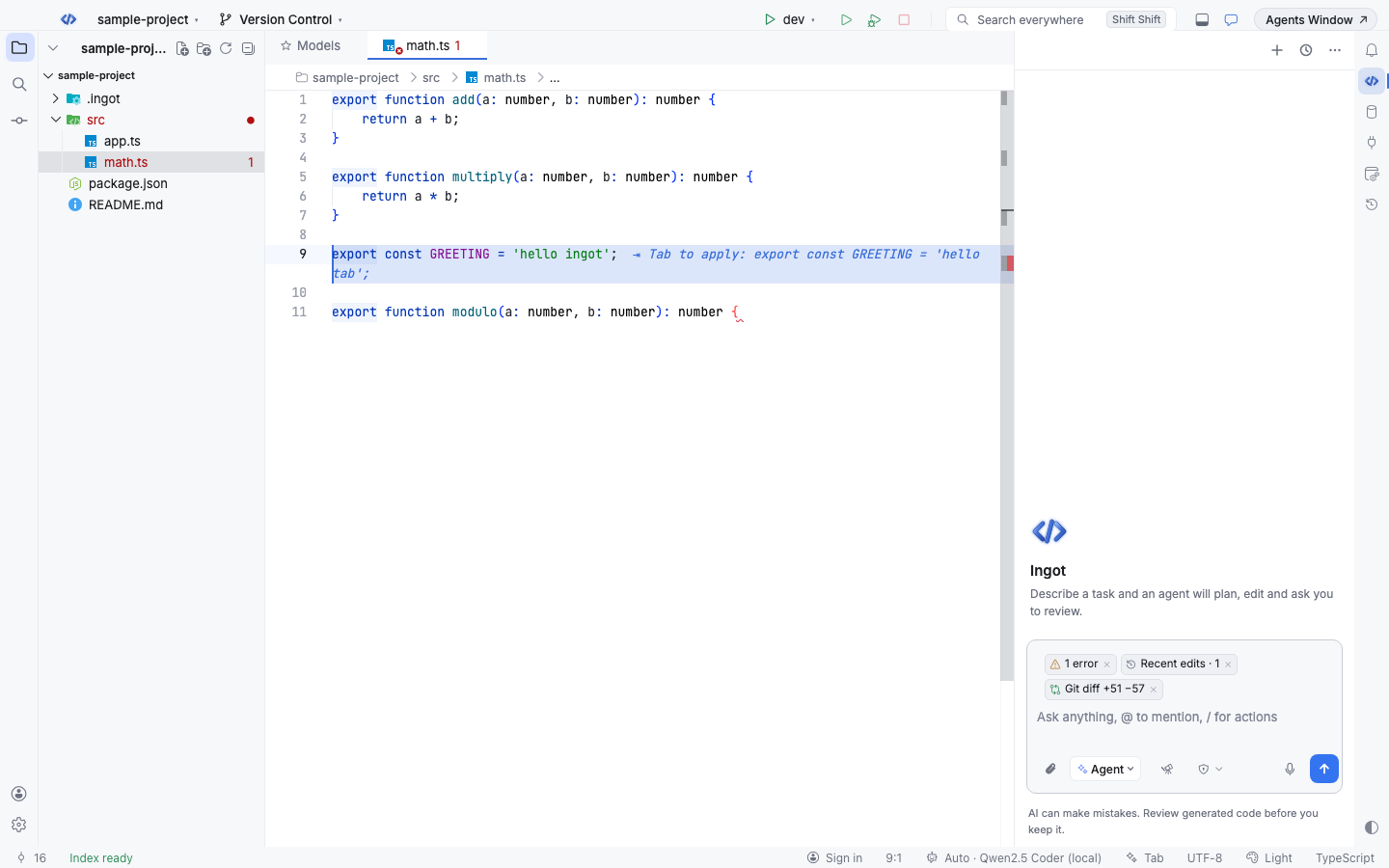
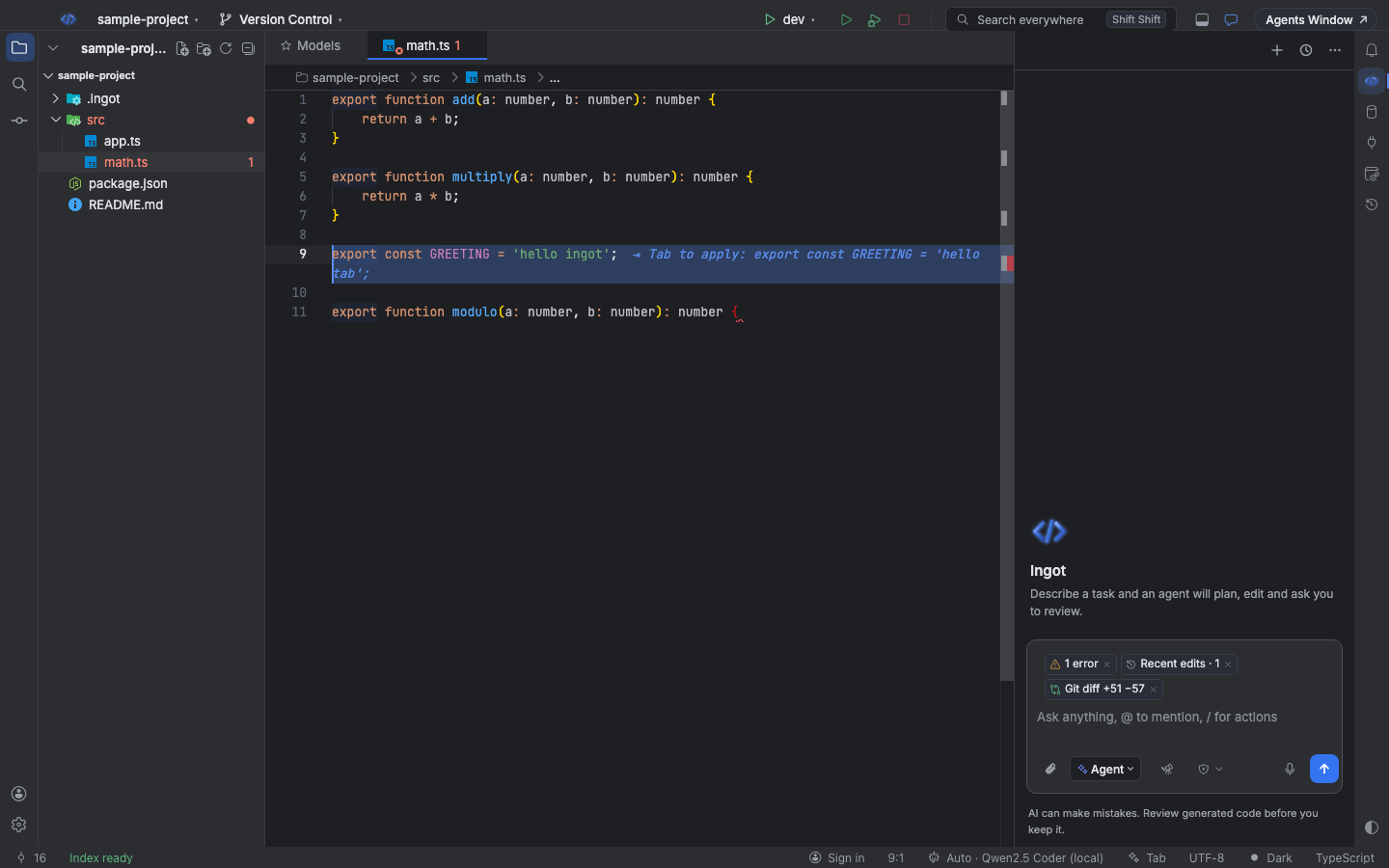
Any other edit, or Esc, clears the hint. You can also run Ingot: Tab: Jump to or Apply Next Edit from Find Action.
Tab in the agent chat
While you write to the agent, Tab suggests how your message goes on, as ghost text after the caret with a small Tab · ⌘→ word · Esc hint. Press Tab to take it all, ⌘→ (Ctrl+→) to take the next word, or keep typing: if you type what the ghost text shows, the rest stays, and anything else asks again.
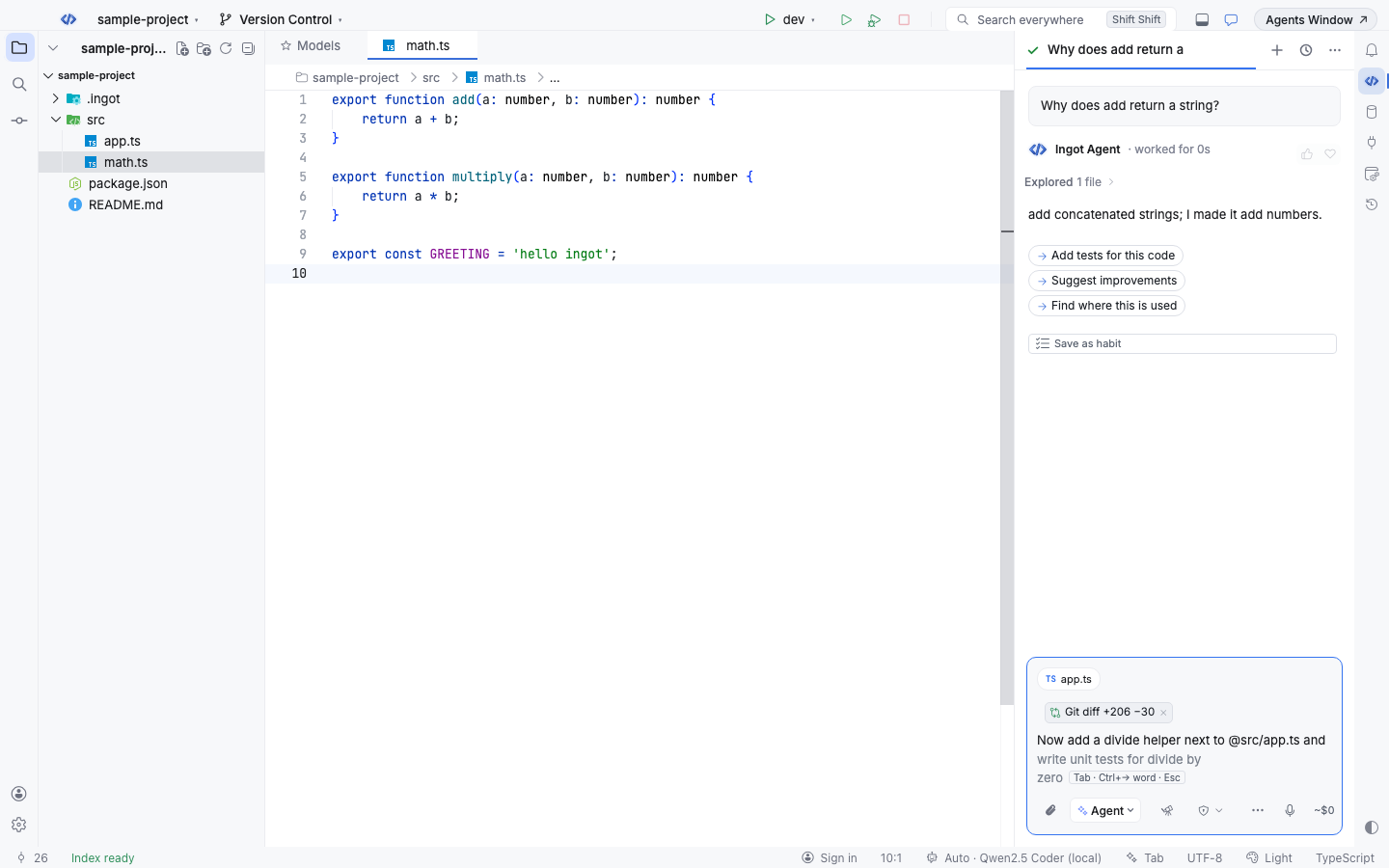
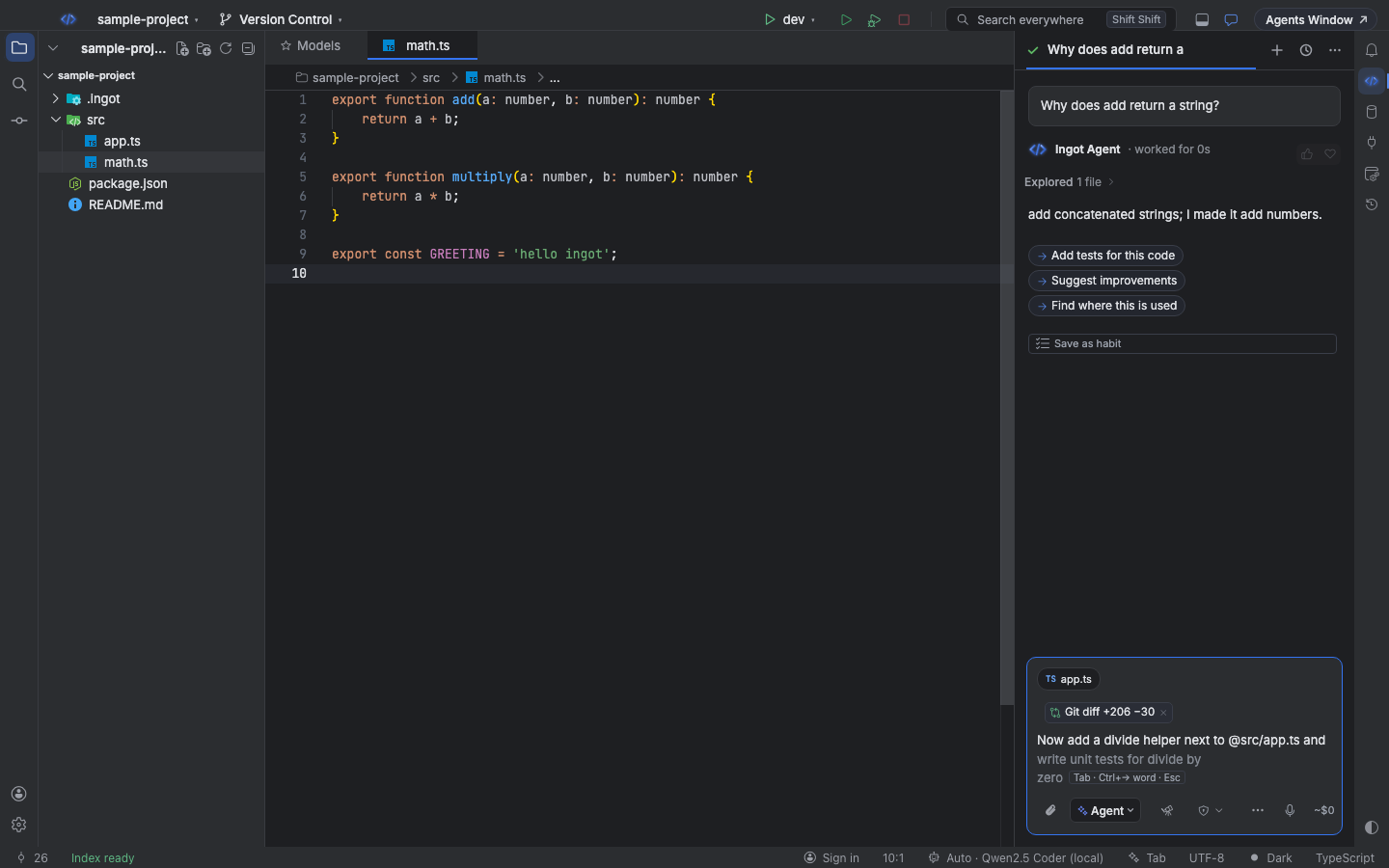
The suggestion uses:
- the last 6 messages of this chat, so a follow-up question builds on the answer you just got
- the file open in the editor, a few lines around its caret
- files you mention with
@and code you attached to the message, up to 3
It shows only when the caret is at the end of the message and you have typed at least 3 characters. It stays out of the way while the / command list or the @ file picker is open, while an approval waits, and after you press Esc, until you change the text. The ghost text is never part of what you send unless you accept it.
Chat completion uses the same model, delay, daily limits and cache as the editor. Turn it off on its own with Turn Tab off in the agent chat in the status-bar menu, the checkbox in Models, or ingot.tab.chat.enabled. Turning Tab off turns it off in the chat too.
Fast and cancellable
Tab waits until you pause (300 ms by default) before it asks. If you keep typing, the request in flight is cancelled at once, so you never wait for or pay for a prediction you typed past.
Recent predictions are kept in memory. If you type the characters the ghost text already shows, or delete and retype them, Tab answers from memory without asking the model again.
The status bar
The Tab item on the right of the status bar shows the state. Hover it for the model and today's usage. Click it for a menu:
- Turn Tab off (or Turn Tab on)
- Turn Tab off for TypeScript: switch it off for the language of the file you're in
- Turn Tab off in the agent chat (or Turn Tab on in the agent chat)
- Tab settings…: opens the Tab section in Models
- Connect a model for Tab…: shown when no model is connected
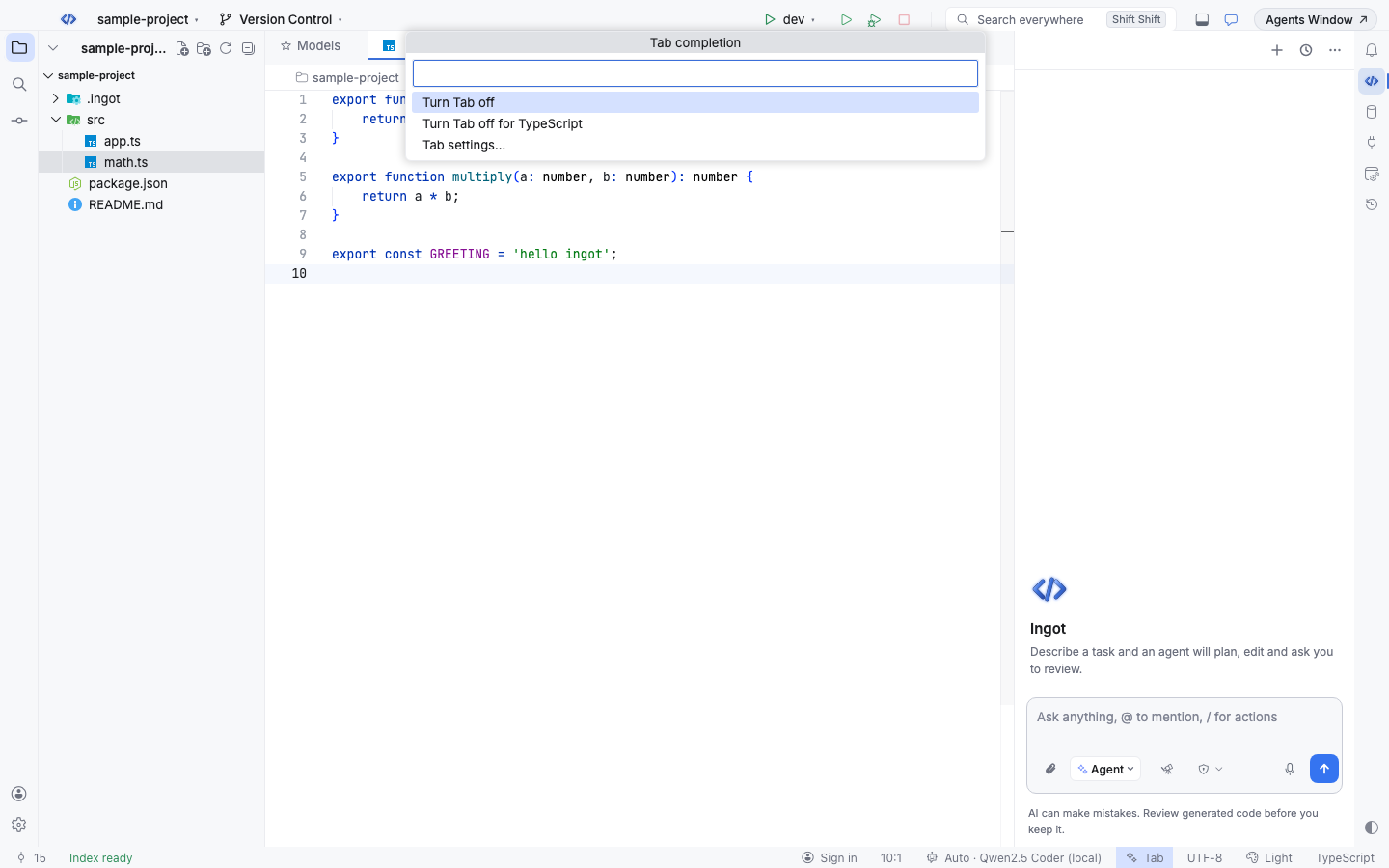
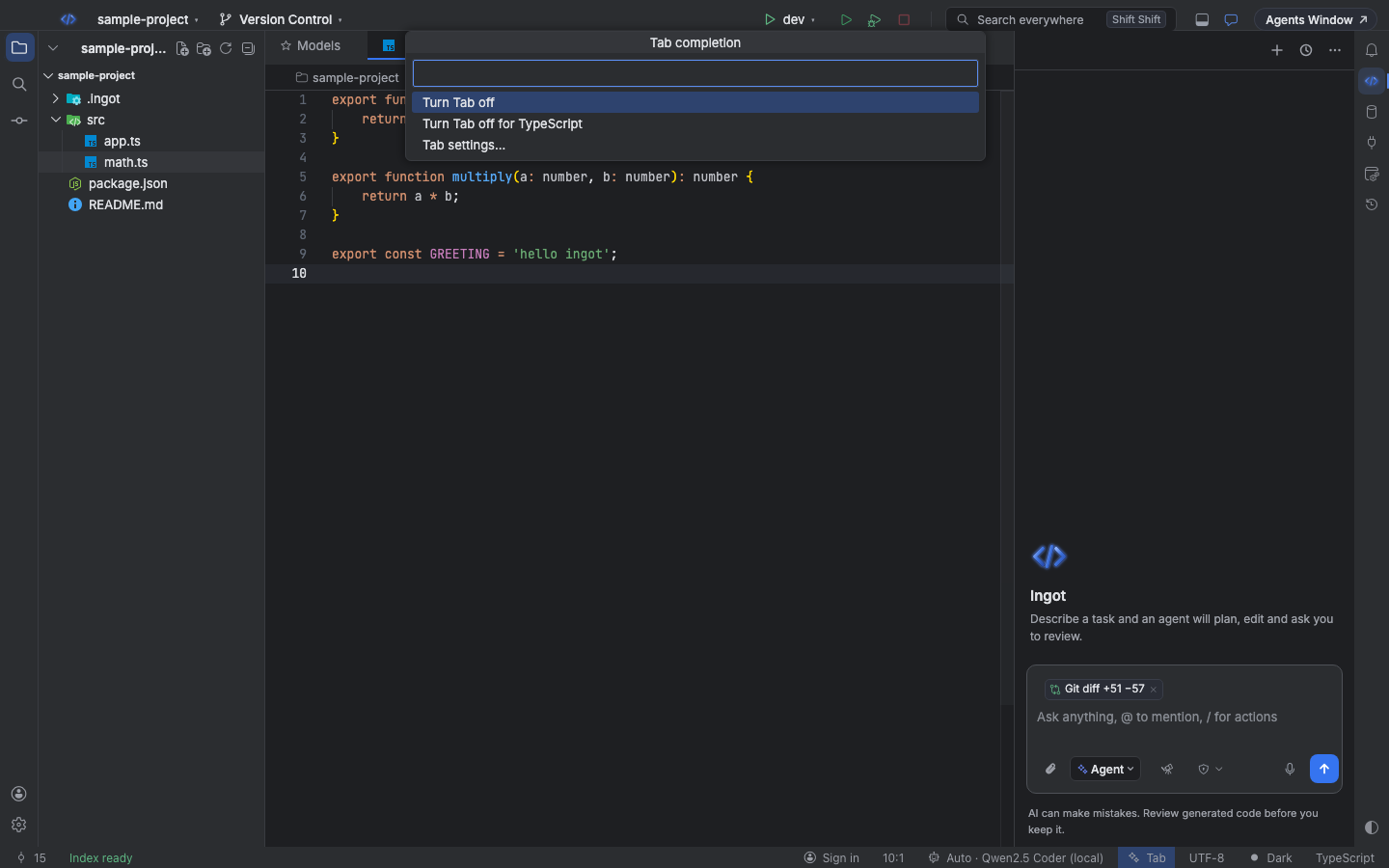
The item always says why Tab is or isn't suggesting, one reason at a time, the most important first. Reasons that stop Tab without your choice are tinted as a warning and stay visible even in the calm status bar. Hover the item for what is going on and what to do.
| Shows | Meaning | Fix offered |
|---|---|---|
| Tab | on and ready | |
| Tab: warming up… | the first request after start-up or sign-in is opening the model route | none needed; keep typing |
| Tab with a spinner | a request is on its way | |
| Tab off | turned off in Settings (the item hides) | Turn Tab on |
| Tab off (TypeScript) | off for the current language | turn it on for this language |
| Tab (limit) | today's request or token limit is reached; it resumes tomorrow | open the settings to raise the limit |
| Tab (ignored file) | the file matches .ingot/ignore, or a hook denied it, so Tab never sends it | open the settings |
| ⚠ Tab: sign in | no model: sign in to Ingot or connect your own key | Sign in, pick a model |
| ⚠ Tab | not on your plan, the picked model isn't connected on this computer, no model can run Tab, or the last request failed | Upgrade, Pick a model, Retry, Turn Tab off |
When a request fails for the first time in a session, a notification says why, with Retry, Pick a model and Why isn't Tab suggesting?. If the model you didn't pick yourself fails, Tab moves on to the next one that works and tells you which.
Find Action also has Ingot: Toggle Tab Completions, Ingot: Tab: Turn On or Off for the Current Language and Ingot: Tab: Turn On or Off in the Agent Chat.
Why isn't Tab suggesting?
Run Ingot: Why isn't Tab suggesting? from Find Action (⌘⇧A, Ctrl+Shift+A), or pick it in the Tab menu. It shows the current reason with its fixes, Show the Tab log (Ingot output channel), and when the refactor suggestions show (they run locally and need neither Tab nor a model).
For every decision Tab makes (skipped, request sent, reply) in the Ingot output channel, turn on ingot.tab.debug. Failures are logged there even with it off.
Warm-up
The first time an editor gets focus after start-up or sign-in, Tab sends one tiny request to open the model route, so the first real suggestion comes at once. The status bar shows Tab: warming up… until it returns. It happens once per model (switching models starts over), retries at most twice, and does not count against the daily Tab limits.
When Tab is on Automatic (no model picked), it uses Ingot Fast or a model with your own key, then whatever fast model your account can run right now.
Settings
The Tab section of the Models view has the main switches: on or off, Tab in the agent chat, the model, the delay after typing and the languages Tab stays off in. All of them are also in Settings › Tools › AI Models:
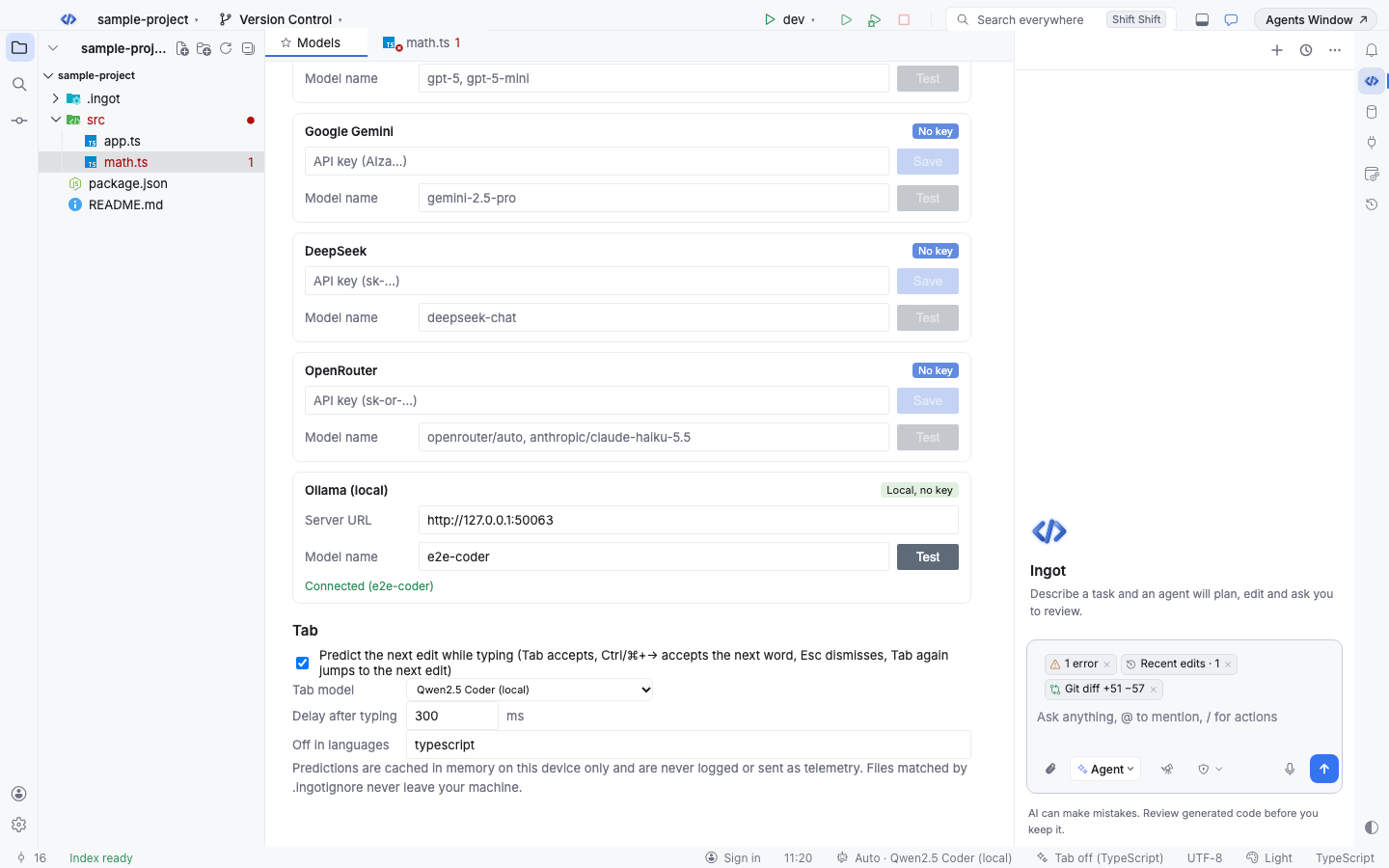
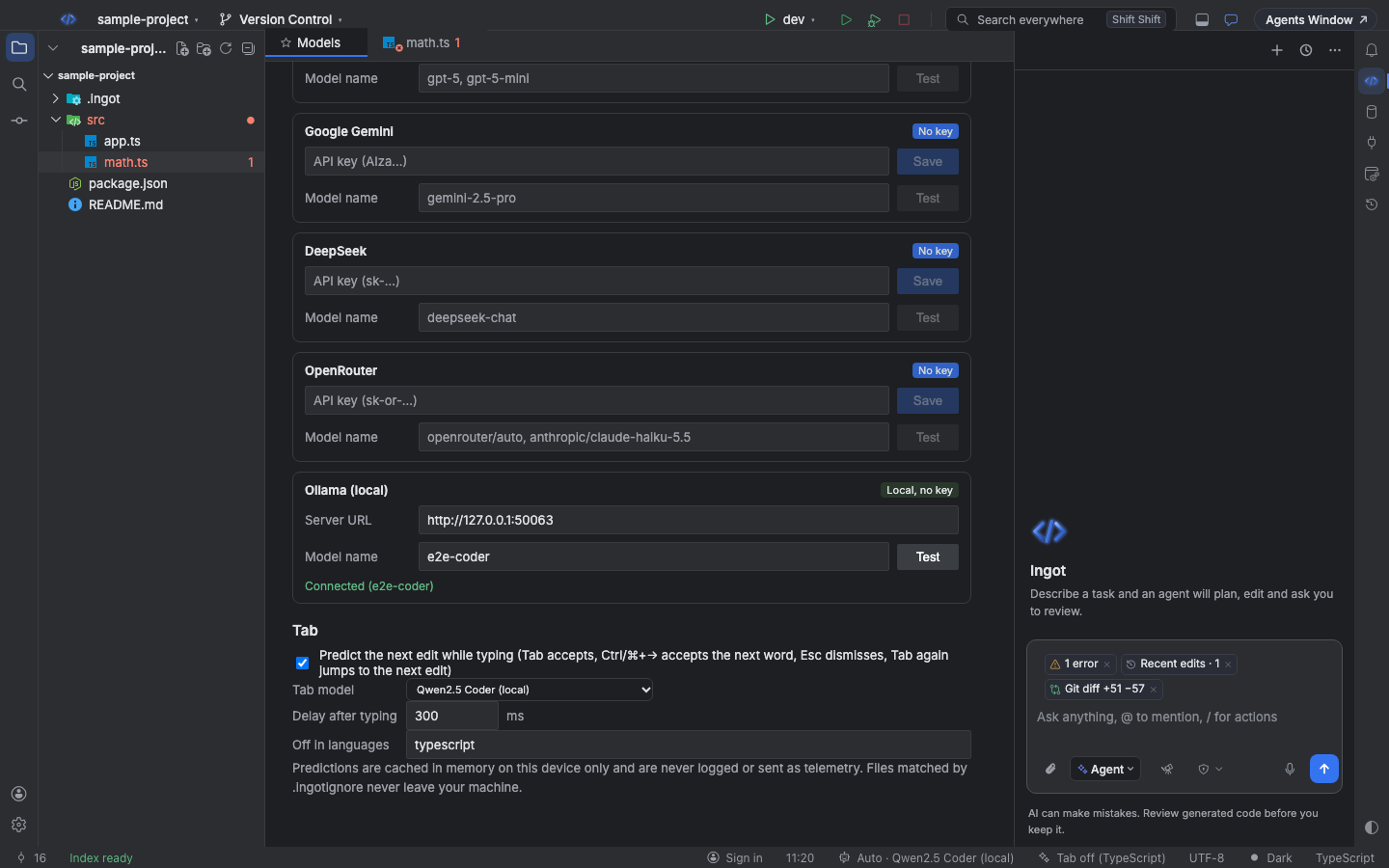
| Setting | Default | Effect |
|---|---|---|
ingot.tab.enabled | true | show predictions while typing, in the editor and the agent chat |
ingot.tab.chat.enabled | true | complete messages in the agent chat (needs ingot.tab.enabled) |
ingot.autocomplete.model | empty | the model for predictions; empty picks the fastest connected model (Ingot Fast when signed in) |
ingot.tab.debounceMs | 300 | milliseconds after you stop typing before asking (50 to 5000) |
ingot.tab.disabledLanguages | [] | language ids Tab stays off in, for example ["markdown", "plaintext"] |
ingot.tab.maxRequestsPerDay | 500 | predictions per day, editor and chat together |
ingot.tab.maxTokensPerDay | 300000 | estimated tokens per day, editor and chat together |
ingot.tab.debug | false | log every Tab decision to the Ingot output channel |
The daily limits protect your allowance and reset at midnight. Changing the model, a connection or turning Tab off clears the predictions kept in memory.
What is sent
Only what the model needs. In the editor:
- the language, the file path, up to 80 lines above the caret and 30 below
- your last 8 edited lines, in this file and others
- up to 3 short snippets (12 lines each) from open files and files next to this one that use the same names as the code you're writing
- when your rules ask for them, two short lines about your conventions (named constants, utils files)
In the agent chat: the message you are typing, the last 6 chat messages (each cut to 400 characters), about 20 lines around the caret of the open file, and the start of up to 3 files you mention with @ or attached code.
Files matched by .ingot/ignore are never sent, not as the file you're in, not as a nearby snippet, not as a recent edit and not as an @ mention in the chat. Neither are .env, *.pem, *.key, ingot.config.json and similar secret files (Ignore files). A beforeTabFileRead hook can block more files (Hooks).
Privacy and the cache
Predictions are kept in memory on your device only, for at most 5 minutes and at most 64 of them; chat and editor predictions are kept apart. They are never written to disk, logged or sent as telemetry. Requests through the Ingot gateway are tagged x-ingot-feature: tab, so your usage page counts them as Tab (API); with your own key they go straight to your provider.
Try it from the terminal
ingot tab predict asks the same question Tab asks in the editor and prints the prediction and the next edit. It is handy for checking which files a model sees, or for comparing models (CLI):
npx @ingotide/cli tab predict src/app.ts --line 12            # default model, $0.01 cap
npx @ingotide/cli tab predict src/app.ts --line 12 --json     # prediction, next edit, nearby files, cost
npx @ingotide/cli tab predict src/app.ts --mock               # free mock model (CI)
| Option | Meaning |
|---|---|
--line <n>, --column <n> | the caret position (default: the end of the file) |
--with <files> | extra files to offer as nearby snippets |
--no-nearby | send only the file itself |
--model <id> | OpenRouter model id (default mistralai/codestral-2508), or mock |
--max-cost <usd> | hard cap; a call that could cross it is not made and the command exits 3 (default $0.01, at most $1) |
--max-tokens <n> | reply limit (default 256) |
The CLI reads the key from OPENROUTER_API_KEY, or from ai.openrouterApiKey in the project's gitignored ingot.config.json. It applies the same .ingot/ignore rules as the editor.
ingot.autocomplete.enabled and ingot.autocomplete.debounceMs settings are no longer read, so set ingot.tab.enabled and ingot.tab.debounceMs instead.