Rex sends tasks to Ingot and other agents
From the Rex chat in Zaprex, hand a task to the coding agent in Ingot or another IDE, follow each step, and get its result back in the chat.
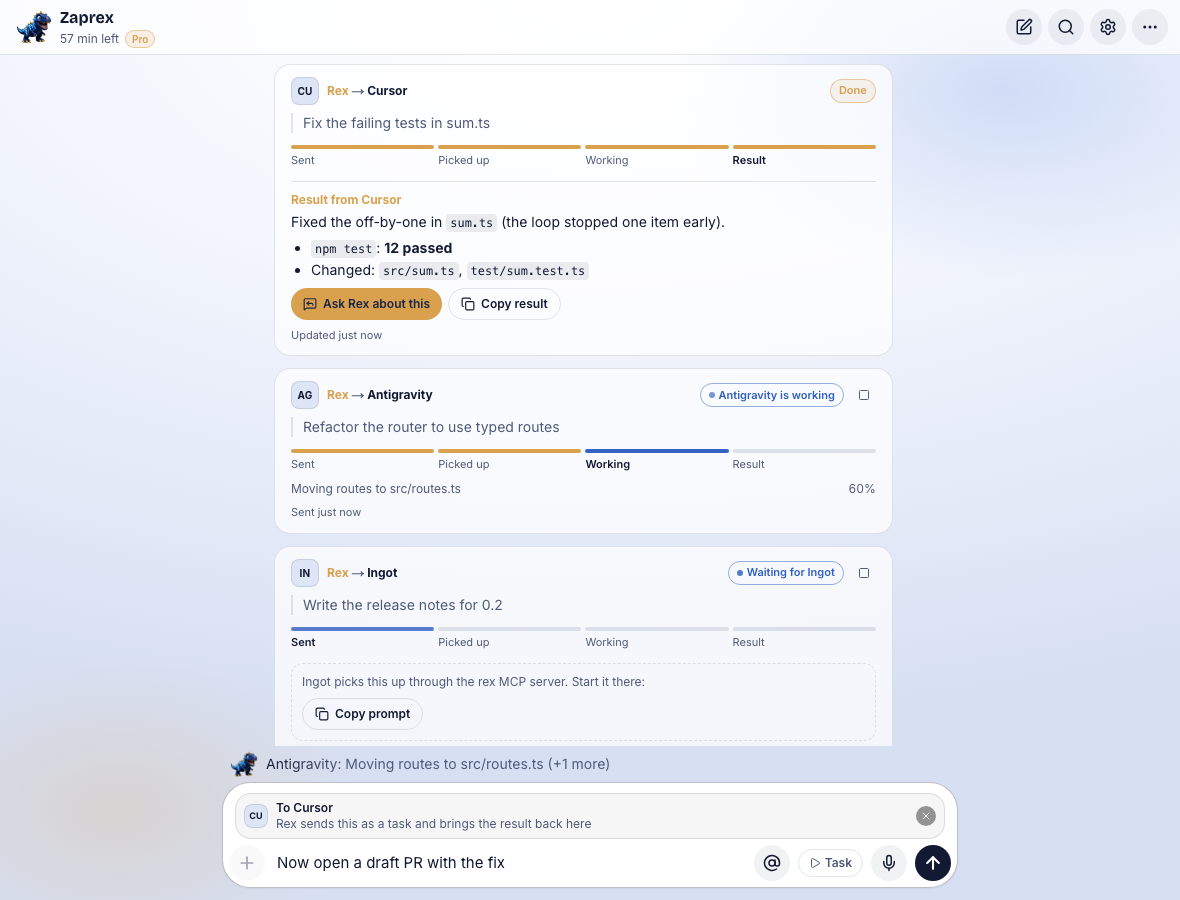
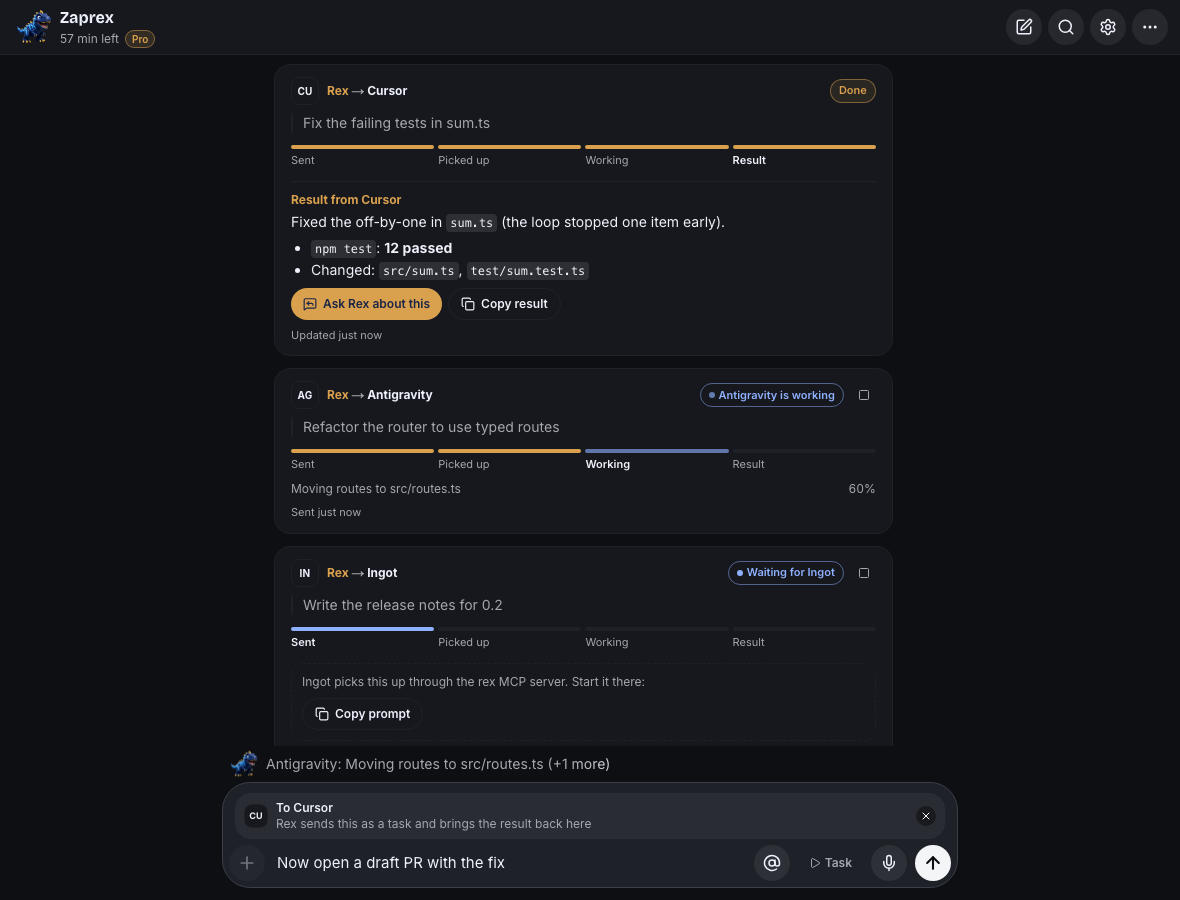
What it does
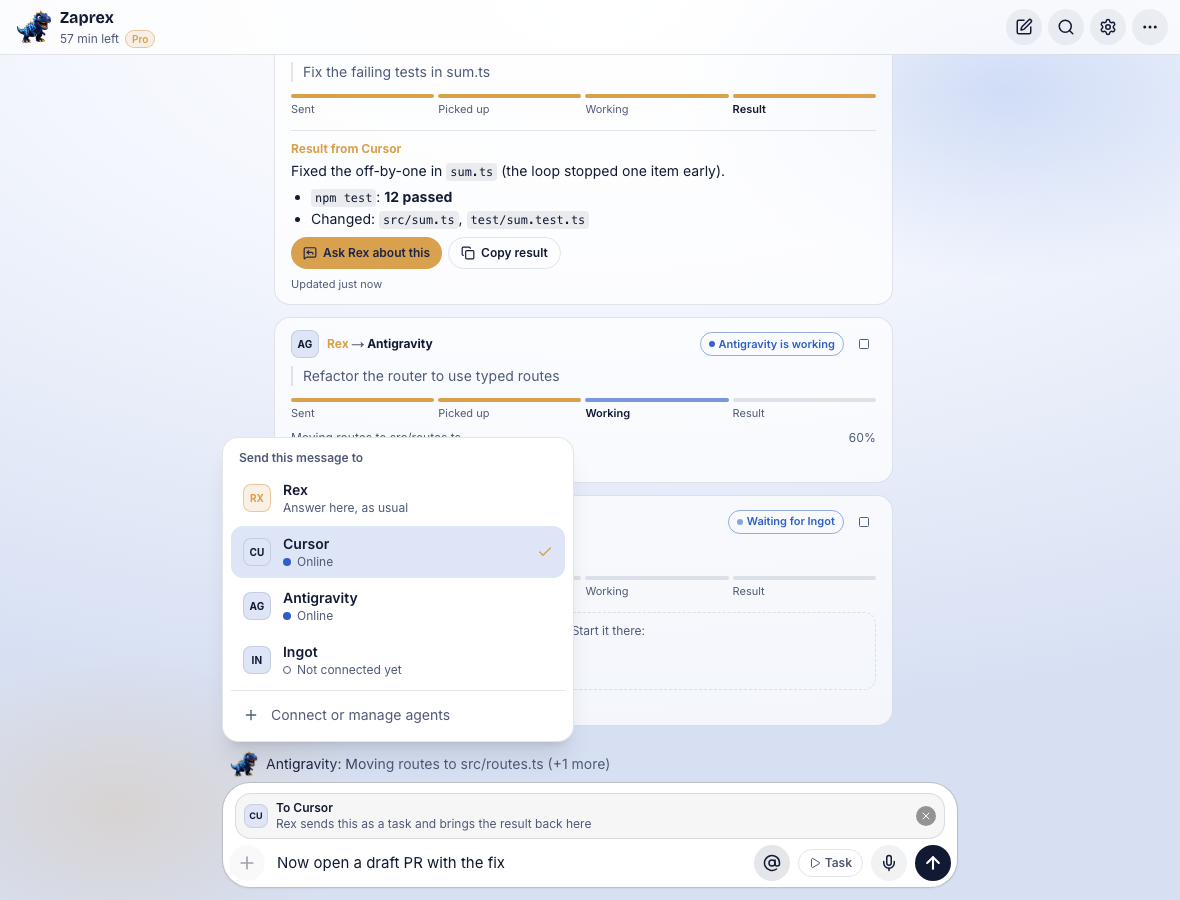
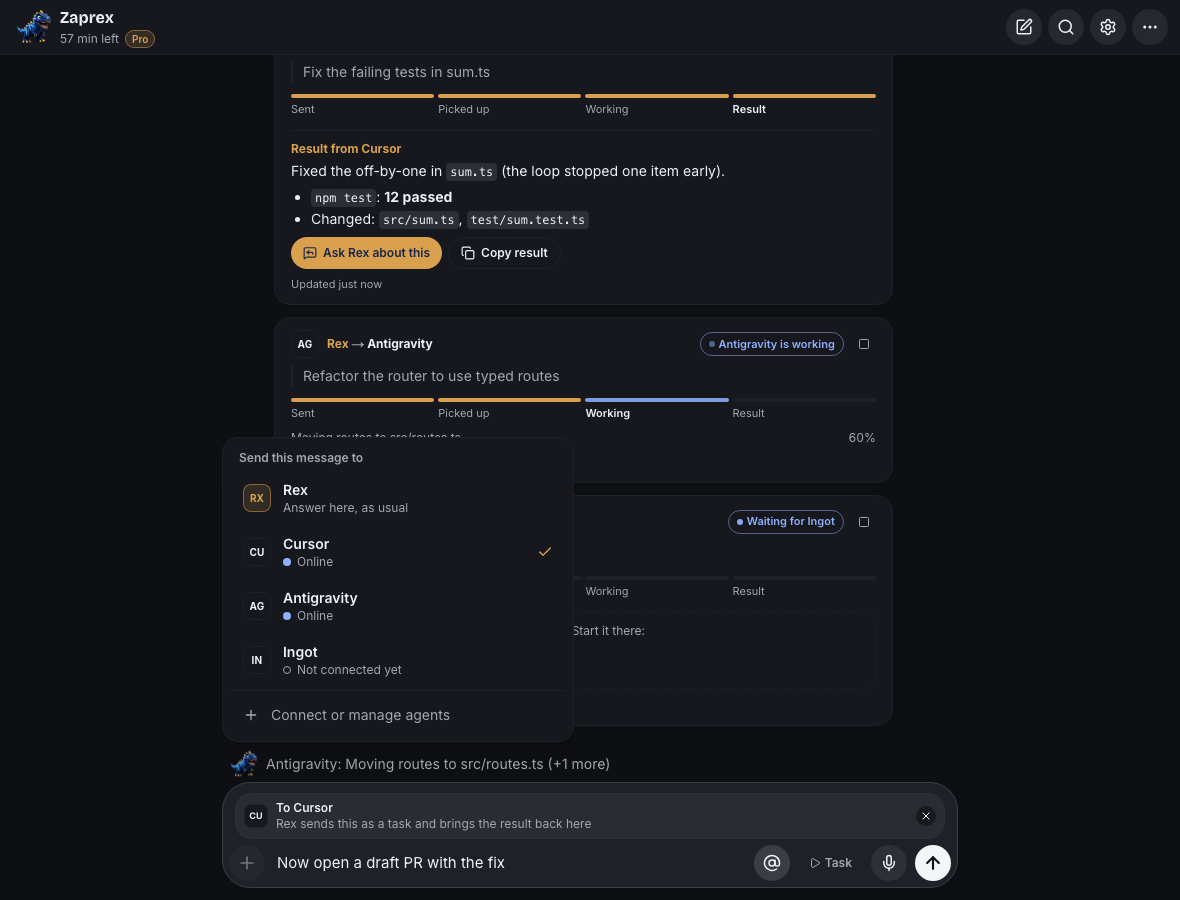
Rex shows each task as a card in the chat. The card moves through Sent → Picked up → Working → Result and shows the agent's latest note while it works. When the agent finishes, its result appears in the same card. Ask Rex about this gives the result to Rex so it can review it or plan the next step.
The agent works on your computer, in your project, with its own permissions. Rex only passes the task and the result. Any IDE whose agent can use a remote MCP server works the same way; the Zaprex app has ready-made setups for Ingot and two other popular IDEs.
Connect an agent
Open ⋯ › Agents in the Zaprex app and pick the IDE. Rex creates a connection and shows its setup once. The setup adds Rex as an MCP server named rex to that IDE, with a token for this connection only:
- Ingot: paste the JSON into your user
mcp.jsonor into.ingot/mcp.jsonin the project. Ingot keeps the token in your keychain and asks you to trust the server once. See Remote MCP servers. - Other IDEs: the setup shows that IDE's steps: an install button, the JSON for its MCP settings file, or a command that adds the server.
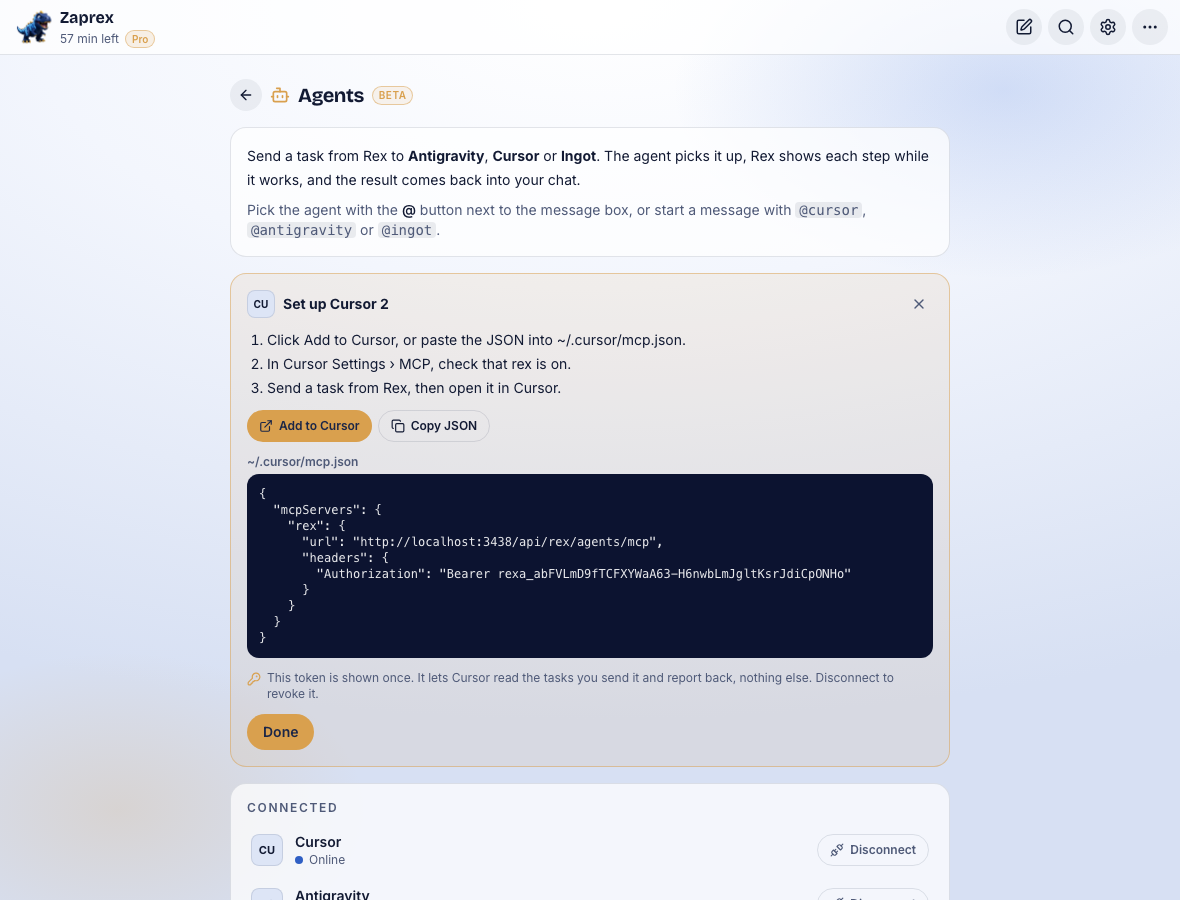
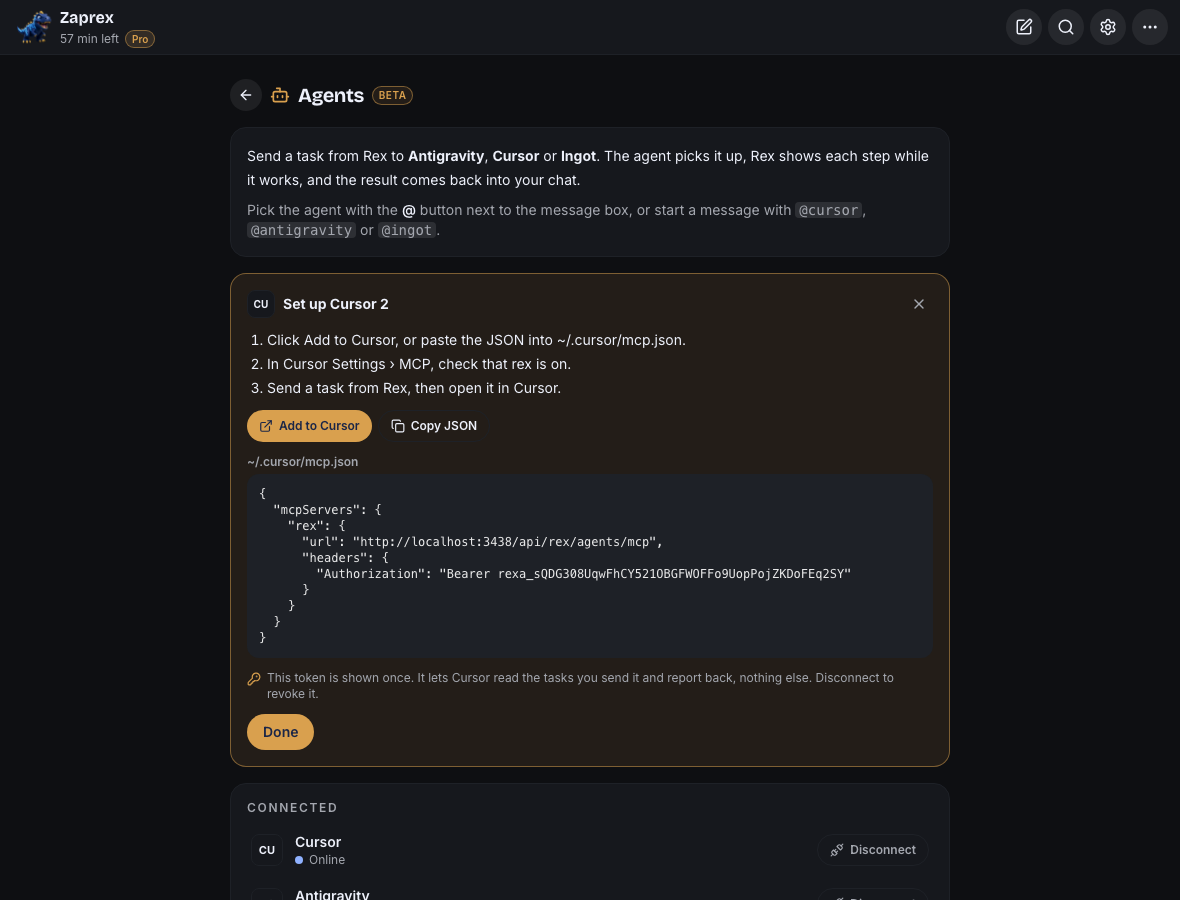
The token only lets that agent read the tasks you send it and report back. Zaprex stores a hash of it, never the token itself. Disconnect revokes it at once and cancels the agent's open tasks. You can connect up to 6 agents.
Send a task
Click @ next to the message box and pick the agent, or start your message with its name, for example @ingot. The box shows who the task goes to, and Send hands the message over as a task instead of asking Rex. × on the chip, or picking Rex in the list, goes back to asking Rex.
Start it in the IDE
While a task waits, its card shows how to start it: Copy prompt for the IDE's agent, and for IDEs that support it, a button that opens the agent with the task or a command for its CLI. For Ingot, paste the prompt into the Ingot agent.
The prompt tells the agent to take the task with the rex_get_task tool, report short notes with rex_update_task, and finish with rex_finish_task. You can also just tell the agent check Rex for tasks.
Status and results
The card and the status line under the chat follow the task live: waiting for the agent, picked up, its latest note and progress, then the result. A result that says the agent couldn't finish shows as Failed with its reason. Cancel stops a task that hasn't finished; the agent is told the next time it reports.
Tasks stay with the chat you sent them from. ⋯ › Agents also lists recent tasks and shows which agents are online: an agent counts as online for 2 minutes after it last called Rex.
Limits
Up to 20 tasks a minute and 200 a day, 50 tasks kept per account, 4,000 characters per task and 20,000 per result. Tasks are kept for 14 days. Agents can call Rex up to 300 times a minute per connection. Review what an agent changed as you would any other change.
For developers
Anything that can make HTTP calls can act as an agent with the connection's token in Authorization: Bearer …:
GET /api/rex/agents/inboxtakes the oldest waiting task.POST /api/rex/agents/inbox/{id}with{ "type": "progress", "message": "…" }or{ "type": "finish", "ok": true, "text": "…" }reports back.
The MCP endpoint is /api/rex/agents/mcp (streamable HTTP, protocol versions up to 2025-11-25) with the tools rex_get_task, rex_update_task and rex_finish_task. The Zaprex app itself uses GET /api/rex/agents, POST /api/rex/agents/connections, POST /api/rex/agents/tasks and POST /api/rex/agents/tasks/{id}/cancel with your signed-in session.
Troubleshooting
- The card stays on Sent: the agent hasn't asked Rex for the task yet. Start it with the button or command on the card, or tell the agent check Rex for tasks.
- The agent says the token is invalid: the connection was disconnected, or the token was copied wrong. Connect the agent again and use the new setup.
- Agents aren't available: the Zaprex server has no task store set up. Self-hosted servers set
KV_REST_API_URLandKV_REST_API_TOKEN(Upstash Redis). - Too many tasks: you reached 20 tasks a minute or 200 a day. Wait a moment and send again.
Beta Sending tasks to other agents is in beta. Tell us which agents Rex should reach next on the support page.
See also Send tasks to other agents in the Zaprex docs, Rex Crew and External agents (ACP) for agents that run inside Ingot.