Frozen Zones
A frozen zone is a file or a single function the agent may not change without your explicit OK: audited billing code, a tuned algorithm, a migration that already ran. The agent can still read it; it just has to ask before it edits it.
Turn it on
- Open Settings › Tools › Game changers.
- Turn on Frozen Zones.
| Setting | Default | Effect |
|---|---|---|
ingot.frozen.enabled | off | protect the zones in .ingot/frozen.json |
ingot.frozen.suggestAfterReverts | 3 | reverted agent edits to the same code before Ingot suggests freezing it |
ingot.frozen.inferFromTests | off | also suggest stable code that is covered by passing tests |
ingot.frozen.inferMinAgeDays | 90 | days without changes before tested code is suggested |
ingot.frozen.iceLook | on | show frozen code in ice in the editor, the Explorer and on editor tabs |
Freeze a file or function
| What | How |
|---|---|
| a file or folder | right-click it in the Explorer › Freeze |
| a function | right-click inside the function in the editor › Freeze Function |
| the current file | Frozen Zones: Freeze File in the command palette |
| from the chat | ask the agent: freeze verifyToken in src/auth/session.ts |
Add a reason when asked (optional). It is shown to the agent and in the approval card. Frozen files show a snowflake in the Explorer.
FrozenTo unfreeze, use the same menus (Unfreeze, Unfreeze Function), choose Unfreeze in the click menu, or run Frozen Zones: Show Frozen Zones and remove the entry.
Frozen code in the editor
Frozen code is shown in ice, so you can see at a glance what the agent has to ask about:
- a light frost behind the frozen function, or behind the whole file,
- an ice bar in the gutter,
- a snowflake button on the first line,
- a badge Frozen · reason at the end of the first line (long reasons are cut),
- a snowflake next to frozen files in the Explorer and on their editor tab.
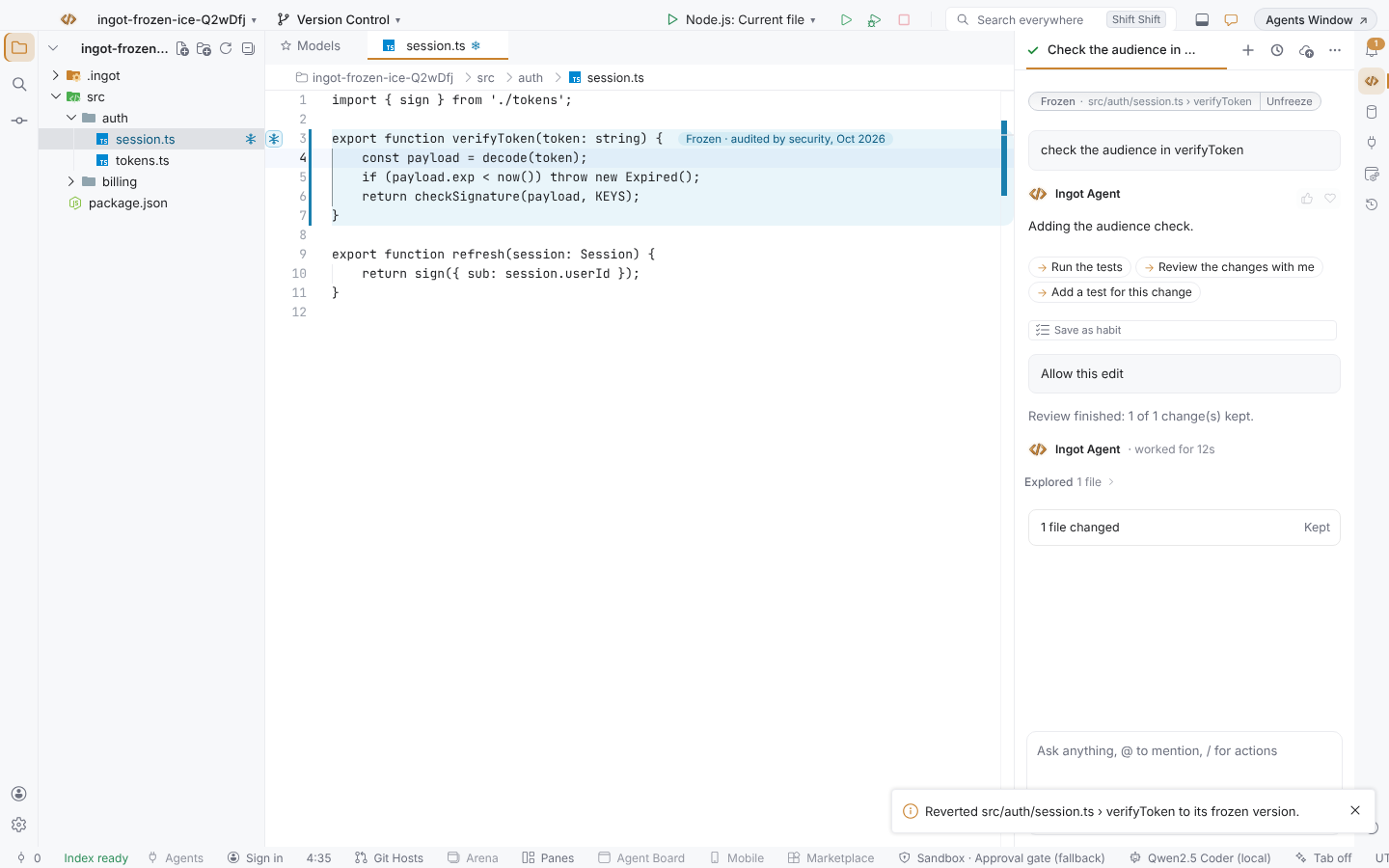
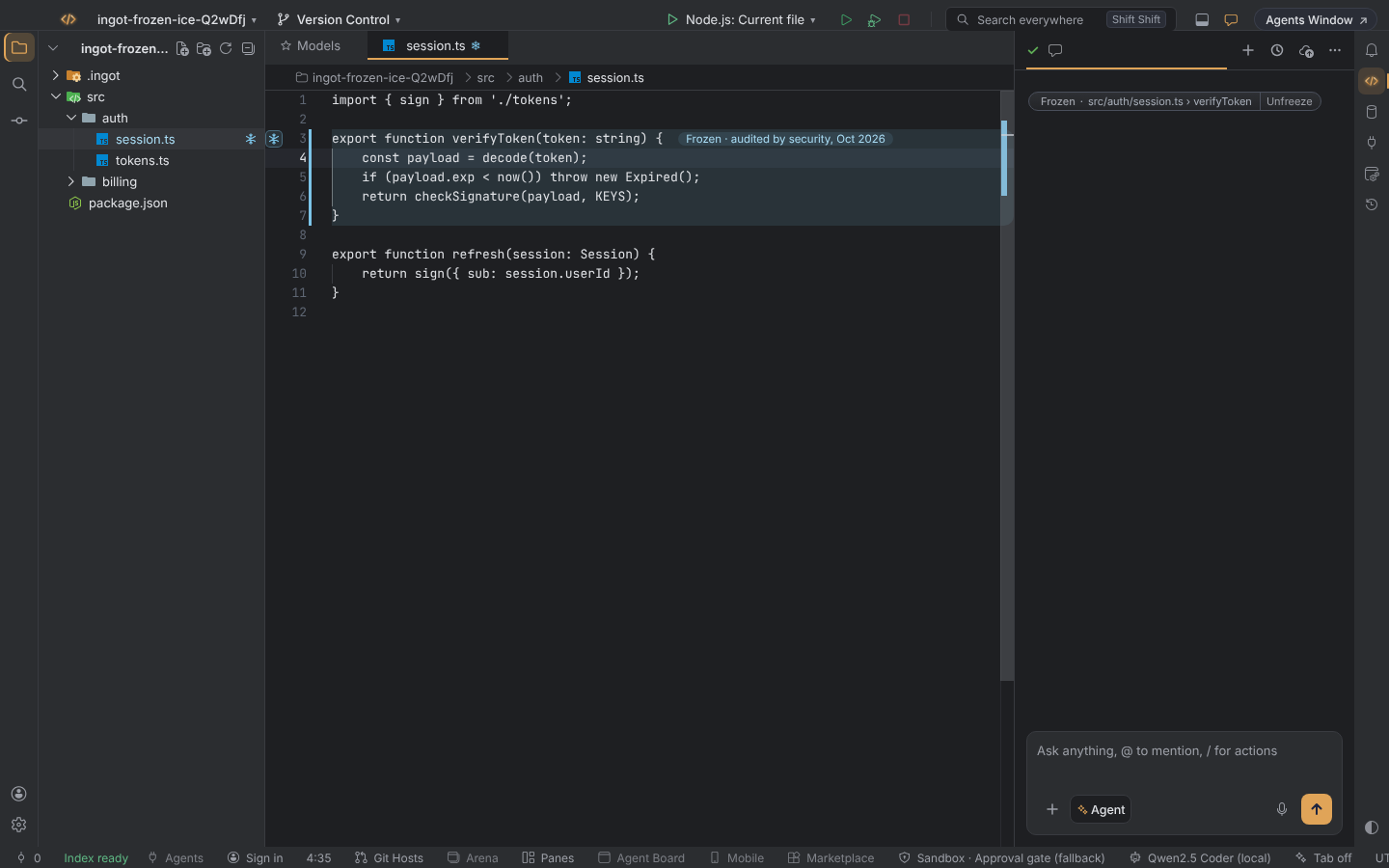
Hover the badge or the snowflake to see the reason, how often the code changed since it was frozen, Unfreeze and More actions….
Don't want the ice? Turn off Settings › AI › Frozen Zones › Show frozen code in ice (ingot.frozen.iceLook, on by default). It is also offered in the first-run setup, under Editor & keyboard › Frozen zones in ice. With the ice off, zones still protect the code.
The ice uses the workbench colors ingotFrozen.foreground, ingotFrozen.text, ingotFrozen.background and ingotFrozen.border. Ingot Light, Dark and Ember set their own. Theia's Light, Dark and High Contrast themes, and any custom or imported theme, get readable defaults for their kind and can override them in their colors. Text on the frost has a contrast of at least 4.5:1 in every bundled theme.
The click menu
Open the menu of a frozen zone in any of these ways:
- click the snowflake button or the Frozen badge,
- right-click a frozen file in the Explorer or its editor tab,
- press ⌥⇧⌘F12 on macOS or Ctrl+Alt+Shift+F12 on Windows and Linux while you are editing inside a frozen zone.
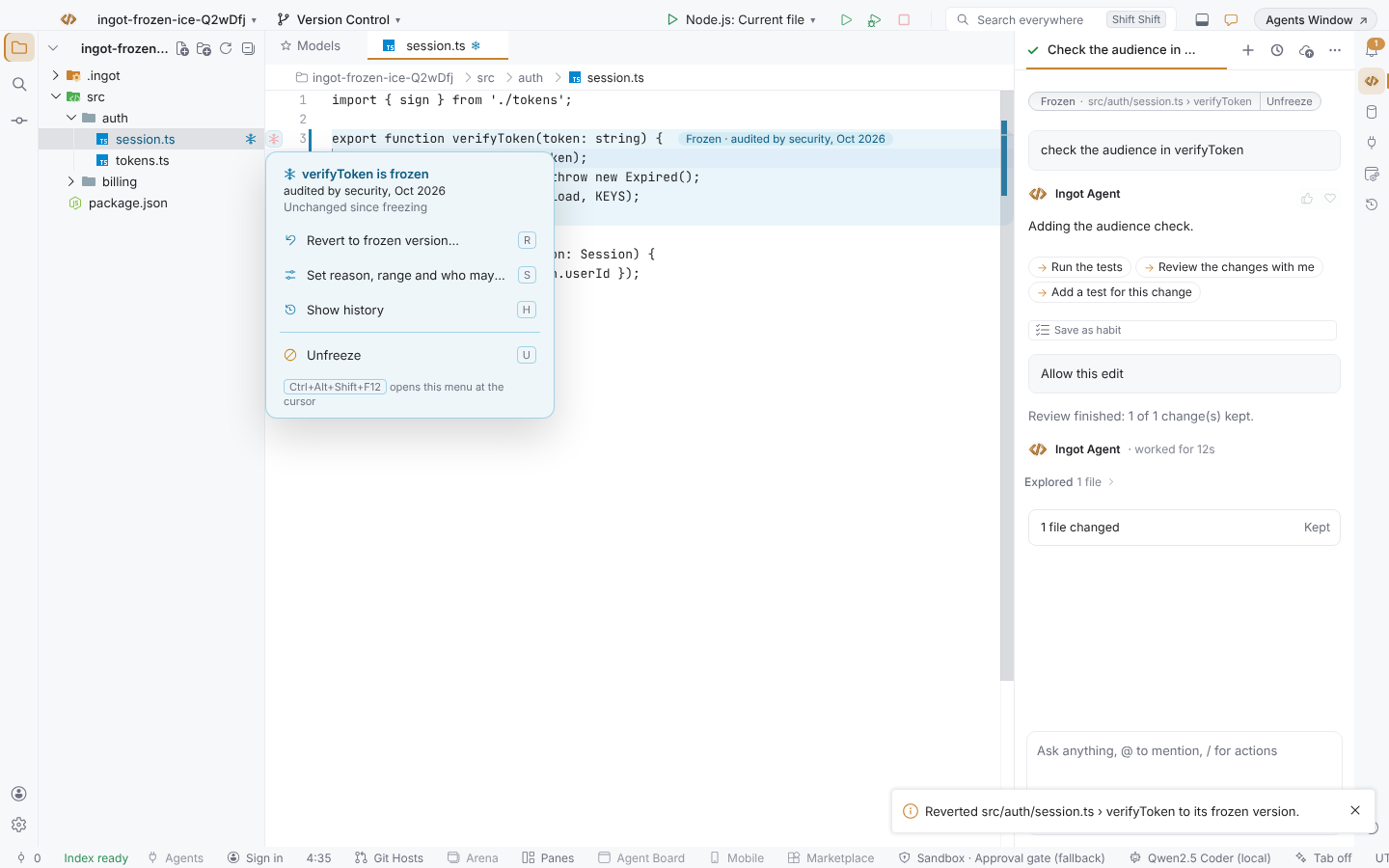
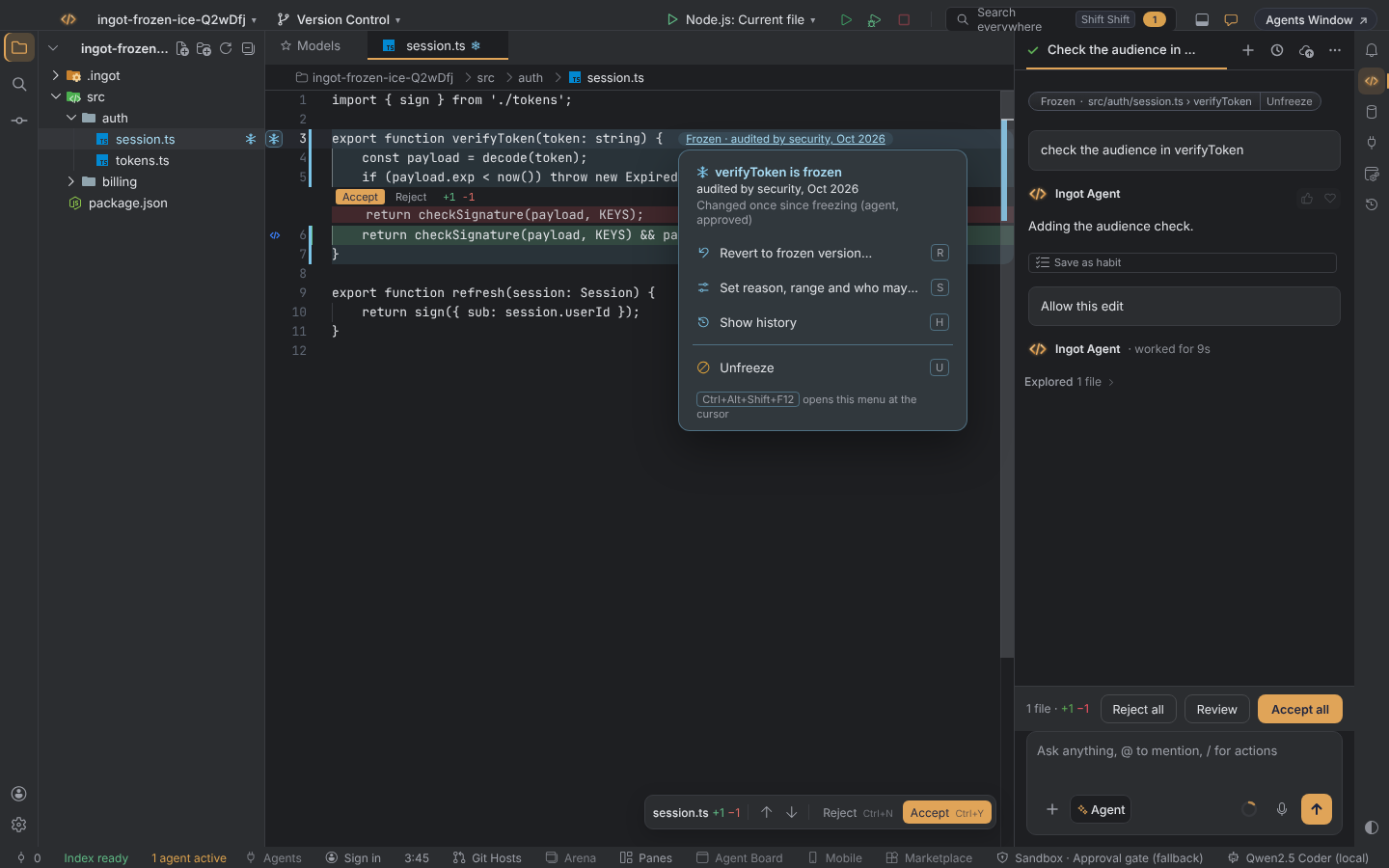
Inside the menu, one key runs an action:
| Action | Key | What it does |
|---|---|---|
| Revert to frozen version… | R | Shows the diff from now back to the version saved when the zone was frozen. Revert applies it, and you can undo it in the editor. Works for files and functions, not folders. |
| Set reason, range and who may edit… | S | Changes the reason, the range (Function, File or Folder) and who may edit: Allow me, ask for agents (the default) or Always ask, where you are asked before your own first edit too. |
| Show history | H | Lists when the zone was frozen, the agent edits you approved or kept out, your saved edits, reverts and setting changes. |
| Unfreeze | U | Removes the zone. The notification offers Undo, which brings back the zone, its history and its frozen version. |
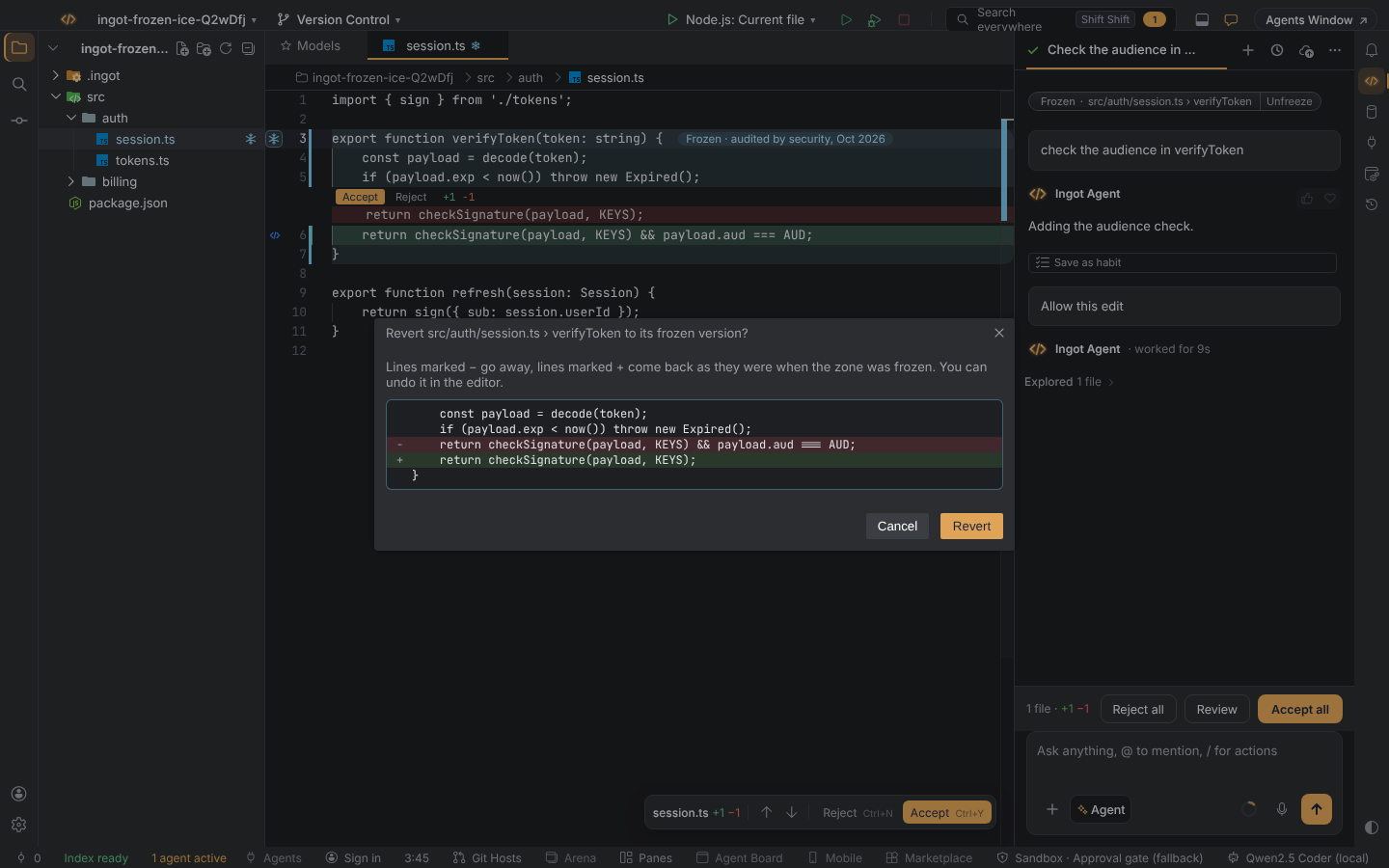
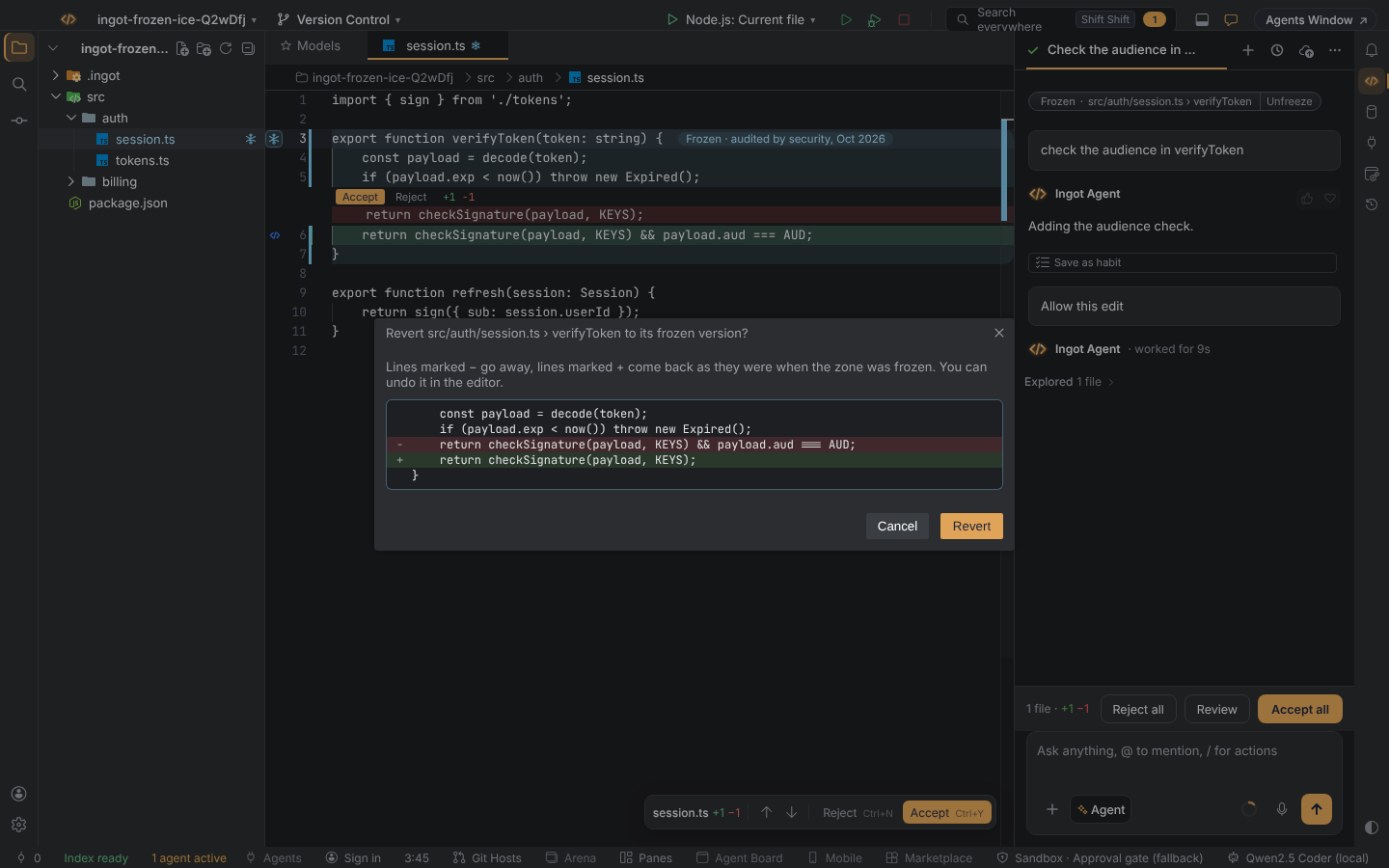
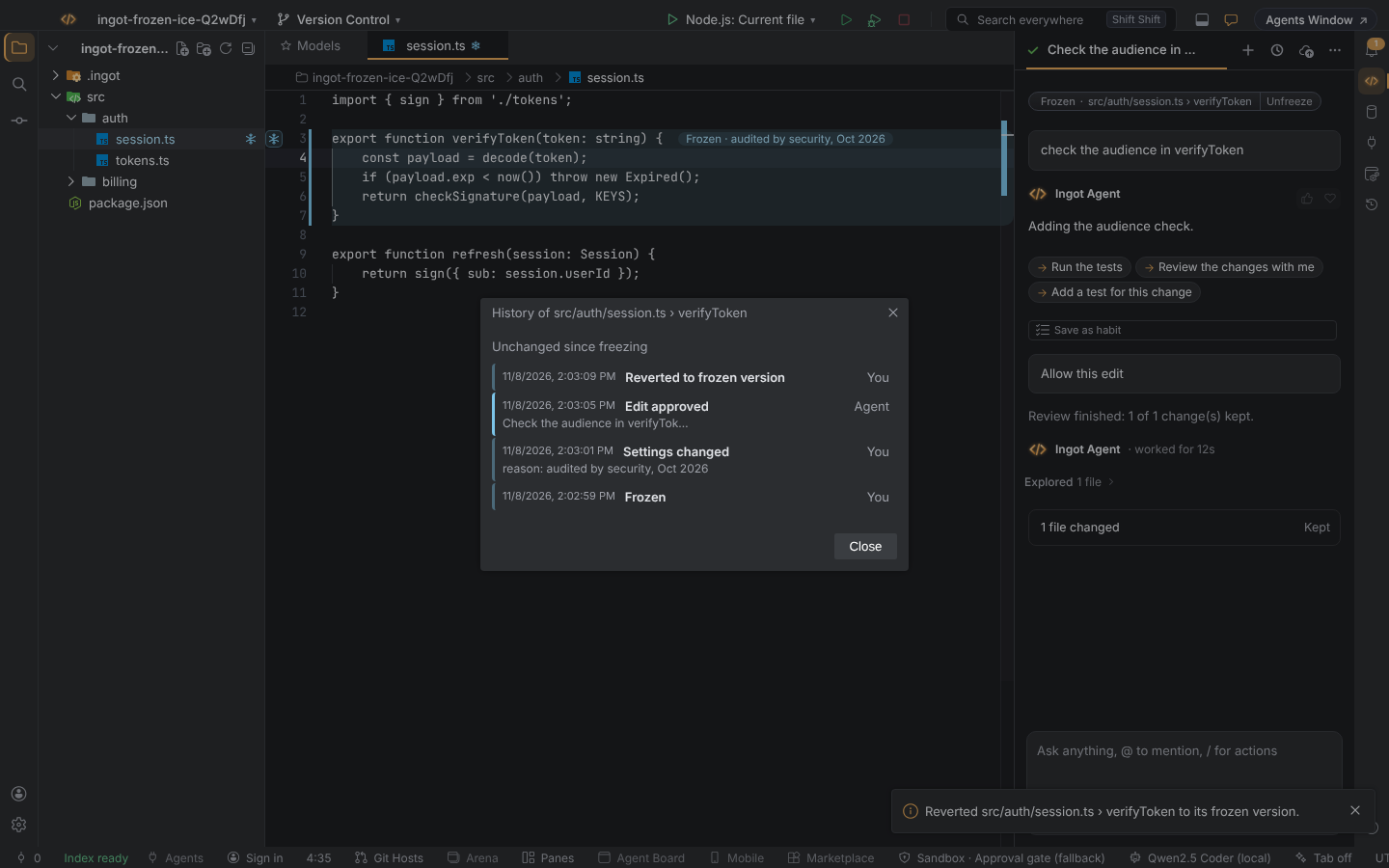
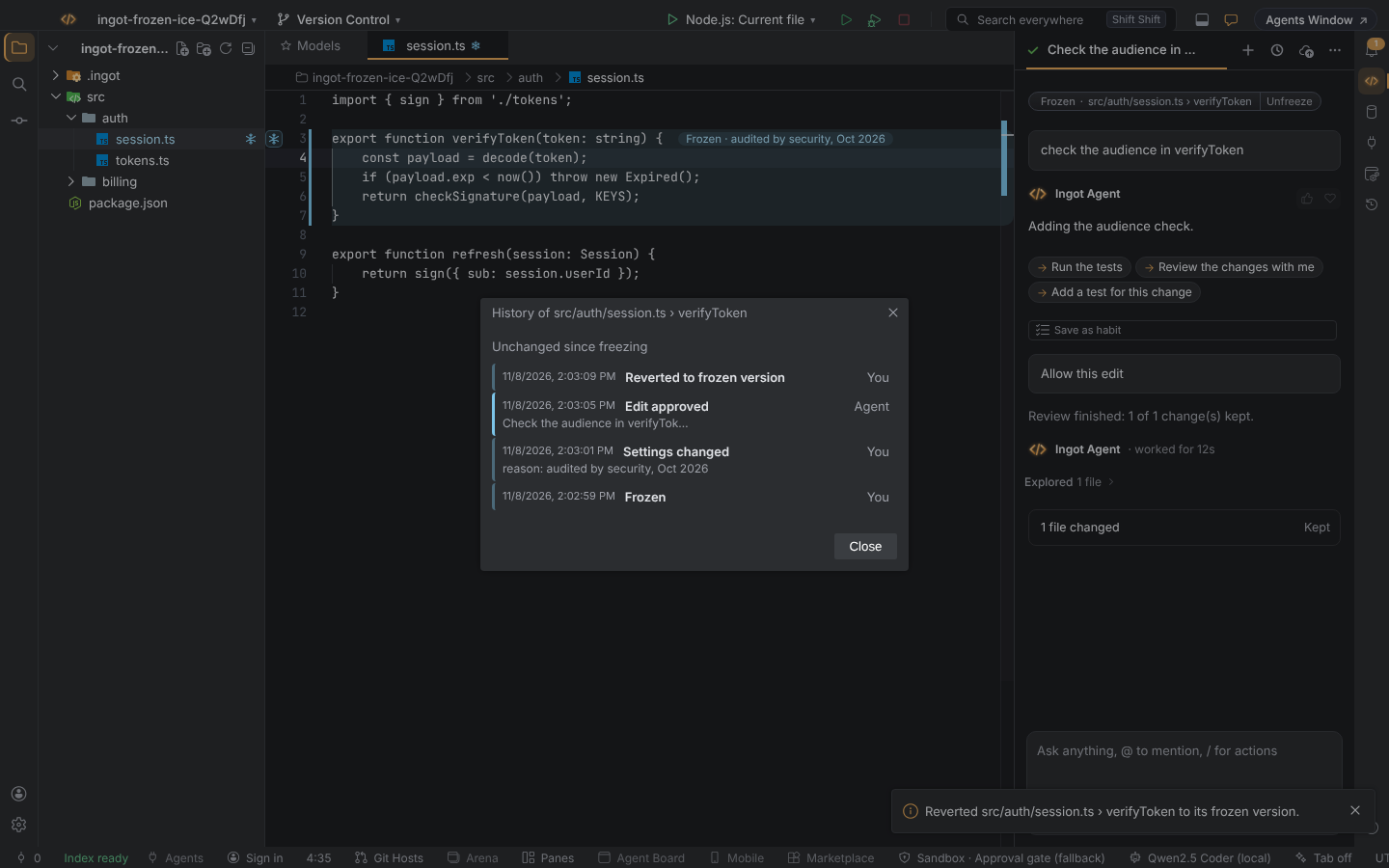
Zones frozen before this version have no saved version, so Revert to frozen version… is turned off for them. Freeze them again, or change their range with Set…, to save one.
When the agent wants to edit a frozen zone
The edit is not applied. Instead, an approval card appears in the chat, with the zone and its reason in the same ice as the editor:
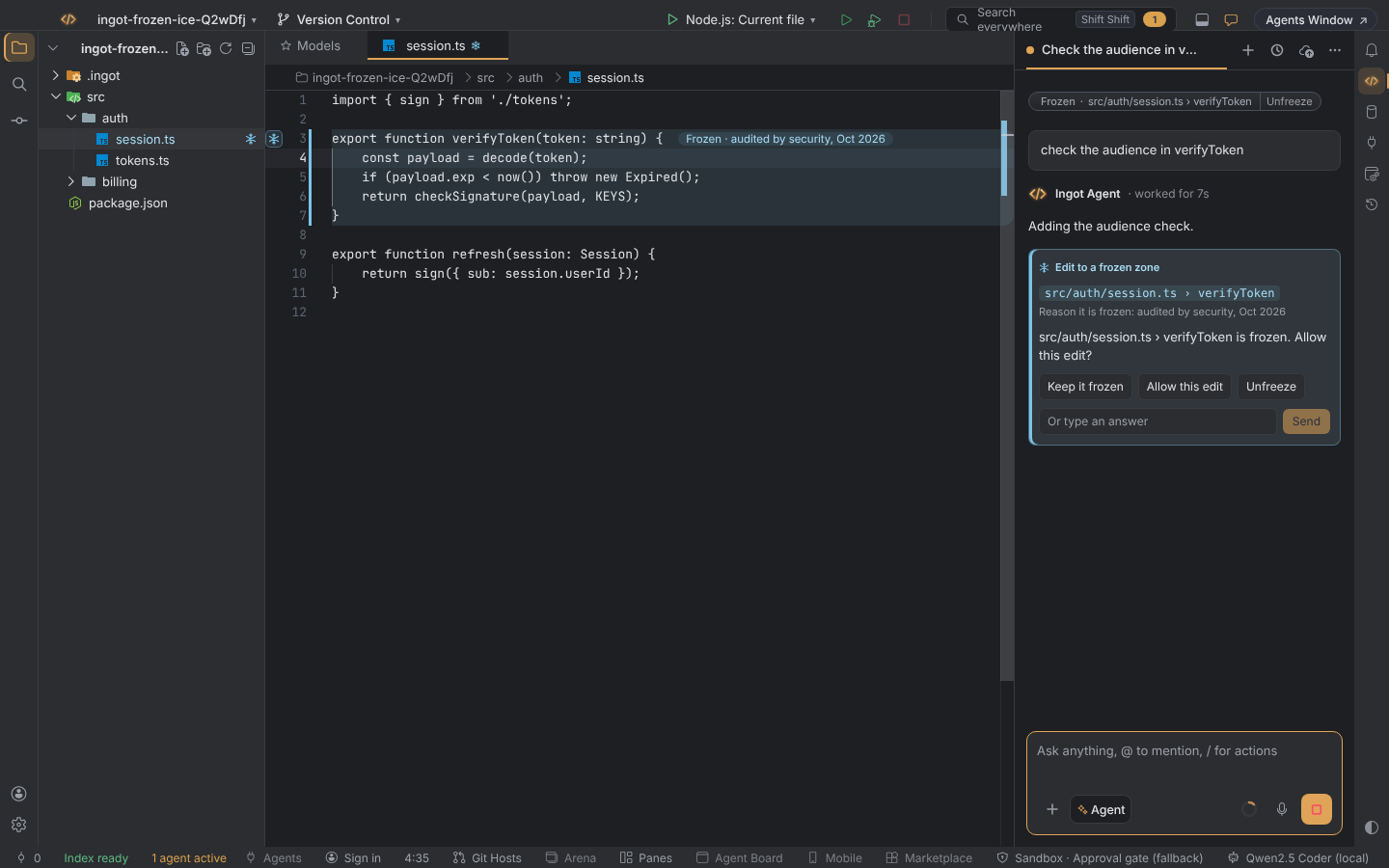
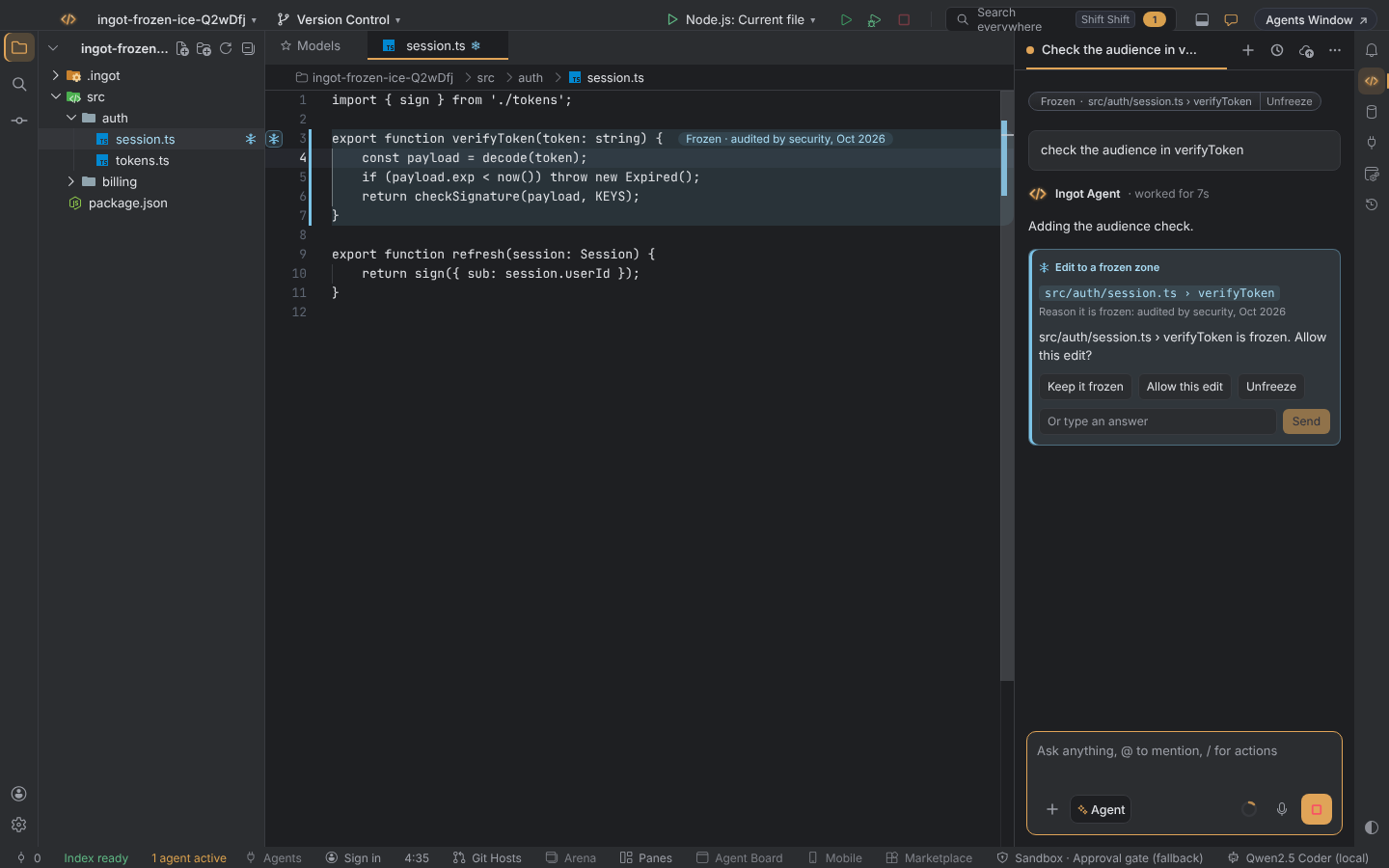
| Choice | Result |
|---|---|
| Keep it frozen | the edit is dropped; the agent is told the zone is frozen and works around it |
| Allow this edit | this one edit is applied; the zone stays frozen |
| Unfreeze | removes the zone, so the code is no longer protected |
Allow this edit and Keep it frozen are written to the zone's history.
If the zone is set to Always ask, Ingot also asks before your own first edit, with Keep it frozen and Edit anyway.
There is no "always allow" for frozen code. If you want the agent to change it freely, unfreeze it.
Ingot suggests zones
From your reverts
If you keep undoing the agent's edits to the same code, Ingot notices. After 3 reverts (setting ingot.frozen.suggestAfterReverts) a card appears in the chat:
You always revert edits to src/billing/rounding.ts. Freeze it?
Choose Freeze to add it to .ingot/frozen.json, or Not now. Freezing it also records the pattern as a habit, so agents learn to leave that code alone:
From green tests (optional)
With ingot.frozen.inferFromTests on, Ingot also suggests code that is covered by passing tests and hasn't changed for a while (90 days by default). These are only suggestions in Frozen Zones: Show Frozen Zones; nothing is frozen until you accept it.
The file: .ingot/frozen.json
Commit it so the same code is protected for everyone on the team.
{
  "zones": [
    {
      "path": "src/billing/rounding.ts",
      "reason": "Audited by finance, Oct 2026",
      "frozenAt": "2026-10-30"
    },
    {
      "path": "src/auth/session.ts",
      "symbol": "verifyToken",
      "reason": "Security reviewed"
    },
    {
      "path": "db/migrations/**",
      "reason": "Migrations that already ran must never change"
    }
  ]
}
| Field | Meaning |
|---|---|
path | a file, or a glob for many files |
symbol | optional function or method name; without it the whole file is frozen |
reason | optional; shown to the agent and in the approval card |
frozenAt | when it was frozen |
snapshot | the file in .ingot/frozen/ that holds the zone's content from when it was frozen, used by Revert to frozen version…. Commit .ingot/frozen/ together with frozen.json. |
editors | me (the default): you edit freely and agents ask. ask: everyone asks. |
history | the last 50 events: frozen, approved, kept, edited, reverted and set, each with at and by (you or agent) |
Silver notes
| Note | When |
|---|---|
| Frozen | a file or function was added to .ingot/frozen.json |
| Saved to Habits | a "you always revert this" pattern became a habit |