Introducing Ingot: an AI IDE that keeps you in control
Ingot is an open-source AI IDE for macOS, Windows and Linux. Agents propose, you review hunk by hunk, frozen zones protect the code that must not move, and Tab can run on a local model for free.
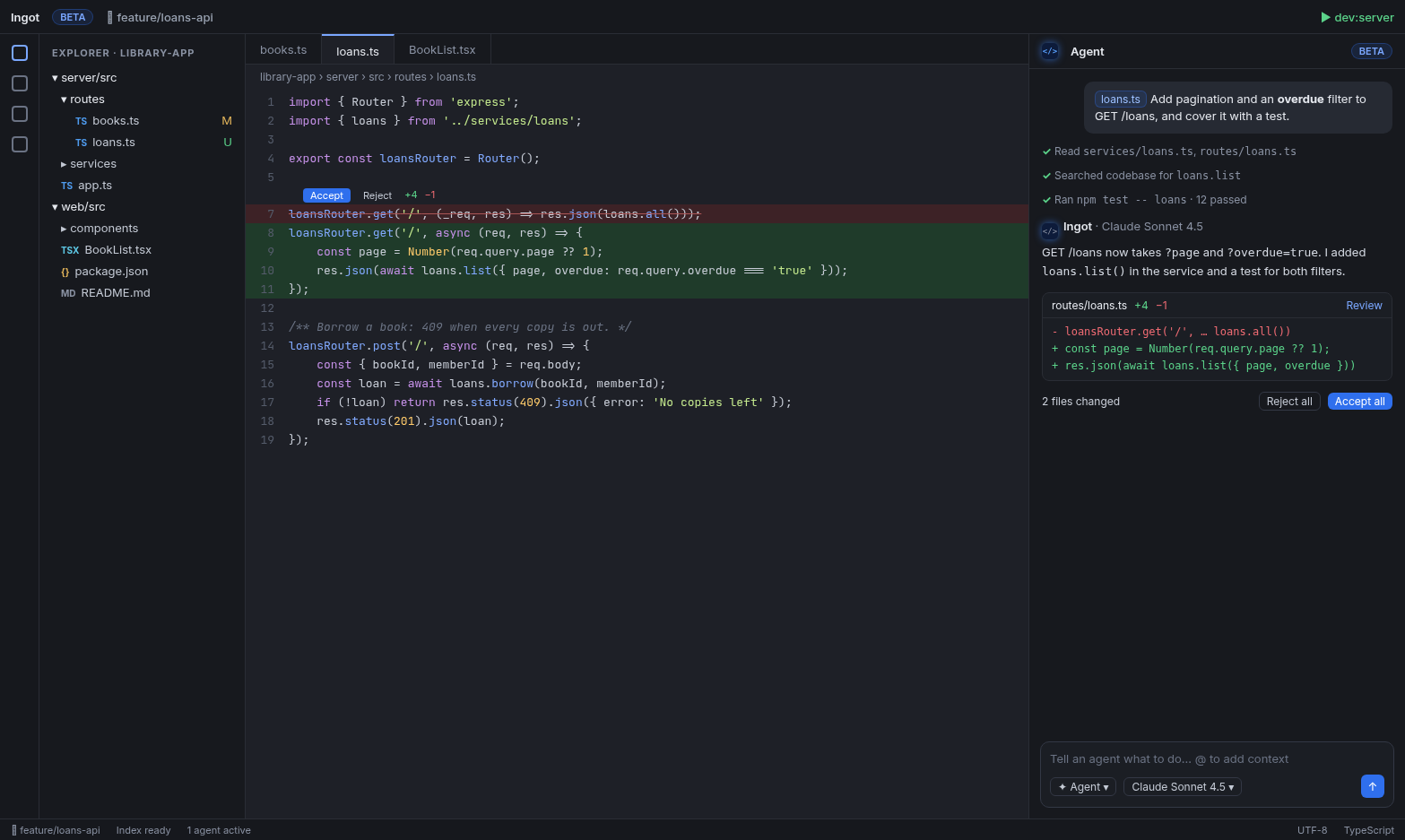
AI can write a lot of code quickly. The hard part is staying sure of what lands in your repository. Ingot is the IDE we built around that: agents do real work in your project, and you decide what stays.
Ingot is open source under Apache-2.0 and runs on macOS, Windows and Linux. It is in Beta today. This post is a short tour of what it ships right now.
Agents that show their work and wait for your yes
You talk to agents in the Agents tool window. An agent reads your project, plans, and proposes edits. Edits arrive as a code-change block, one per file, and the editor shows each hunk inline with Accept and Reject. You can take one hunk, drop the next, or accept the whole file.
Before you commit, Agent review sits right above the commit message. It reviews your changes in the mode you pick, lists findings with file, line and severity, says which ones block the commit, and lets you apply a suggested fix in one click. See Agent review before commit.
Agents work with any model: Ingot's hosted models, your own keys, or local models through Ollama. See Models & limits.
Frozen zones: code the agent has to ask about
Some code should not change without a human saying so: audited billing logic, a tuned algorithm, a migration that already ran. Mark it as a frozen zone, a file or a single function, and the agent may still read it but must ask before it edits it. Your reason, if you give one, appears in the approval card.
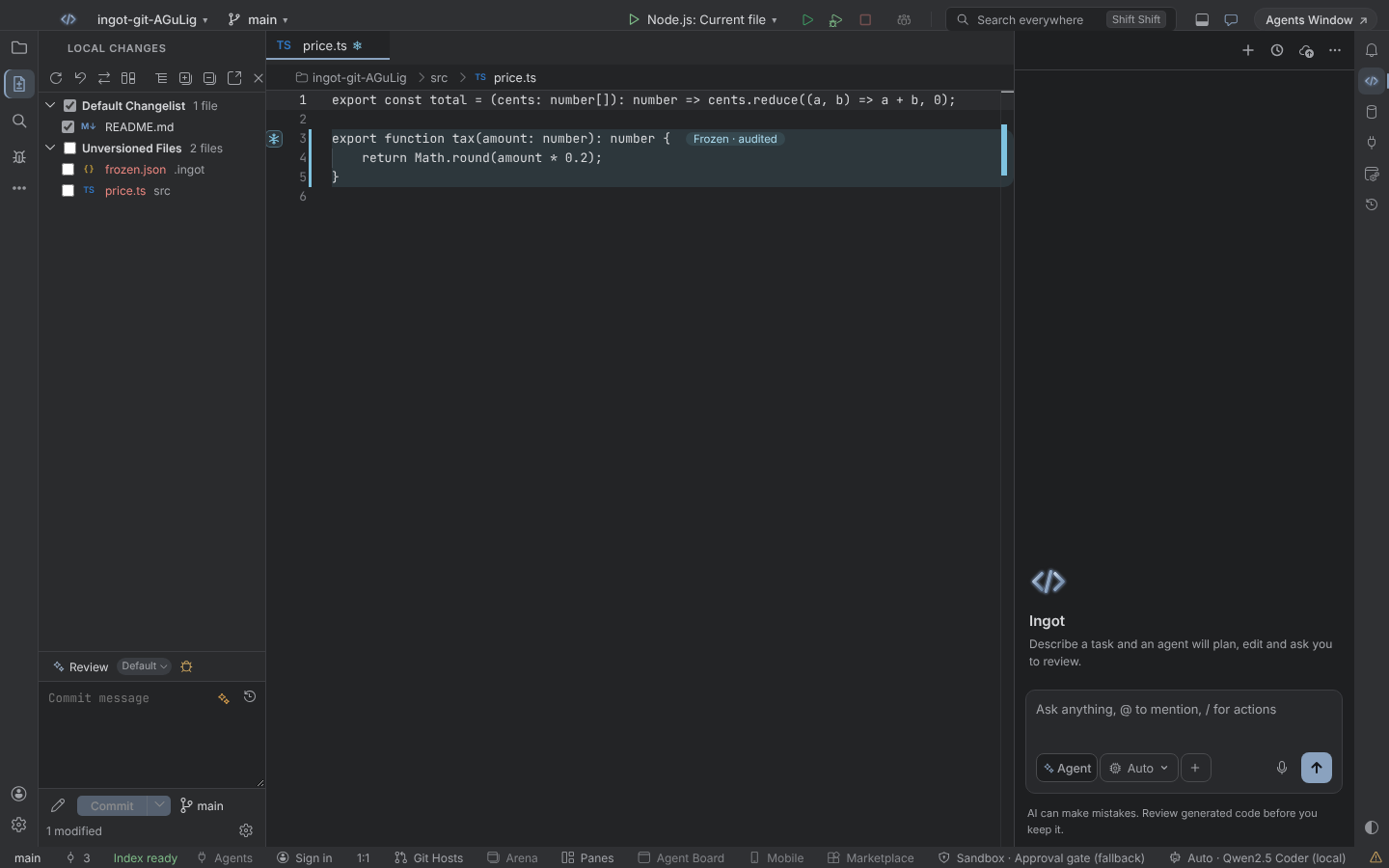
Right-click a file and pick Freeze, right-click inside a function and pick Freeze Function, or just ask the agent to freeze something. Frozen Zones is off by default; turn it on in Settings › Tools › Game changers. Details in Frozen Zones.
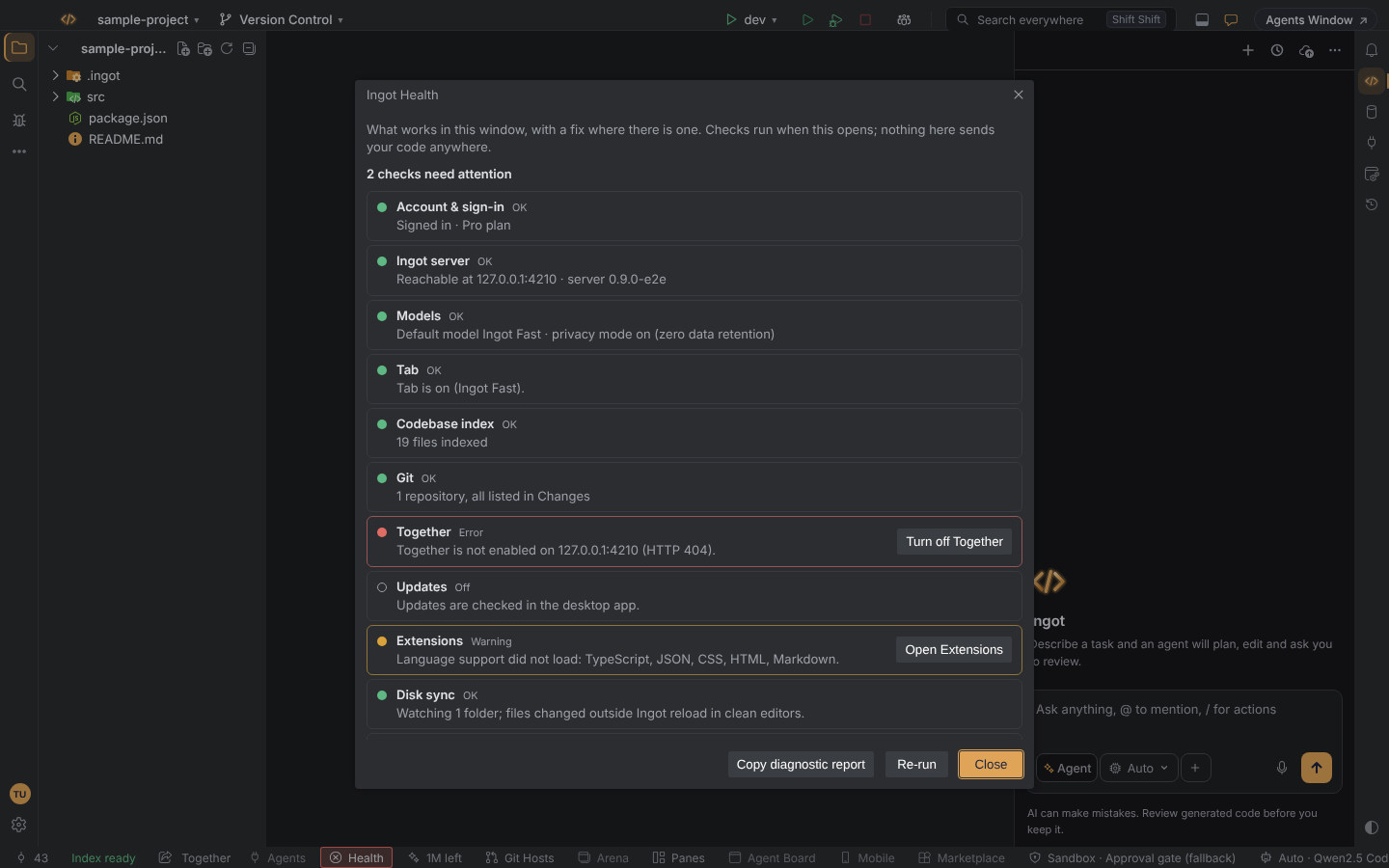
Ingot Health: see what works, fix it in one click
When something does not work, Help › Ingot Health… is the first place to look. It checks your sign-in, the server, models, Tab, the codebase index, Git, extensions and more, and offers the fix next to each problem. Its diagnostic report is redacted and ready to copy. See Ingot Health.
Tab, also on your own machine
Tab completion suggests the next lines as ghost text. It can run on Ingot's hosted model, or on a coder model in Ollama on your own computer. Local Tab costs nothing, works offline and keeps your code on the machine. We wrote a separate post about it: Free, offline Tab with a local model.
Privacy by default
Privacy mode is on from the first start. Ingot models are served only through routes with zero data retention, and if no private route exists for a model, the request stops with a clear error instead of falling back. See Privacy mode.
Every feature is a switch
Optional features start off and stay out of your way until you want them. The first-run setup walks you through the main choices (keymap, theme, privacy, agent), and Settings has a switch for each optional feature, so you can turn any of them off again.
Get started
Ingot is in Beta. Desktop installers are on the way; today you can build from source, and the download page updates as soon as a release is published. The editor is free; AI features come with a paid plan. Start with Getting started.